AI agent for frontend developers
Form Validation Edge Case Agent
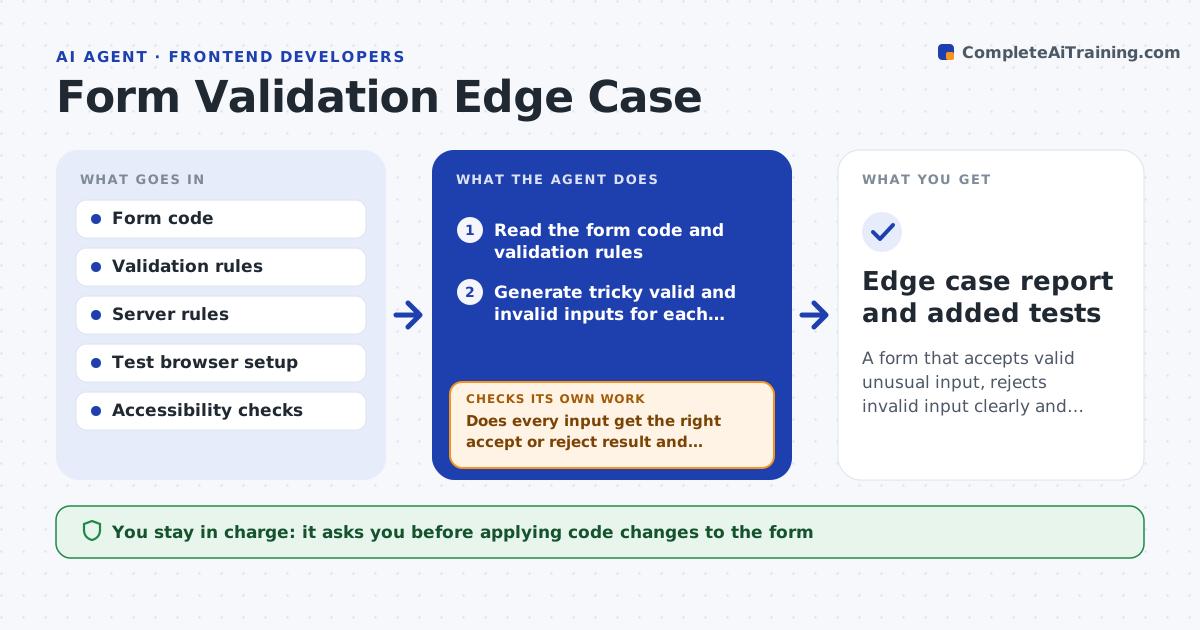
A form that accepts valid unusual input, rejects invalid input clearly and works with a keyboard and screen reader
What it does
A form that works for the developer's own name can reject an apostrophe, a long surname or a pasted phone number with spaces. This agent reads the form code, then generates tricky inputs: names with accents and hyphens, long addresses, pasted text with hidden spaces, emoji, extreme dates, and empty fields. It runs them in a browser test, including keyboard-only and screen reader checks, and records which inputs fail, which error messages are unclear and which fields do not announce errors. For each issue it proposes a code fix. After the fix is in place, it reruns the full set, since a change to one rule often breaks another. The developer approves the changes. Edge case: a field that accepts a value but then fails on the server is reported as a mismatch between the two rules.
How it works
Follow the arrows from top to bottom. The orange dashed arrow is the loop: when a check fails, the agent goes back and tries again.
Read the steps as a list
- Form added or changed
- Read the form code and validation rules
- Generate tricky valid and invalid inputs for each field
- Run them in a browser test, including keyboard and screen reader checks
- Does every input get the right accept or reject result and message?If not: record the failures with the input and the message shown. Back to step 3.
- Propose code fixes for each failure
- Developer approves the changesThe agent waits here for your OK.
- Rerun the full case set after the changes
- Do all cases pass, including earlier ones?If not: revise the fix that broke a case and rerun. Back to step 5.
- Check that accepted values also pass the server
- Edge case report and added tests
How it decides
An input is a failure if valid data is rejected, invalid data is accepted, or the error is not announced. Every fix must pass the whole case set.
- Accept names with hyphens, apostrophes, accents and spaces
- Reject only values the server also rejects
- Require every error to be announced to screen readers
- Add each failed input as a permanent test
Make it yours
Every agent is a starting point. You choose these settings for your own situation.
- Fields and rules in scope
- Languages and name formats to include
- Accessibility standard (default WCAG AA)
- Test browsers
What keeps you in control
It always asks you first
- Applying code changes to the form
Hard limits
- Never submits test data to the live system
- Never loosens a rule that protects security
It stops when
- Done: all cases pass and tests are added
- Stop: the test environment cannot load the form
Set it up
We guide you through the set-up, step by step
Members get the full set-up guide for this agent. No technical skills needed: you copy, paste and upload.
- One set of instructions to paste into your AI, with the clicks for ChatGPT, Claude, Microsoft 365 Copilot, Gemini and Grok
- The agent then walks you through connecting your own data, one source at a time
- A downloadable copy with the flow chart, the rules and the full guide