AI agent for pharmaceutical sales representatives
Formulary Access Change Agent
Every affected office learns about relevant coverage changes within one week, using approved language
What it does
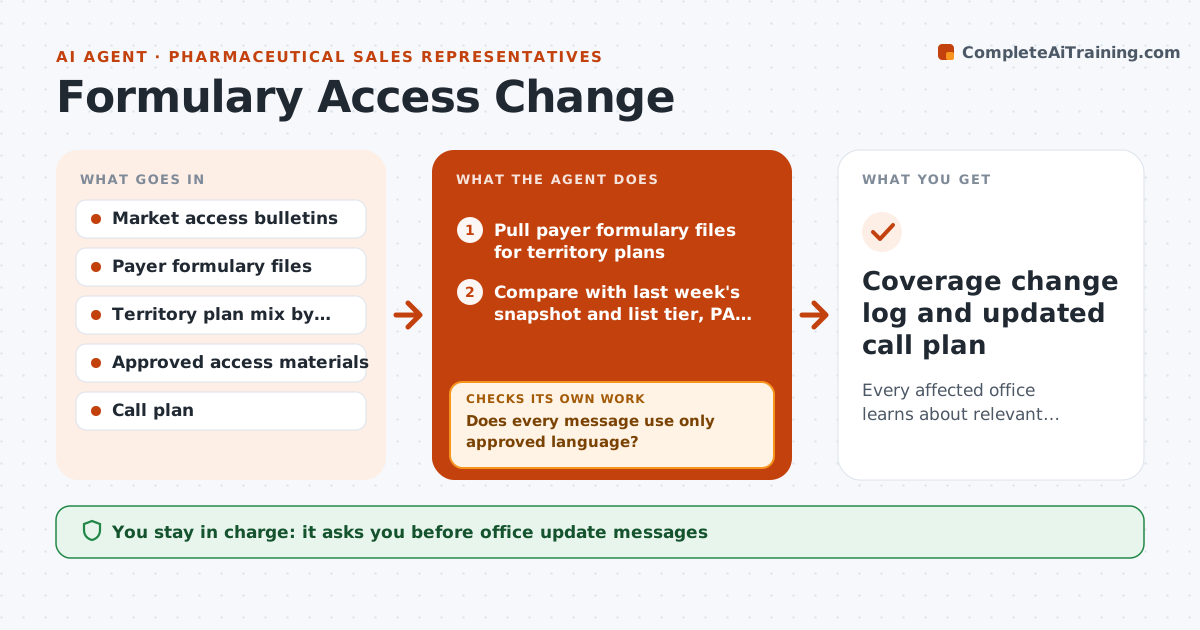
Coverage for a product changes when health plans update their formularies, add prior authorization or move tiers. Reps who miss a change give offices wrong information and lose credibility. This agent checks your company's market access updates and payer formulary files each week and compares them to last week's snapshot for the plans in your territory. For each change it estimates which prescribers are affected by matching their patient plan mix. It drafts a short, approved-language update for each affected office and adjusts your call priorities. Before anything goes out, it checks that every message uses only content from the approved access materials. If wording is not approved, it swaps in the approved sheet or flags it for review. You approve every office message. Edge case: a plan change that takes effect next quarter is held and scheduled, not sent now.
How it works
Follow the arrows from top to bottom. The orange dashed arrow is the loop: when a check fails, the agent goes back and tries again.
Read the steps as a list
- Weekly market access update
- Pull payer formulary files for territory plans
- Compare with last week's snapshot and list tier, PA and coverage changes
- Match changes to prescribers by plan mix
- Draft office updates from approved access materials
- Does every message use only approved language?If not: replace with the approved access sheet or flag the line for compliance review. Back to step 5.
- Rep approves office messages and revised call prioritiesThe agent waits here for your OK.
- Did each affected office get the update within 7 days?If not: move the office up in next week's call plan. Back to step 7.
- Coverage change log and updated call plan
How it decides
A prescriber is affected when the changed plan covers at least 10% of their patients for the product class. Changes effective more than 30 days out are scheduled instead of sent.
- Prescribers with 10% or more patients in a changed plan are marked affected
- Changes effective in more than 30 days are scheduled, not sent
- Coverage wins rank above losses in call priority unless a loss affects a top-20 prescriber
- Any wording outside approved materials goes to compliance
Make it yours
Every agent is a starting point. You choose these settings for your own situation.
- Plan mix threshold for affected prescribers (default 10%)
- Days ahead to hold future changes (default 30)
- Delivery channel for updates (default rep-triggered email)
- Number of top prescribers that override ranking (default 20)
What keeps you in control
It always asks you first
- Office update messages
- Call plan changes
Hard limits
- Never makes cost or efficacy claims outside approved materials
- Never shares patient-level data
It stops when
- Done: all affected offices informed or scheduled
- Stop: payer file is incomplete or plan mix data is missing for the territory
Set it up
We guide you through the set-up, step by step
Members get the full set-up guide for this agent. No technical skills needed: you copy, paste and upload.
- One set of instructions to paste into your AI, with the clicks for ChatGPT, Claude, Microsoft 365 Copilot, Gemini and Grok
- The agent then walks you through connecting your own data, one source at a time
- A downloadable copy with the flow chart, the rules and the full guide