AI agent for pharmaceutical sales representatives
Sample and Event Budget Tracking Agent
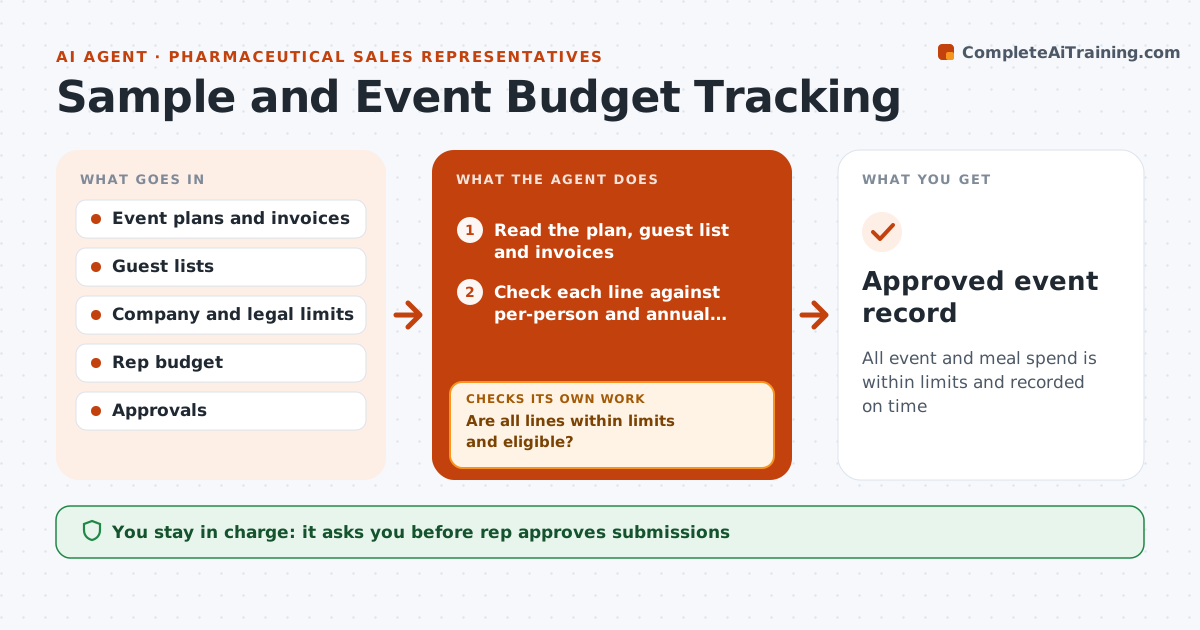
All event and meal spend is within limits and recorded on time
What it does
Local events and meals with prescribers have strict limits on cost per person and per year, and rules on what is allowed. Reps often record spend late, and limits are exceeded before anyone notices. This agent reads planned and actual event spend for each rep and checks each item against company and legal limits: per-person cap, annual cap and venue rules. It flags overages and near-limits, and proposes changes such as fewer guests, a cheaper venue or moving to the next quarter. After edits, it rechecks. The rep and compliance approve submissions. Edge case: a guest list includes someone who is not an eligible attendee, so the agent flags the line.
How it works
Follow the arrows from top to bottom. The orange dashed arrow is the loop: when a check fails, the agent goes back and tries again.
Read the steps as a list
- Event planned or spend logged
- Read the plan, guest list and invoices
- Check each line against per-person and annual limits and venue rules
- Are all lines within limits and eligible?If not: flag lines and propose changes such as fewer guests or a different venue. Back to step 3.
- Apply the changes and recompute totals
- Does the revised plan meet every limit?If not: adjust again or recommend cancelling the event. Back to step 4.
- Prepare the submission with evidence
- Rep and compliance approve the submissionThe agent waits here for your OK.
- Approved event record
How it decides
Each line is checked against per-person and annual limits. A plan is valid only when all limits hold. Over-limit lines are changed and rechecked.
- Flag a line above the per-person cap
- Flag any attendee who is not eligible
- Warn at 90 percent of the annual cap
- Require invoices within 5 days
Make it yours
Every agent is a starting point. You choose these settings for your own situation.
- Per-person cap
- Annual cap
- Warning level (default 90%)
- Invoice deadline
What keeps you in control
It always asks you first
- Rep approves submissions
- Compliance approves any event outside the standard rules
Hard limits
- Never approve spend
- Follow the stated rules only
- Do not record unsupported amounts
It stops when
- Done: event approved and logged within limits
- Stop: compliance rejects the event
Set it up
We guide you through the set-up, step by step
Members get the full set-up guide for this agent. No technical skills needed: you copy, paste and upload.
- One set of instructions to paste into your AI, with the clicks for ChatGPT, Claude, Microsoft 365 Copilot, Gemini and Grok
- The agent then walks you through connecting your own data, one source at a time
- A downloadable copy with the flow chart, the rules and the full guide