AI agent for pharmaceutical sales representatives
Territory Account Prioritization Agent
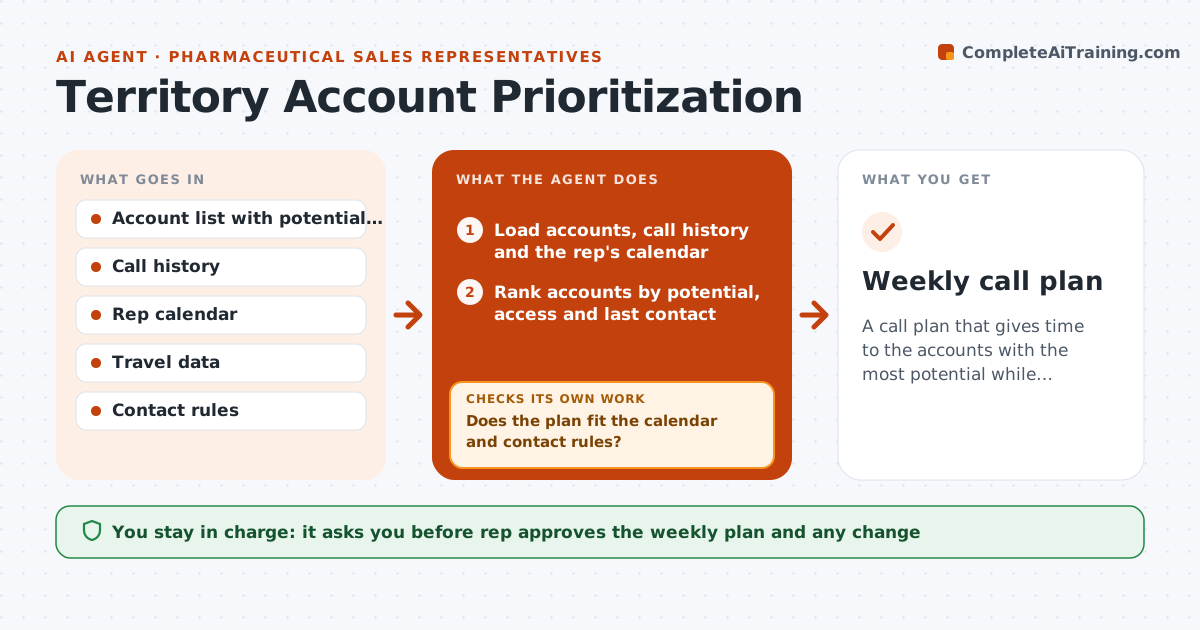
A call plan that gives time to the accounts with the most potential while following the contact rules
What it does
A rep who visits every account equally may miss the ones where a call matters most. This agent builds the weekly call plan from data. It ranks accounts by prescribing potential, access to the product, last contact and any open follow-ups. It fits the highest-ranked accounts into the rep's available days, with travel time and office hours. It checks the plan against contact rules, such as maximum visits per prescriber and approved times. When a call is cancelled, it rebuilds the plan and tells the rep what moved. The rep approves the plan. Edge case: a high-potential account has a no-visit rule this month, so the agent skips it and finds a replacement.
How it works
Follow the arrows from top to bottom. The orange dashed arrow is the loop: when a check fails, the agent goes back and tries again.
Read the steps as a list
- Weekly planning begins
- Load accounts, call history and the rep's calendar
- Rank accounts by potential, access and last contact
- Fill available days with ranked accounts and travel time
- Does the plan fit the calendar and contact rules?If not: remove the rule breaker and add the next account. Back to step 4.
- Rep approves the planThe agent waits here for your OK.
- Save it to the calendar
- Watch for cancellations during the week
- Is the plan still valid after changes?If not: rebuild the affected days and tell the rep. Back to step 4.
- Weekly call plan
How it decides
Accounts are ranked by potential and access, boosted by time since last contact and open follow-ups. A plan is valid only when it fits the calendar and every rule.
- Rank by potential first, then access, then days since contact
- Cap visits per prescriber as the rule allows
- Skip accounts with a no-visit flag
- Keep travel under the daily limit
Make it yours
Every agent is a starting point. You choose these settings for your own situation.
- Ranking weights
- Maximum visits per account
- Daily travel limit
- Planning day
What keeps you in control
It always asks you first
- Rep approves the weekly plan and any change
Hard limits
- Never contact anyone
- Follow every contact rule
- Do not use personal data about prescribers beyond business
It stops when
- Done: week completed with notes logged
- Stop: the rep chooses a different plan
Set it up
We guide you through the set-up, step by step
Members get the full set-up guide for this agent. No technical skills needed: you copy, paste and upload.
- One set of instructions to paste into your AI, with the clicks for ChatGPT, Claude, Microsoft 365 Copilot, Gemini and Grok
- The agent then walks you through connecting your own data, one source at a time
- A downloadable copy with the flow chart, the rules and the full guide