AI agent for fraud analysts
Fraud Investigation Case File Agent
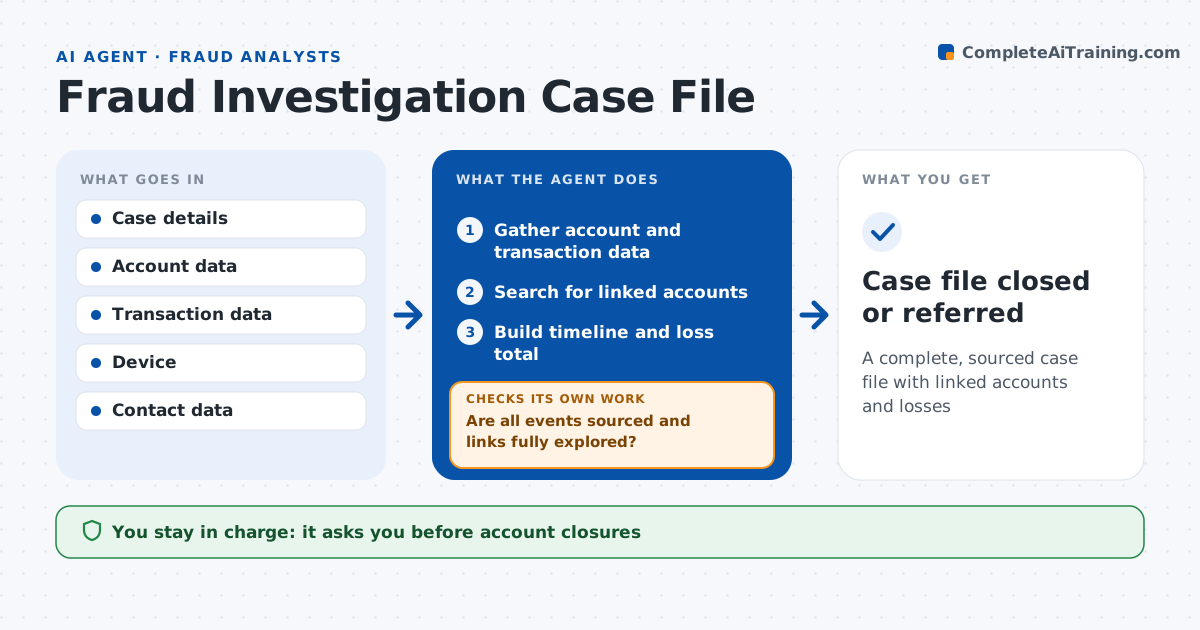
A complete, sourced case file with linked accounts and losses
What it does
Fraud investigations stall when evidence sits in many systems and linked accounts go unnoticed. When an analyst opens a case, this agent builds the case file. It gathers transactions, account opening data, devices, IP addresses, payees and communications. It searches for linked accounts through shared devices, addresses, phone numbers and payees, and rates each link as strong or weak. It builds a timeline and a loss calculation. It then checks that every event in the timeline has a source record and that all links have been explored. If new links appear, it expands the search one more level and recalculates totals. It drafts the case summary and notes when the loss is high enough for a law enforcement referral. The analyst decides the outcome, account actions and referrals. Edge case: two accounts share an address only because they are in the same apartment building, so the link is weak.
How it works
Follow the arrows from top to bottom. The orange dashed arrow is the loop: when a check fails, the agent goes back and tries again.
Read the steps as a list
- Investigation opened
- Gather account and transaction data
- Search for linked accounts
- Build timeline and loss total
- Are all events sourced and links fully explored?If not: expand the link search and update totals. Back to step 3.
- Draft case summary
- Analyst decides outcome and referralsThe agent waits here for your OK.
- Case file closed or referred
How it decides
It links accounts by shared identifiers and ranks link strength by type.
- Shared device: strong link
- Shared address only: weak link
- Loss over set amount: law enforcement referral option
Make it yours
Every agent is a starting point. You choose these settings for your own situation.
- Link types and strength
- Search depth
- Summary template
- Loss threshold for referral
What keeps you in control
It always asks you first
- Account closures
- Referrals to law enforcement
Hard limits
- Never takes account action
- Never shares case data externally
It stops when
- Done: case summary ready
- Stop: link depth over 3 levels, ask analyst
Set it up
We guide you through the set-up, step by step
Members get the full set-up guide for this agent. No technical skills needed: you copy, paste and upload.
- One set of instructions to paste into your AI, with the clicks for ChatGPT, Claude, Microsoft 365 Copilot, Gemini and Grok
- The agent then walks you through connecting your own data, one source at a time
- A downloadable copy with the flow chart, the rules and the full guide