AI agent for fraud analysts
Fraud Loss Reporting and Recovery Tracker Agent
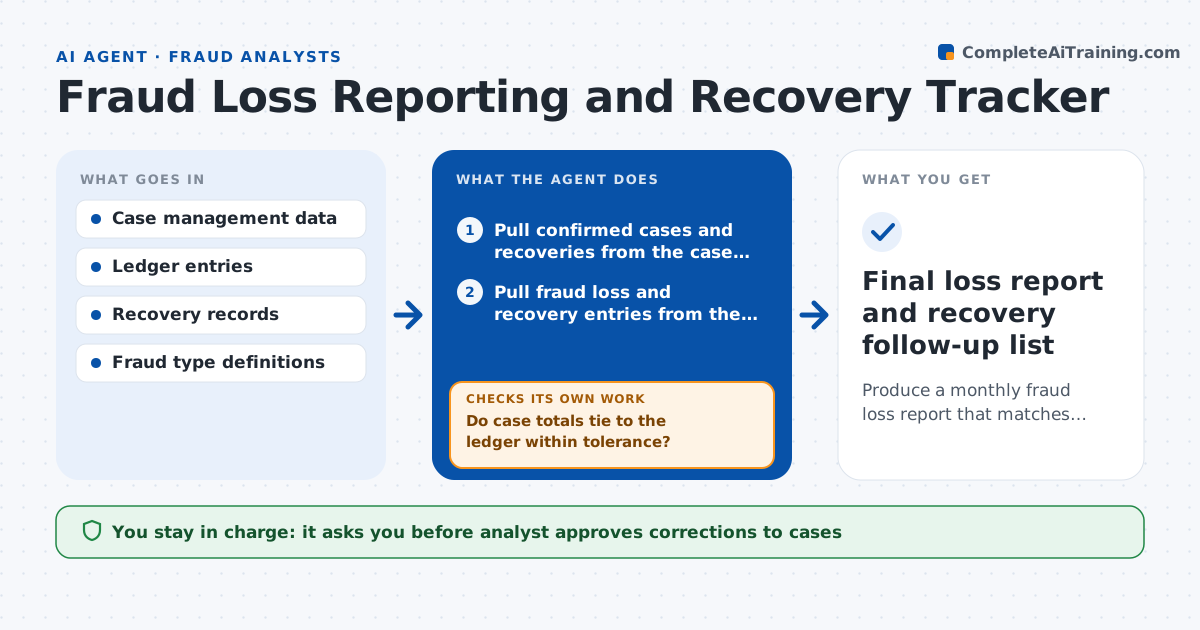
Produce a monthly fraud loss report that matches the ledger and shows recoveries.
What it does
The fraud loss report goes to management every month, but case data and the ledger rarely agree, and recoveries are missed. This agent collects confirmed cases and recoveries from the case system, checks amounts against the ledger and flags differences. It traces each one to a cause, such as a recovery not logged, a case classified under the wrong fraud type, or a loss booked twice. It proposes the corrections and rebuilds the monthly loss report after each fix. It also lists cases where recovery looks possible and no action was taken. If the report totals still do not tie to the ledger, it keeps tracing. The analyst approves the final report.
How it works
Follow the arrows from top to bottom. The orange dashed arrow is the loop: when a check fails, the agent goes back and tries again.
Read the steps as a list
- Month closes
- Pull confirmed cases and recoveries from the case system
- Pull fraud loss and recovery entries from the ledger
- Compare totals by fraud type and period
- Trace each difference to a cause
- Propose corrections to the case records or ledger notes
- Analyst approves correctionsThe agent waits here for your OK.
- Rebuild the monthly report
- Do case totals tie to the ledger within tolerance?If not: trace the remaining differences and look for duplicate or missing cases. Back to step 4.
- List cases with possible recovery and no action
- Final loss report and recovery follow-up list
How it decides
It accepts the report when case totals tie to the ledger within the tolerance, and traces each difference to a cause.
- Accept differences under $100 in total per fraud type
- Check cases older than 90 days for unlogged recoveries
- Reclassify a case only with the analyst's approval
- Flag any case booked in two periods
Make it yours
Every agent is a starting point. You choose these settings for your own situation.
- Tie-out tolerance (default $100)
- Fraud types and definitions
- Age for recovery review (default 90 days)
- Report layout
What keeps you in control
It always asks you first
- Analyst approves corrections to cases
- Analyst approves the final report
Hard limits
- Never changes ledger entries
- Shows every adjustment in the report notes
It stops when
- Done: totals tie and the report is approved
- Stop: ledger entries for the month are not yet final
Set it up
We guide you through the set-up, step by step
Members get the full set-up guide for this agent. No technical skills needed: you copy, paste and upload.
- One set of instructions to paste into your AI, with the clicks for ChatGPT, Claude, Microsoft 365 Copilot, Gemini and Grok
- The agent then walks you through connecting your own data, one source at a time
- A downloadable copy with the flow chart, the rules and the full guide