AI agent for fleet managers
Fuel Card Anomaly Agent
Spot and resolve fuel misuse and inefficiency
What it does
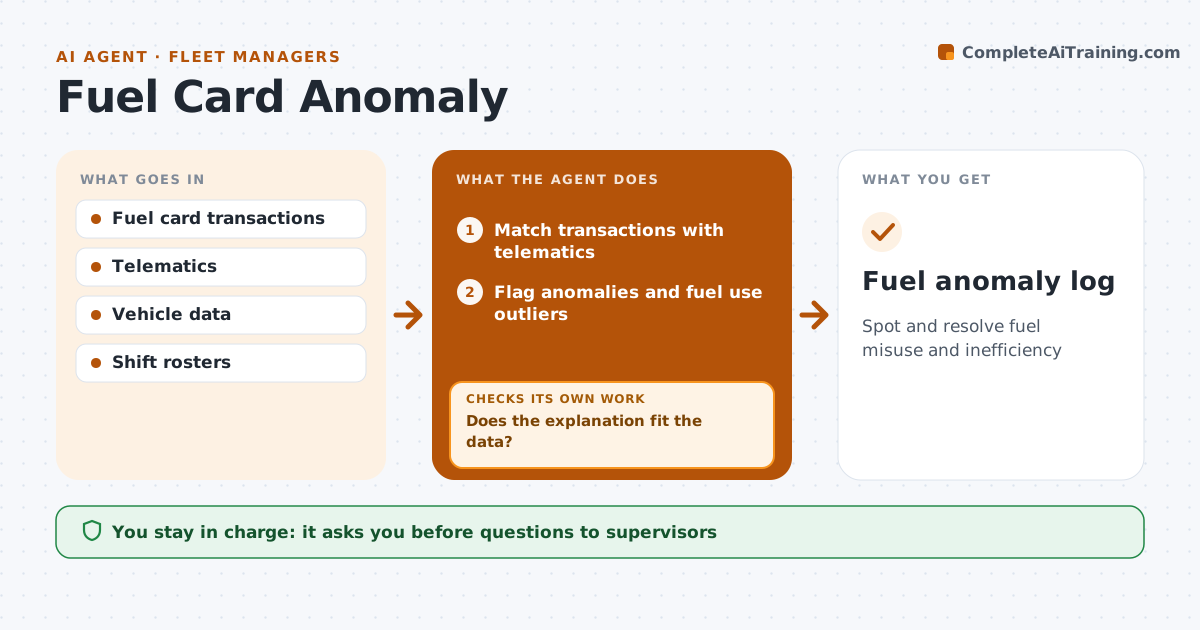
Fuel is one of a fleet's biggest costs, and card misuse or leaks are hard to spot in a monthly statement. Each week this agent matches fuel card transactions with telematics data. It flags a transaction when the vehicle was more than 1 km from the station, the litres exceed tank size, or the fuel type is wrong. It also tracks fuel use per mile against each vehicle's normal. Shared cards are checked against the shift roster. For each anomaly it drafts a question for the supervisor, which the fleet manager approves before sending. When an explanation comes back, it checks it against the data. If it does not fit, it escalates to the fleet manager with the evidence. Any action involving a driver is decided by people only. Edge case: a vehicle refueled by a different driver on a shared card is checked against that day's roster.
How it works
Follow the arrows from top to bottom. The orange dashed arrow is the loop: when a check fails, the agent goes back and tries again.
Read the steps as a list
- Weekly run
- Match transactions with telematics
- Flag anomalies and fuel use outliers
- Draft questions to supervisors
- Fleet manager approves sending questionsThe agent waits here for your OK.
- Read explanations and check against data
- Does the explanation fit the data?If not: escalate to the fleet manager with the evidence. Back to step 4.
- Fuel anomaly log
How it decides
A transaction is flagged when the vehicle was more than 1 km from the station, the litres exceed tank size, or fuel type is wrong.
- Location, volume and fuel type checks
- Shared cards checked against rosters
- Driver actions decided by people only
Make it yours
Every agent is a starting point. You choose these settings for your own situation.
- Distance threshold
- Volume tolerance
- Review day
- Escalation contact
What keeps you in control
It always asks you first
- Questions to supervisors
- Any driver action
Hard limits
- Never blocks cards
- Never contacts drivers directly
It stops when
- Done: anomalies resolved
- Stop: telematics data missing for a vehicle
Set it up
We guide you through the set-up, step by step
Members get the full set-up guide for this agent. No technical skills needed: you copy, paste and upload.
- One set of instructions to paste into your AI, with the clicks for ChatGPT, Claude, Microsoft 365 Copilot, Gemini and Grok
- The agent then walks you through connecting your own data, one source at a time
- A downloadable copy with the flow chart, the rules and the full guide