AI agent for grant writers
Funder Prospect Research Agent
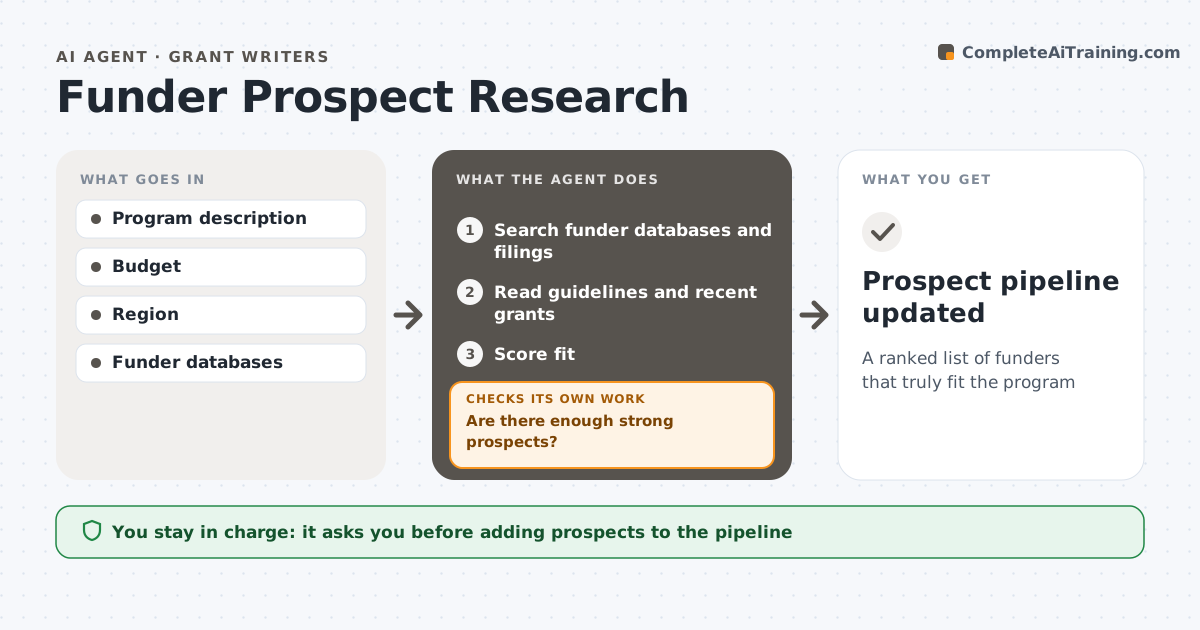
A ranked list of funders that truly fit the program
What it does
Finding funders that fit a program takes hours of reading guidelines and tax filings. When a new program starts or a quarter begins, this agent searches funder databases, foundation websites and public tax filings for funders that support the cause area, region and budget size. It reads each funder's guidelines and the last two years of grants to check fit: whether they accept unsolicited proposals, typical grant size and deadlines. It drops funders that do not accept unsolicited proposals and scores the rest. It then checks whether there are enough strong prospects. If not, it widens the search to nearby regions or related causes and checks again. The grant writer reviews the list and chooses who to approach. Edge case: a funder that changed its focus last year is flagged, even if older grants look like a perfect match.
How it works
Follow the arrows from top to bottom. The orange dashed arrow is the loop: when a check fails, the agent goes back and tries again.
Read the steps as a list
- New program or quarter
- Search funder databases and filings
- Read guidelines and recent grants
- Score fit
- Are there enough strong prospects?If not: widen region or cause terms. Back to step 2.
- Grant writer chooses prospectsThe agent waits here for your OK.
- Prospect pipeline updated
How it decides
It scores funders on cause, region, grant size and openness to applications, and checks recent grants.
- Drop funders that do not accept unsolicited proposals
- Check last two years of grants
- Match grant size to budget
Make it yours
Every agent is a starting point. You choose these settings for your own situation.
- Minimum fit score
- Regions
- Grant size range
- Number of prospects
What keeps you in control
It always asks you first
- Adding prospects to the pipeline
Hard limits
- Uses public information only
It stops when
- Done: list delivered
- Stop: no funders fit; suggest changing scope
Set it up
We guide you through the set-up, step by step
Members get the full set-up guide for this agent. No technical skills needed: you copy, paste and upload.
- One set of instructions to paste into your AI, with the clicks for ChatGPT, Claude, Microsoft 365 Copilot, Gemini and Grok
- The agent then walks you through connecting your own data, one source at a time
- A downloadable copy with the flow chart, the rules and the full guide