AI agent for fundraisers
Funder Relationship and Stewardship Agent
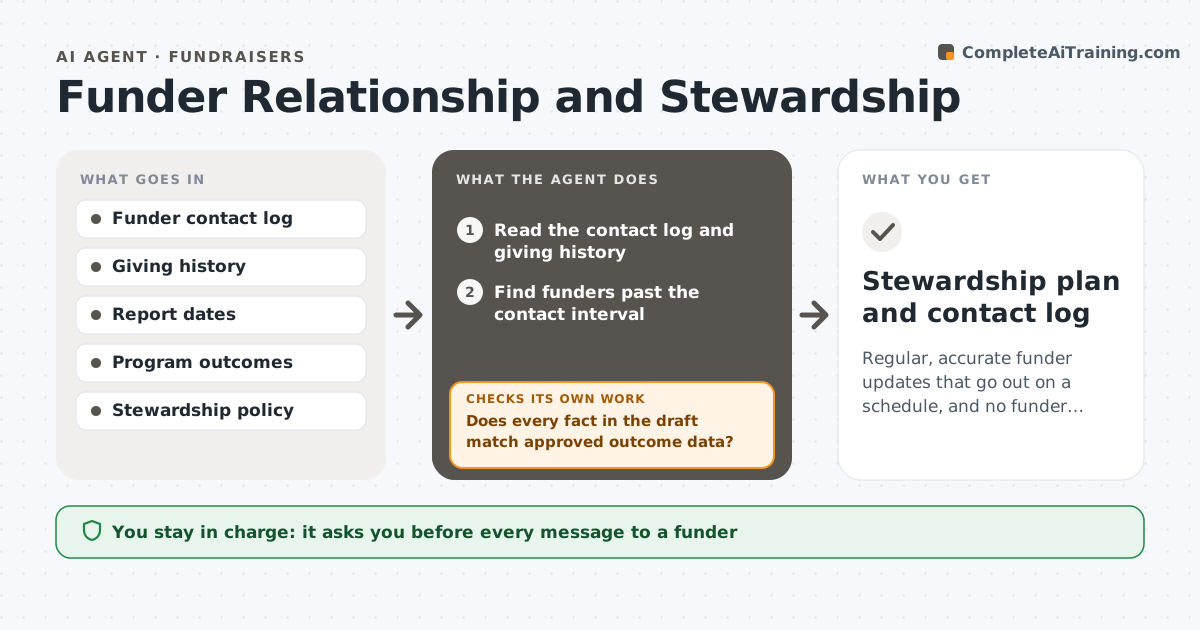
Regular, accurate funder updates that go out on a schedule, and no funder goes unthanked or unheard
What it does
Funders often hear from an organization only when it asks for money. This agent tracks every touchpoint with each funder, report dates and giving history. It flags funders with no recent contact and drafts short update notes that use real outcomes from approved sources. It checks every fact in a draft against the source data. After sends, it records the contact and rechecks the funder's touch schedule. The director approves each message. Edge case: a funder has an open application, so the agent holds a general update to avoid confusion and flags it for the director.
How it works
Follow the arrows from top to bottom. The orange dashed arrow is the loop: when a check fails, the agent goes back and tries again.
Read the steps as a list
- Monthly stewardship review
- Read the contact log and giving history
- Find funders past the contact interval
- Select a real outcome relevant to each funder
- Draft an update note
- Does every fact in the draft match approved outcome data?If not: correct or remove the claim and redraft. Back to step 4.
- Director approves each messageThe agent waits here for your OK.
- Record sends in the contact log
- Is any funder still overdue or has an open application?If not: hold the update and flag it for the director. Back to step 3.
- Set the next touch date
- Stewardship plan and contact log
How it decides
A funder is due for contact when the time since the last touch exceeds the policy. Updates may only use facts that match approved data.
- Contact each funder at least every 90 days
- Use only facts from approved outcome data
- Hold general updates for funders with an open application
- Thank for gifts within 3 days
Make it yours
Every agent is a starting point. You choose these settings for your own situation.
- Contact interval (default 90 days)
- Funder tiers
- Message tone
- Approver
What keeps you in control
It always asks you first
- Every message to a funder
Hard limits
- Never sends a message
- Never states an outcome that is not in approved data
It stops when
- Done: all funders contacted or held with a reason
- Stop: outcome data is out of date
Set it up
We guide you through the set-up, step by step
Members get the full set-up guide for this agent. No technical skills needed: you copy, paste and upload.
- One set of instructions to paste into your AI, with the clicks for ChatGPT, Claude, Microsoft 365 Copilot, Gemini and Grok
- The agent then walks you through connecting your own data, one source at a time
- A downloadable copy with the flow chart, the rules and the full guide