
Learning path
Learning AI as a Grant Manager
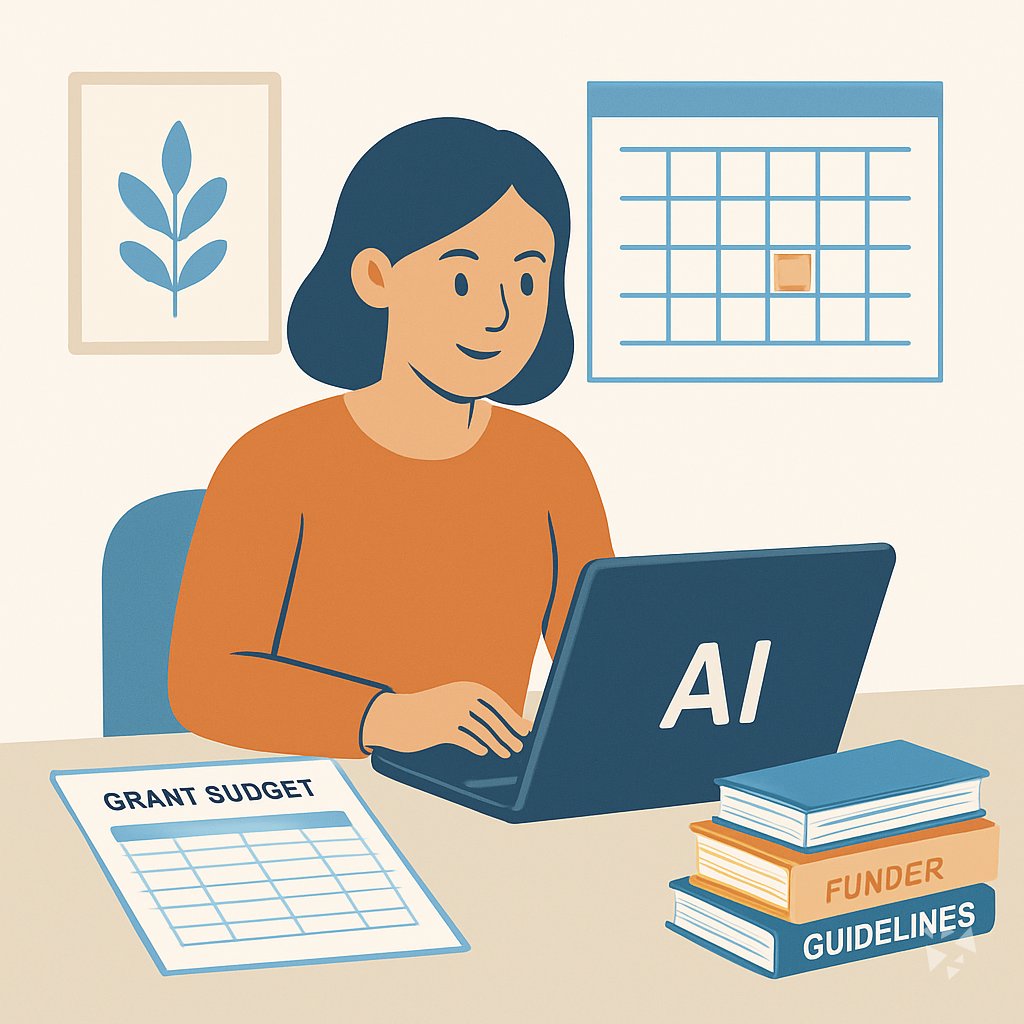
Grant managers keep awards on track from planning to closeout. This path shows how AI can help with guidelines, budgets, reports, and compliance without losing your judgment.
Your path
Everything in the Grant Manager AI kit, in the order that makes sense. Members tick off each step and see their progress.
Set up your AI
We guide you through each click.
Let skills do your everyday tasks
Connect your apps and pick your AI apps
Hand whole tasks to AI agents
Build your own tools
Keep growing
Everything for grant managers
All the courses, certifications, AI tools, MCP servers and apps for grant managers, most relevant first. Open any list to see more.
Take the prompt courses
A short framework course to learn how to ask, then 9 lessons with ready-to-use prompts for grant managers.
Start with this framework: how to talk to AI
As a grant manager, RACE helps you specify role, action, context, and expected quality when drafting funder reports and budget reviews.
Then your prompt course for grant managers- 1Grant Guidelines Basics3 prompts
- 2Budget Tracking And Forecasting5 prompts
- 3Compliance And Documentation3 prompts
- 4Progress Reports And Narratives3 prompts
- 5Funder Communication And Updates2 prompts
- 6Timelines And Coordination2 prompts
- 7Subaward Management3 prompts
- 8Site Visits And Findings2 prompts
- 9Financial Review And Audit Prep3 prompts
Watch the video courses or add them to your Favorites for later
109 video courses our AI picked for grant managers, most useful first. Save the ones you want to watch later with the heart.
Favorites are saved to your account: sign in or get your AI kit first.
Show all 109 video courses
Get certified, or add certifications to your Favorites
Every course ends in an exam and a certificate you can add to LinkedIn. Save the certifications you are aiming for with the heart.
Favorites are saved to your account: sign in or get your AI kit first.
More certifications for grant managersShow all 24 certifications
Try the AI tools for grant managers
8 AI tools our AI matched to the work of grant managers, best fit first. Each review shows what it does, its alternatives and the jobs it suits.
Favorites are saved to your account: sign in or get your AI kit first.
Connect your AI to the apps grant managers use
MCP servers let ChatGPT, Claude or Copilot look things up and get work done in other apps, like your email, calendar or bookkeeping software. These 12 fit the work of grant managers best, well-known apps first.

Box MCP server
by boxLet your AI search your Box files, answer questions about them, and pull out details for you.
Productivity Official
OfficeAgent MCP server
by ilia-sokolovLet your AI edit Word, PowerPoint and Excel files, with changes you can review before saving.
Productivity Official
SAM.gov MCP server
by cliwantLets your AI look up US government contracts, spending, grants, and rules for you.

Google Drive MCP server
by isaacphiLets your AI search and read your Google Drive files and read or edit your Google Sheets.
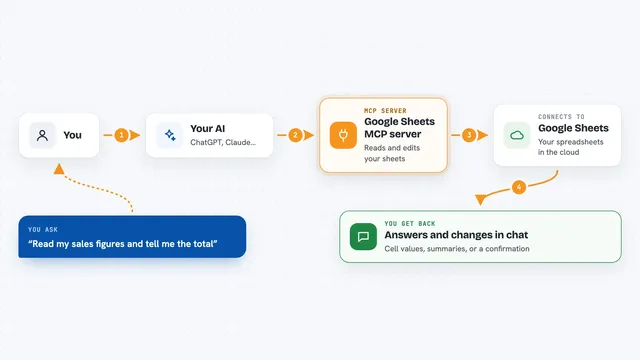
Google Sheets MCP server
by freemaLets your AI read, write, and format your Google Sheets for you, right from the chat.

Word document MCP server
by SecurityRoninLet your AI open, edit, and review Word files, with changes shown as tracked revisions.
Show all 12 MCP servers

Google Workspace MCP server
by taylorwilsdonLets your AI read and write your Gmail, Calendar, Drive, Docs, Sheets and more, all from one chat.

Excel MCP server
by haris-musaLets your AI create, read and edit Excel workbooks for you, without opening Excel.

Outlook Attachment Reader MCP server
by ZacccckLet your AI open and read the files attached to your Outlook emails, and send local files as drafts.

Gmail MCP server
by A1-x-TechLet your AI read, search, draft and send your Gmail, and keep labels and trash tidy, from the chat.

Outlook Assistant MCP server
by littlebearappsLets your AI read, search, send, and organise your Outlook email, calendar, and contacts from the chat.

KitchenSink4Word MCP server
by nometalalchemistLet your AI edit real Word documents: text, tables, tracked changes, citations and more.
Build your own AI apps for grant managers
Apps you build yourself with your own AI, no coding needed and no monthly fee. Our AI picked the 4 that fit the work of grant managers.
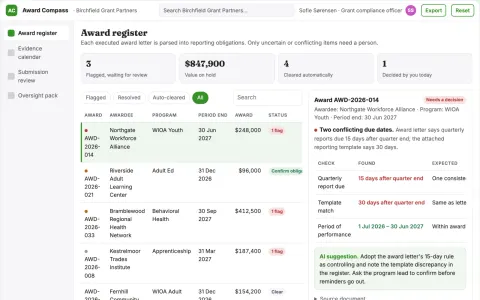
Grant award reporting calendar
Translate each award into an explicit evidence schedule.
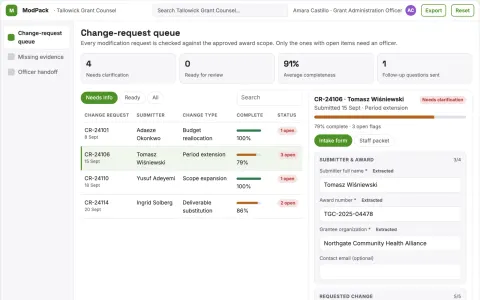
Public funding change-request organizer
Complete evidence before funding decisions.
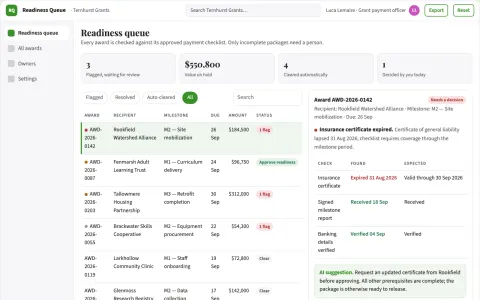
Public grant disbursement readiness engine
Accelerate complete approved payment packages.
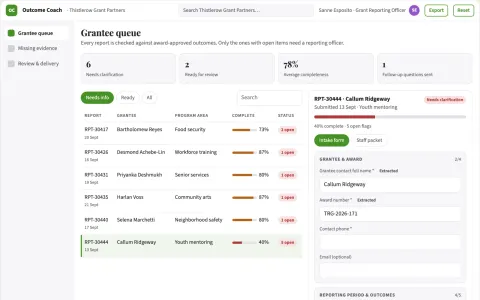
Public grant outcome evidence coach
Honest outcome reporting without invented impact.




































































































About this learning path
6 topicsPractical AI Skills for Grant Managers
Grant work asks you to hold many details at once: funder rules, budgets, deadlines, staff updates, and reports. AI can help you sort that detail into clear next steps while you keep the decisions.
Start with setup questions and simple ways to connect your AI. Then learn prompts built for grant tasks, watch short videos chosen for your role, and see which course certificates are worth sharing with employers.
Why AI Matters Now
Funders expect faster answers and cleaner records. Grant managers who can use AI to draft, check, and organize work spend less time chasing details and more time guiding programs.
AI does not replace your judgment about eligibility, allowability, or relationships. It gives you a first draft, a checklist, or a summary that you review and improve.
What the Path Includes
You begin with setup questions and a short guide to connecting your AI tool. Then you move into skills for grant work inside your AI, followed by this prompt course.
The path also points to video courses picked for grant managers and explains the certifications those courses offer. You can move at your own pace and return to lessons when a task comes up.
How It Saves Time
Use AI to turn dense guidelines into plain rules, build budget trackers, and prepare report drafts. It can also help you plan timelines and write routine funder updates.
Small time savings add up across a grant cycle. You still check the work, but you start from a useful draft instead of a blank page.
How It Protects Your Career
Grant managers are trusted with compliance and money. Showing that you can use AI carefully, with review and documentation, makes your skills more valuable.
You learn to keep private data safe, cite source rules, and keep a human check on every output. That care is part of the job.
How to Start
Set aside one hour to complete the setup questions and connect your AI. Then try one prompt from the course on a real but low-risk task, such as summarizing a funder guideline.
Keep a simple log of what worked and what needed edits. That log becomes your own guide for using AI well.
Frequently asked questions
Do I need technical skills to use this path?
No. The path is written for grant managers who use email, spreadsheets, and reports. You will learn plain steps for asking AI for help and checking the result.Will AI make decisions about compliance?
No. AI can help you read rules, build checklists, and spot gaps, but you remain responsible for compliance decisions. Always check the funder's official guidance and your organization's policies.What if my workplace has rules about AI tools?
Follow your workplace rules first. The path covers safety and privacy for grant work, including what not to paste into a public AI tool. Ask before using any new tool with real grant data.How long does the path take?
You can move through the setup and prompt lessons in a few sittings. The video courses and certifications vary in length, so you can choose what fits your schedule.