AI agent for plumbers
Gas Line Sizing and Pressure Test Agent
Size a gas line correctly and complete a documented pressure test the inspector will accept
What it does
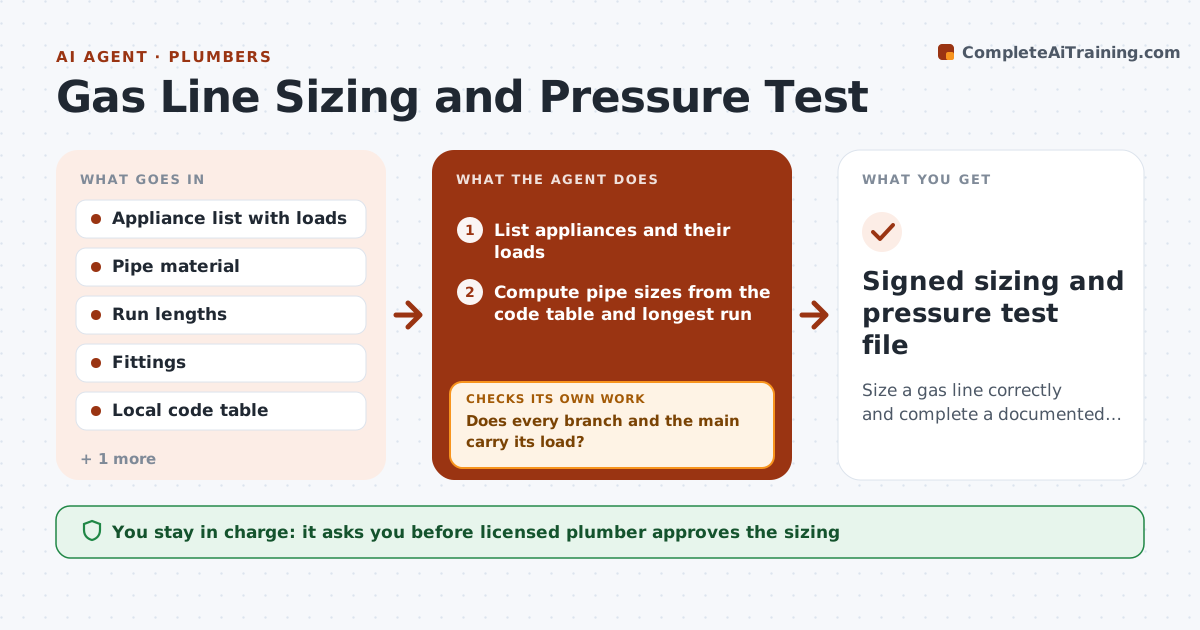
Gas line sizing mistakes and missing test records usually surface at inspection, when fixing them costs a day. The agent lists every appliance and its load, finds the longest run, and computes pipe size from the code table. It checks that each branch has enough capacity for its appliances and that the total load fits the main. It then plans the pressure test with the correct test pressure and hold time, and records readings entered by the plumber. If the pressure drops, it logs the failure and walks the plumber through leak checks, then repeats the test. The licensed plumber approves the final test record. Edge case: a tankless heater added later pushes the load past the main size, so the agent flags a size increase before work continues.
How it works
Follow the arrows from top to bottom. The orange dashed arrow is the loop: when a check fails, the agent goes back and tries again.
Read the steps as a list
- Gas line job scheduled
- List appliances and their loads
- Compute pipe sizes from the code table and longest run
- Does every branch and the main carry its load?If not: Increase the pipe size on the failing section and recompute. Back to step 3.
- Plan the pressure test with pressure and hold time
- Record gauge readings during the hold
- Did pressure hold for the full time?If not: Log the drop, list leak check steps, repair, then retest. Back to step 5.
- Build the test record with readings and sizes
- Licensed plumber approves the test recordThe agent waits here for your OK.
- Signed sizing and pressure test file
How it decides
Pipe size comes from the code table at the longest run and total load; a test passes only if pressure holds for the required time.
- Size from the longest developed run, not the average
- Fail the test when pressure drops by any amount over the required hold time
- Flag any added appliance that raises total load over 80% of main capacity
- Require a retest after every repair
Make it yours
Every agent is a starting point. You choose these settings for your own situation.
- Code edition and table used
- Test pressure and hold time per local rule
- Load margin threshold (default 80%)
- Record template layout
What keeps you in control
It always asks you first
- Licensed plumber approves the sizing
- Licensed plumber approves and signs the test record
Hard limits
- Never mark a test as passed without recorded readings
- Sizing is a check only; the licensed plumber decides
It stops when
- Done: sizing is checked and a passing test is recorded and approved
- Stop: the test keeps failing after three repairs and the plumber must inspect
Set it up
We guide you through the set-up, step by step
Members get the full set-up guide for this agent. No technical skills needed: you copy, paste and upload.
- One set of instructions to paste into your AI, with the clicks for ChatGPT, Claude, Microsoft 365 Copilot, Gemini and Grok
- The agent then walks you through connecting your own data, one source at a time
- A downloadable copy with the flow chart, the rules and the full guide