AI agent for electricians
Permit and Inspection Scheduling Agent
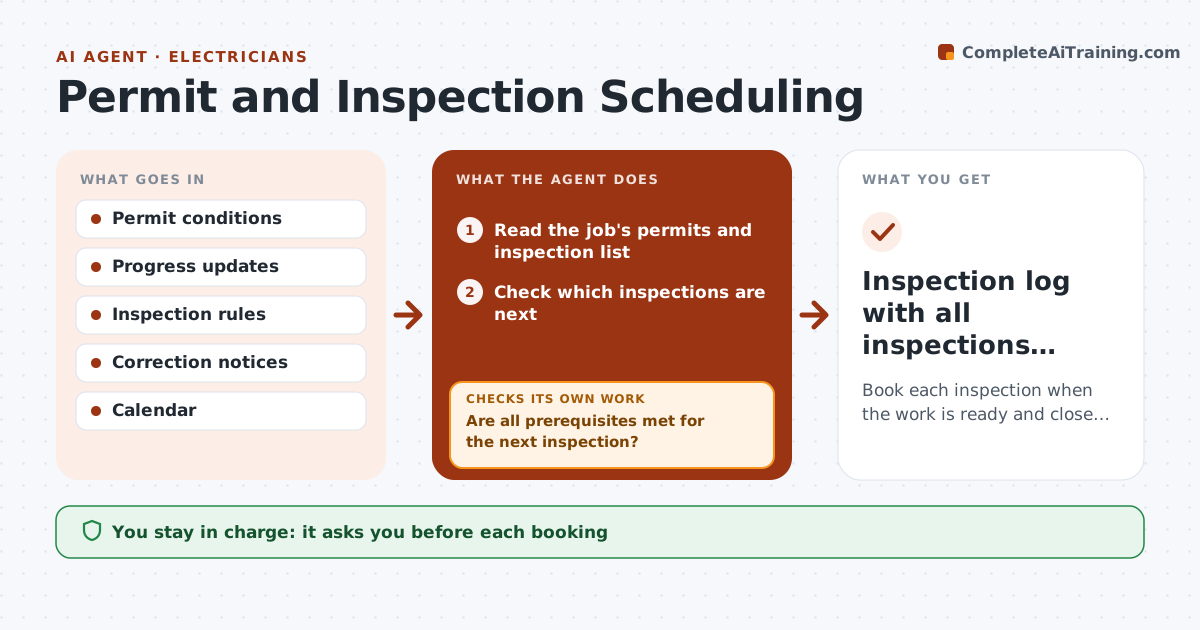
Book each inspection when the work is ready and close every correction after a fail.
What it does
If an inspection is booked too early, it fails, and if it is booked too late, the crew waits. This agent tracks work progress on each job, determines when each inspection is ready, and checks the prerequisites, such as permit posted, access cleared and prior inspection passed. It drafts the booking request for the earliest suitable slot. After a failed inspection, it reads the correction notice, adds each correction to the work list, and re-books when the work is done. You approve each booking. Edge case: a rough-in inspection is requested, but the permit card is not yet posted, and the agent holds the booking.
How it works
Follow the arrows from top to bottom. The orange dashed arrow is the loop: when a check fails, the agent goes back and tries again.
Read the steps as a list
- Progress update arrives
- Read the job's permits and inspection list
- Check which inspections are next
- Are all prerequisites met for the next inspection?If not: List what is missing and who owns it. Back to step 3.
- Draft a booking request for the earliest slot
- Contractor approves each bookingThe agent waits here for your OK.
- Record the inspection result
- Did the inspection pass?If not: Read the correction notice and add each correction to the work list. Back to step 5.
- Track the corrections until done
- Are all corrections marked done?If not: Keep the booking on hold and remind the owner. Back to step 9.
- Inspection log with all inspections passed
How it decides
It books only when all prerequisites are met. After a fail, it books again only when every correction is marked done.
- Book only when permit, access and prior inspections are satisfied
- Allow lead time set by the building department
- A failed inspection must be re-booked only after all corrections are done
- Remind the crew a day before
Make it yours
Every agent is a starting point. You choose these settings for your own situation.
- Lead time per inspection type
- Calendar to use
- Prerequisite list
- Reminder timing
- Which jobs it manages
What keeps you in control
It always asks you first
- Each booking
- Re-booking after a fail
Hard limits
- Never submits a booking without approval
- Never marks a correction done itself
- Keeps inspector notes
It stops when
- Done: all inspections passed
- Stop: inspection disputed with the inspector; contractor handles it
Set it up
We guide you through the set-up, step by step
Members get the full set-up guide for this agent. No technical skills needed: you copy, paste and upload.
- One set of instructions to paste into your AI, with the clicks for ChatGPT, Claude, Microsoft 365 Copilot, Gemini and Grok
- The agent then walks you through connecting your own data, one source at a time
- A downloadable copy with the flow chart, the rules and the full guide