AI agent for compensation analysts
Geographic Pay Differential Review Agent
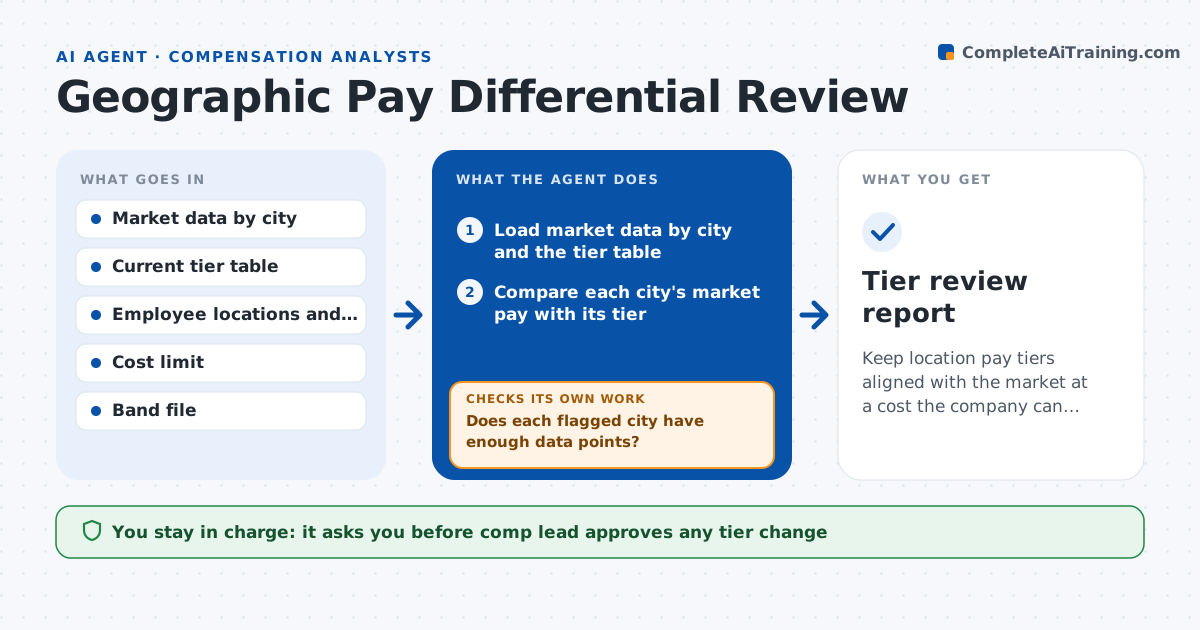
Keep location pay tiers aligned with the market at a cost the company can afford
What it does
The company uses three location tiers set four years ago, but the market has moved. This agent compares market pay data by city with the company's tiers and finds cities where the gap is outside tolerance, such as a city now 12 percent above its tier. It models what it would cost to move each outlier city to a better tier, counting headcount and salaries affected. If the total exceeds a cost limit, it proposes phased changes over two cycles, and reruns the cost under the phased plan. It checks that no employee would lose pay and that the change leaves bands consistent. The comp lead approves any tier change. Edge case: a city with fewer than 10 data points is marked low confidence and left alone.
How it works
Follow the arrows from top to bottom. The orange dashed arrow is the loop: when a check fails, the agent goes back and tries again.
Read the steps as a list
- Annual review begins
- Load market data by city and the tier table
- Compare each city's market pay with its tier
- Does each flagged city have enough data points?If not: Mark low confidence and exclude from changes. Back to step 3.
- Model the cost of moving each outlier city
- Is the total cost within the limit?If not: Phase the changes across two cycles and rerun the cost. Back to step 5.
- Check that no employee loses pay and bands stay consistent
- Draft the recommendation with options and cost
- Comp lead approves any tier changeThe agent waits here for your OK.
- Tier review report
How it decides
It flags a city when market pay differs from its tier by more than 5 percent with enough data. It phases changes when the cost passes the limit.
- Flag a city 5 percent or more away from its tier
- Require at least 10 data points per city
- Phase changes when cost exceeds the limit
- Never reduce an employee's pay as a result
Make it yours
Every agent is a starting point. You choose these settings for your own situation.
- Tolerance (default 5 percent)
- Cost limit (default set by finance)
- Minimum data points (default 10)
- Phasing rule (default two cycles)
What keeps you in control
It always asks you first
- Comp lead approves any tier change
Hard limits
- Never change a tier or pay on its own
- Never reduce pay
- Mark low-confidence data clearly
It stops when
- Done: Recommendation approved by the comp lead
- Stop: Market data is not available, so hand to the comp lead
Set it up
We guide you through the set-up, step by step
Members get the full set-up guide for this agent. No technical skills needed: you copy, paste and upload.
- One set of instructions to paste into your AI, with the clicks for ChatGPT, Claude, Microsoft 365 Copilot, Gemini and Grok
- The agent then walks you through connecting your own data, one source at a time
- A downloadable copy with the flow chart, the rules and the full guide