AI agent for diplomats
Gift and Hospitality Register Compliance Agent
A complete and compliant gift and hospitality register with approvals for items above the limit
What it does
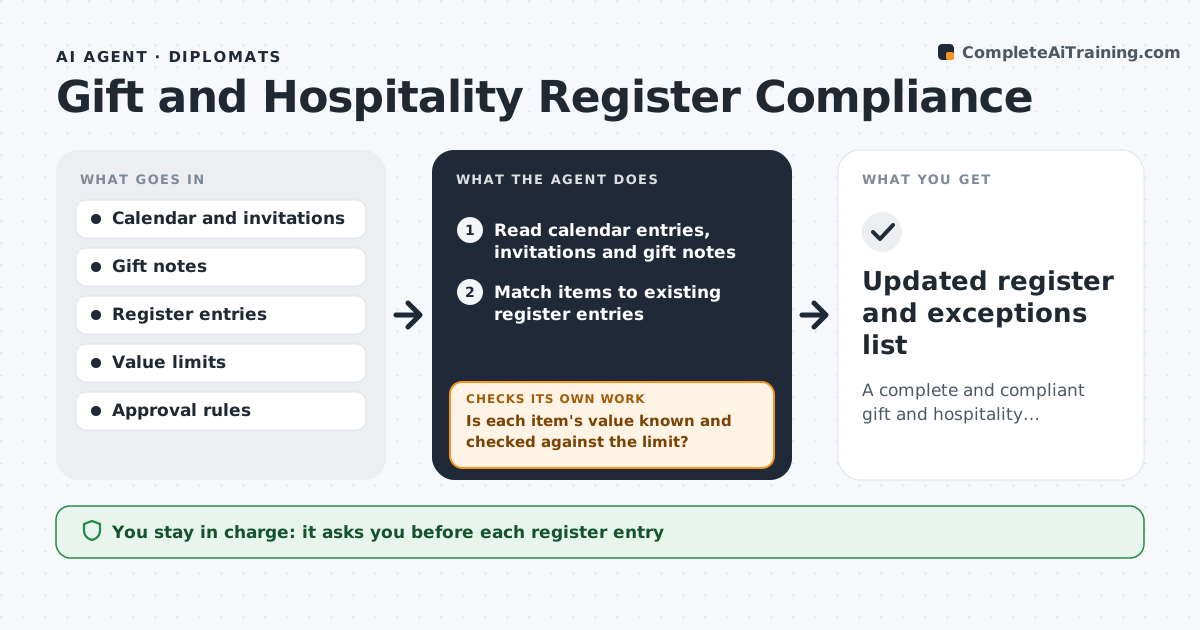
Diplomats receive gifts and invitations all year, and the rules on value, reporting and approval are strict. This agent reads event records, invitations and gift notes from the calendar and email and compares them with the register. For each gift or hospitality item, it checks the value against the rules and finds missing register entries. It drafts the missing entries with date, giver, description and estimated value. It flags items above the limit that need approval and items that must be handed over or declined. It checks the register again after the officer updates it, to make sure nothing is left out. The responsible officer approves each entry. Edge case: a series of small gifts from one giver is added together because the rule applies to the yearly total.
How it works
Follow the arrows from top to bottom. The orange dashed arrow is the loop: when a check fails, the agent goes back and tries again.
Read the steps as a list
- Weekly review or after an event
- Read calendar entries, invitations and gift notes
- Match items to existing register entries
- Draft entries for items missing from the register
- Is each item's value known and checked against the limit?If not: ask the officer for the estimated value or look up a reference price. Back to step 4.
- Add yearly totals by giver and flag those over the limit
- List items needing approval, handover or decline
- Responsible officer approves each entry and decisionThe agent waits here for your OK.
- Update the register and rerun the match
- Are all items now recorded with a decision?If not: list what is missing and ask the officer. Back to step 3.
- Updated register and exceptions list
How it decides
An item needs approval when its value, or the yearly total from the same giver, goes above the limit. Missing entries are drafted from event records.
- Require approval above the single-item value limit
- Add gifts from the same giver across the year before applying the limit
- Mark items for handover when the rules require surrender
- Flag hospitality at events with host government officials
Make it yours
Every agent is a starting point. You choose these settings for your own situation.
- Value limit per item and per year
- Register format
- Review frequency
- Approver by grade
What keeps you in control
It always asks you first
- Each register entry
- Decisions on items above the limit
Hard limits
- Never signs or submits entries for the officer
- Does not decide whether a gift is kept
It stops when
- Done: all items are in the register with decisions
- Stop: the rules table is unavailable
Set it up
We guide you through the set-up, step by step
Members get the full set-up guide for this agent. No technical skills needed: you copy, paste and upload.
- One set of instructions to paste into your AI, with the clicks for ChatGPT, Claude, Microsoft 365 Copilot, Gemini and Grok
- The agent then walks you through connecting your own data, one source at a time
- A downloadable copy with the flow chart, the rules and the full guide