AI agent for compliance officers
Gifts and Conflicts Register Review Agent
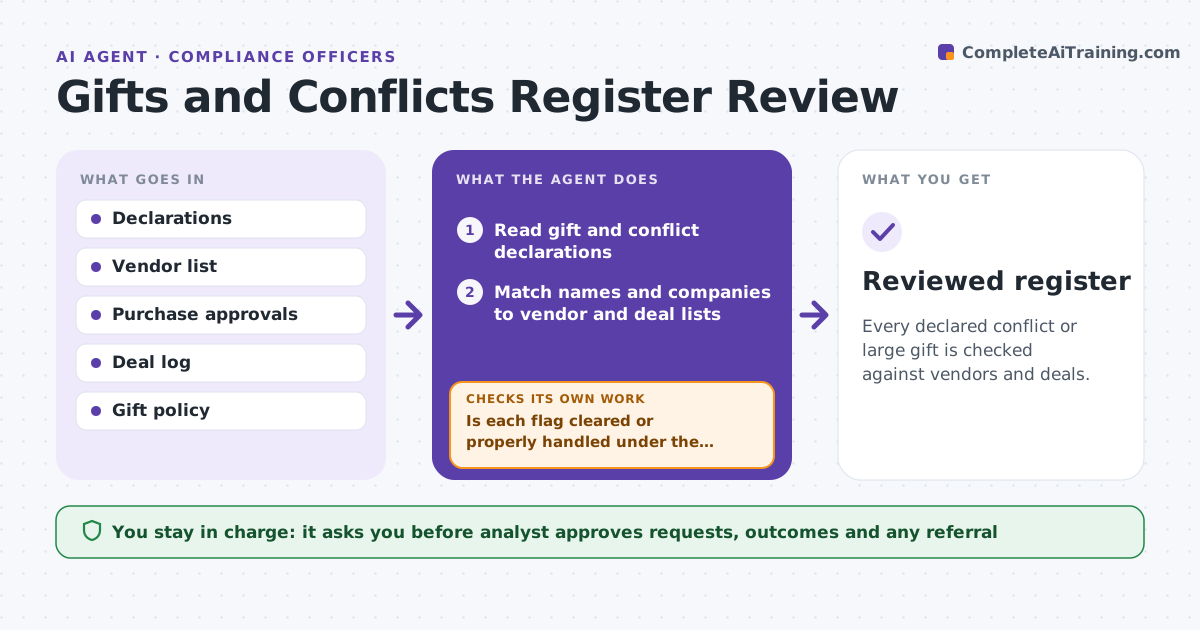
Every declared conflict or large gift is checked against vendors and deals.
What it does
Gift and conflict declarations pile up in a register and are never compared to the vendors and deals the company actually uses. This agent reads the declarations, matches them to vendor lists and approvals, flags overlaps and amounts over the threshold, and requests clarification. After replies it rechecks. It decides by the policy: a gift over the limit or a relationship with a current vendor needs review. The analyst approves actions. Edge case: an employee declares a family business that is also a supplier, so the agent flags it and asks if the employee had a role in selecting it.
How it works
Follow the arrows from top to bottom. The orange dashed arrow is the loop: when a check fails, the agent goes back and tries again.
Read the steps as a list
- Declarations are collected
- Read gift and conflict declarations
- Match names and companies to vendor and deal lists
- Flag overlaps and gifts over the threshold
- Rank flags by the person's role in the decision
- Draft clarification requests
- Analyst approves requests and any actionThe agent waits here for your OK.
- Read replies and recheck the matches
- Is each flag cleared or properly handled under the policy?If not: ask a follow-up or escalate to the analyst's list. Back to step 5.
- Reviewed register
How it decides
It flags a declaration when the name matches a vendor, a deal party or exceeds the gift limit. It ranks by the person's role in the decision.
- Flag any gift over the policy limit
- Flag a vendor or deal that matches a declaration
- Rank a flag higher if the person approved the purchase
- Never decide misconduct
Make it yours
Every agent is a starting point. You choose these settings for your own situation.
- Gift limit
- Matching rules
- Role ranking
- Review schedule
- Request wording
What keeps you in control
It always asks you first
- Analyst approves requests, outcomes and any referral
Hard limits
- Never decide that a violation occurred
- Keep register data within compliance
It stops when
- Done: every flag is cleared or referred
- Stop: a possible violation needs the compliance lead
Set it up
We guide you through the set-up, step by step
Members get the full set-up guide for this agent. No technical skills needed: you copy, paste and upload.
- One set of instructions to paste into your AI, with the clicks for ChatGPT, Claude, Microsoft 365 Copilot, Gemini and Grok
- The agent then walks you through connecting your own data, one source at a time
- A downloadable copy with the flow chart, the rules and the full guide