AI agent for musicians
Gig Booking Outreach Agent
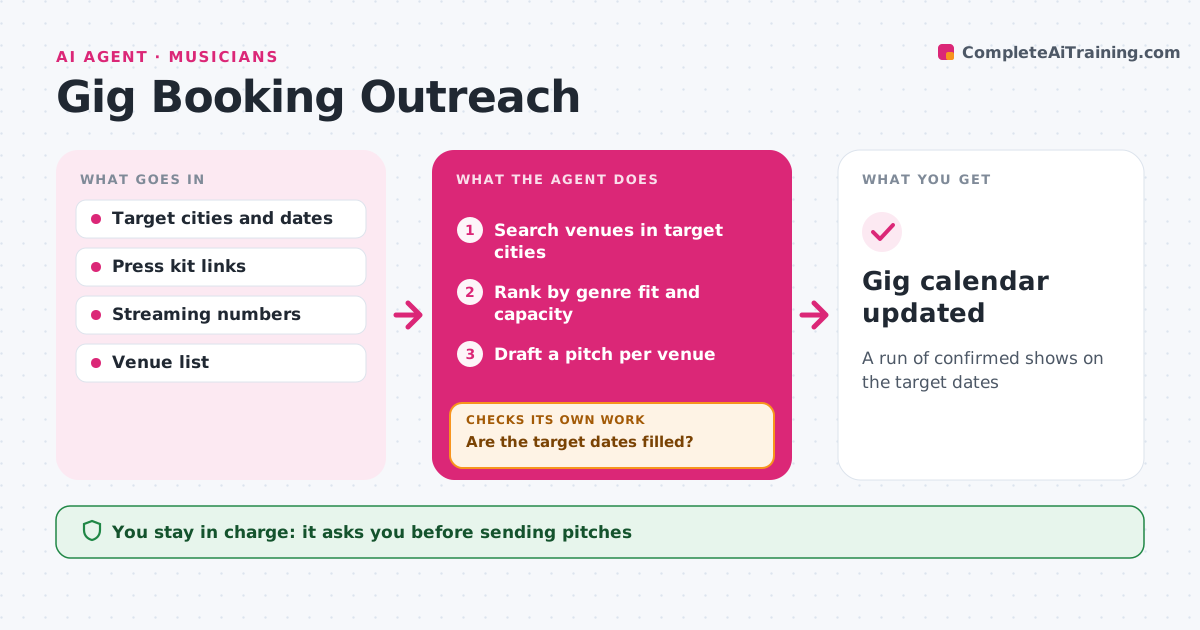
A run of confirmed shows on the target dates
What it does
Without an agent or manager, booking shows is a long grind of emails. This agent searches for venues in your target cities that book your genre at a capacity you can fill, based on your draw in each city. It reads each venue's booking rules and skips those that only book through agencies. It ranks venues by fit and drafts a short pitch for each, with your links, numbers and the dates you want. You approve pitches before they are sent. It then tracks replies, drafts one follow-up after the set wait and holds dates in your calendar. If target dates are still open near the deadline, it widens the search to nearby towns and similar venues and starts again. Edge case: when two venues offer the same night, it shows both and lets you choose.
How it works
Follow the arrows from top to bottom. The orange dashed arrow is the loop: when a check fails, the agent goes back and tries again.
Read the steps as a list
- Weekly booking run
- Search venues in target cities
- Rank by genre fit and capacity
- Draft a pitch per venue
- Artist approves pitchesThe agent waits here for your OK.
- Send pitches, track replies and draft follow-ups
- Are the target dates filled?If not: widen the search to nearby towns and similar venues. Back to step 2.
- Gig calendar updated
How it decides
It ranks venues by genre fit and how close their capacity is to your local draw, and widens the search when dates remain open.
- Match venue capacity to the artist's draw in that city
- Skip venues that only book through agents
- Follow up once after the set wait
Make it yours
Every agent is a starting point. You choose these settings for your own situation.
- Cities and dates
- Capacity range
- Wait before follow-up (default 7 days)
- Pitch tone
What keeps you in control
It always asks you first
- Sending pitches
- Confirming a date or fee
Hard limits
- Never confirms a show or fee without approval
- Never contacts venues on the artist's skip list
It stops when
- Done: all target dates confirmed
- Stop: no suitable venues left; report to the artist
Set it up
We guide you through the set-up, step by step
Members get the full set-up guide for this agent. No technical skills needed: you copy, paste and upload.
- One set of instructions to paste into your AI, with the clicks for ChatGPT, Claude, Microsoft 365 Copilot, Gemini and Grok
- The agent then walks you through connecting your own data, one source at a time
- A downloadable copy with the flow chart, the rules and the full guide