AI agent for film composers
Orchestration Range and Playability Check Agent
Playable parts with no range, speed or page-turn problems, approved by the composer
What it does
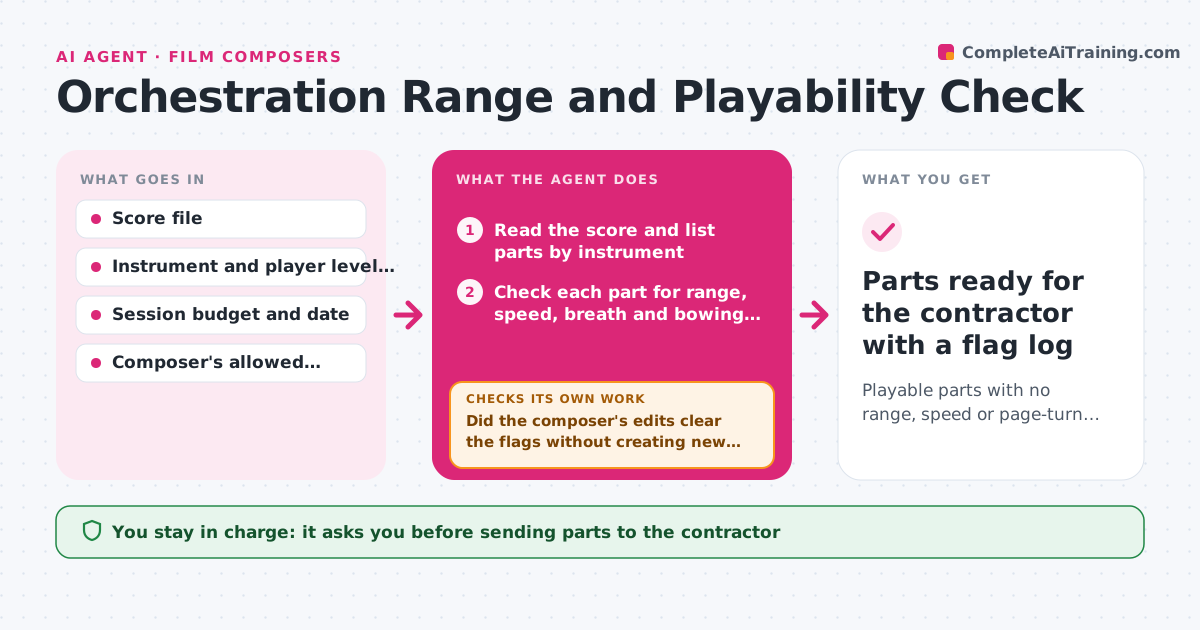
Parts often go to musicians with notes out of range, passages too fast or page turns in awkward places, and session time is wasted on fixes. This agent reads the score and checks every part against its instrument's range, fast repeated notes, breath and bowing limits and page turns. It flags problems with a suggested fix, such as moving a note an octave or adding a breath mark. After the composer edits, it checks the changed parts again, because an octave move can create a new clash or crowd another part. It also checks that the conductor's score and parts match. The composer approves the parts before they go to the contractor. Edge case: an intentionally extreme note for a soloist is allowed if the composer marks it.
How it works
Follow the arrows from top to bottom. The orange dashed arrow is the loop: when a check fails, the agent goes back and tries again.
Read the steps as a list
- Orchestration finished
- Read the score and list parts by instrument
- Check each part for range, speed, breath and bowing limits
- Check page turns in every part
- Flag problems with a suggested fix and bar number
- Did the composer's edits clear the flags without creating new ones?If not: list the new problem and suggest another fix. Back to step 3.
- Check that the full score and parts match
- Do all parts match the score?If not: regenerate the mismatched parts and check again. Back to step 3.
- Composer approves the partsThe agent waits here for your OK.
- Parts ready for the contractor with a flag log
How it decides
A note is flagged when it is outside the player's range, a repeated passage exceeds the speed limit, or a rest is too short for a breath, bow change or page turn.
- Flag notes outside the instrument's comfortable range
- Flag repeated notes faster than the speed limit set for the player
- Require 2 beats of rest for a page turn
- Allow marked soloist exceptions
Make it yours
Every agent is a starting point. You choose these settings for your own situation.
- Player level (studio, student, amateur)
- Speed limit per instrument
- Page turn rule (default 2 beats)
- Exceptions marked by the composer
What keeps you in control
It always asks you first
- Sending parts to the contractor
- Accepting a suggested fix
Hard limits
- Never changes the score itself
- Never sends parts out without approval
It stops when
- Done: no open flags and the composer approved
- Stop: score file cannot be read
Set it up
We guide you through the set-up, step by step
Members get the full set-up guide for this agent. No technical skills needed: you copy, paste and upload.
- One set of instructions to paste into your AI, with the clicks for ChatGPT, Claude, Microsoft 365 Copilot, Gemini and Grok
- The agent then walks you through connecting your own data, one source at a time
- A downloadable copy with the flow chart, the rules and the full guide