AI agent for grant managers
Grant Allowable Cost Pre-Check Agent
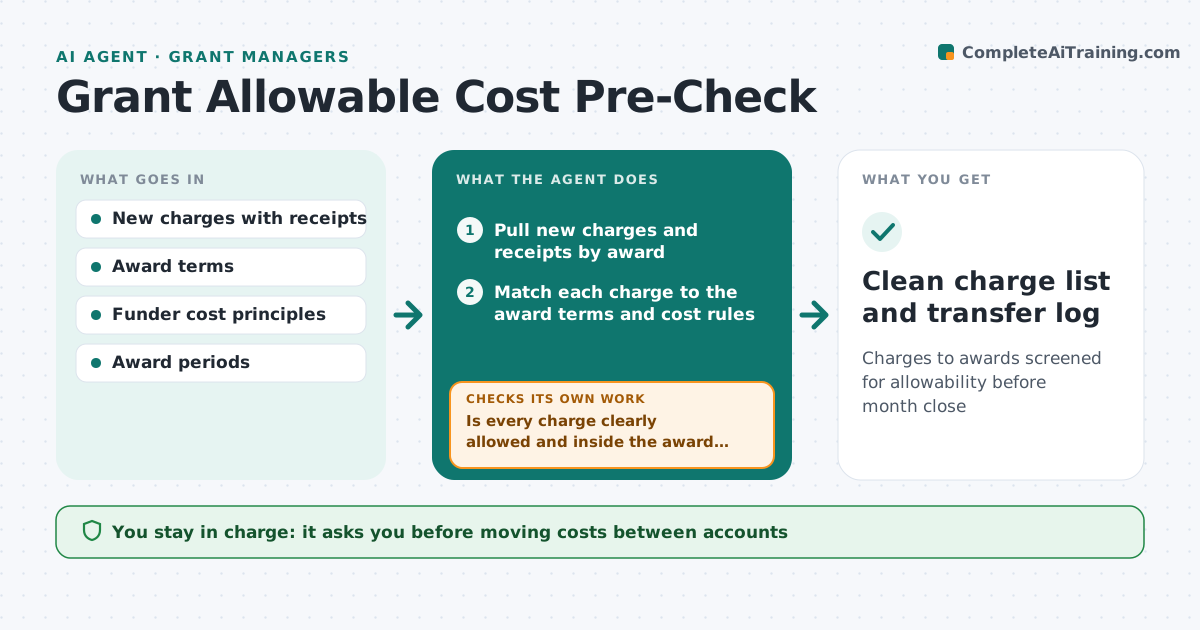
Charges to awards screened for allowability before month close
What it does
Staff charge purchases and travel to grants every week, and unallowable costs are often found only in audit, when they must be repaid. This agent reviews new charges before month end, reads each award's terms and cost rules, and classifies each charge as allowed, needs justification or not allowed. For unclear items it asks the requester for a short justification and rechecks it against the rule. It also checks costs fall inside the award period, using the order date where rules allow. A conference fee with a dinner is split, keeping the registration and moving the meal. It prepares a list of costs to move off the award. The grant manager approves every transfer.
How it works
Follow the arrows from top to bottom. The orange dashed arrow is the loop: when a check fails, the agent goes back and tries again.
Read the steps as a list
- Weekly charge review starts
- Pull new charges and receipts by award
- Match each charge to the award terms and cost rules
- Is every charge clearly allowed and inside the award period?If not: ask the requester for justification or split the unallowable part. Back to step 3.
- Recheck justifications against the rule
- Prepare a list of costs to move off the award
- Grant manager approves cost transfersThe agent waits here for your OK.
- Clean charge list and transfer log
How it decides
It matches each charge to the relevant cost rule and asks for justification when the rule depends on purpose.
- Alcohol, entertainment and costs outside the period are not allowed
- Purpose-dependent items need a written justification
- Mixed charges are split rather than rejected
Make it yours
Every agent is a starting point. You choose these settings for your own situation.
- Review day
- Cost categories that always need justification
- Awards in scope
- Who approves transfers
What keeps you in control
It always asks you first
- Moving costs between accounts
- Accepting a borderline justification
Hard limits
- Never posts transfers
- Funder rules come only from the award documents
It stops when
- Done: all weekly charges classified
- Stop: award terms missing
Set it up
We guide you through the set-up, step by step
Members get the full set-up guide for this agent. No technical skills needed: you copy, paste and upload.
- One set of instructions to paste into your AI, with the clicks for ChatGPT, Claude, Microsoft 365 Copilot, Gemini and Grok
- The agent then walks you through connecting your own data, one source at a time
- A downloadable copy with the flow chart, the rules and the full guide