AI agent for grant managers
Grant Close-Out Checklist Agent
Submit a complete and correct close-out package before the deadline
What it does
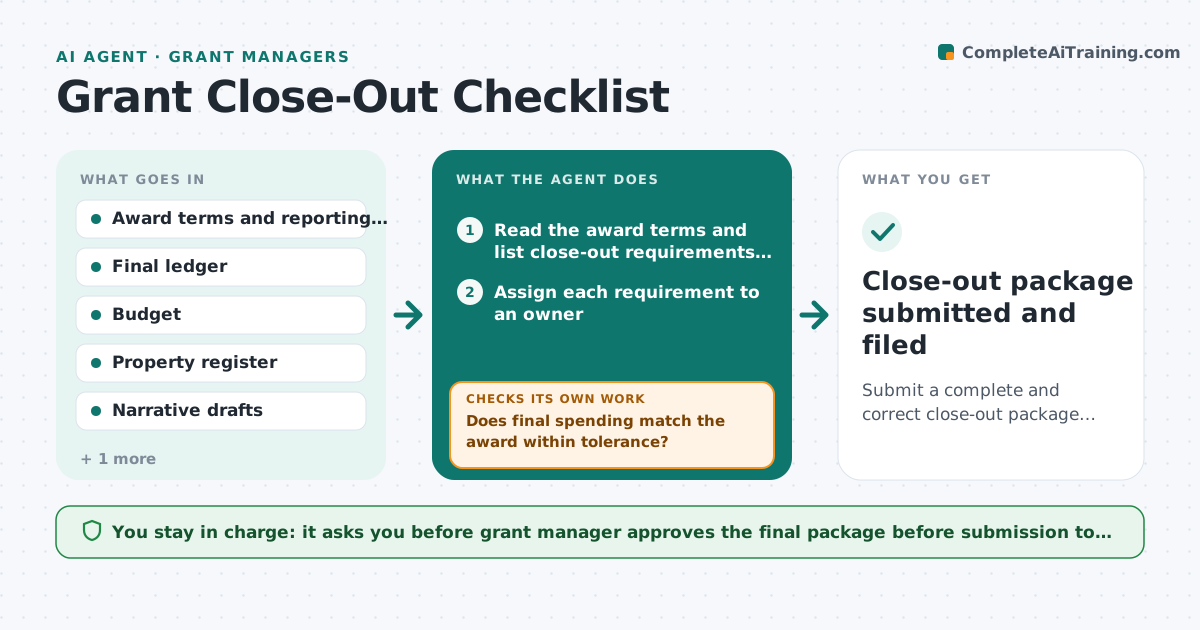
As a grant ends, the manager must deliver a financial report, a property inventory, a final narrative and sometimes a patent or data report, all within a short window. A missed item can delay final payment or affect future awards. This agent lists every close-out requirement from the award terms, assigns each one an owner and a due date, and tracks progress daily. It compares final spending with the budget and award amount. If a final figure differs from the award, it asks finance for the missing entries and runs the comparison again. It chases missing items and builds the package. The manager approves submission. Edge case: a purchased laptop is missing from the property list. The agent asks the department to confirm its location.
How it works
Follow the arrows from top to bottom. The orange dashed arrow is the loop: when a check fails, the agent goes back and tries again.
Read the steps as a list
- Close-out window opens
- Read the award terms and list close-out requirements with due dates
- Assign each requirement to an owner
- Pull final spending from the ledger
- Compare final spending with the budget and award amount
- Does final spending match the award within tolerance?If not: Ask finance for missing entries or corrections and rerun the comparison. Back to step 3.
- Chase missing items and update the tracker
- Is every checklist item complete and confirmed?If not: Send a reminder to the owner and escalate items near the deadline. Back to step 7.
- Assemble the package and check each form against the funder template
- Grant manager approves submissionThe agent waits here for your OK.
- Close-out package submitted and filed
How it decides
It builds the requirement list from the award terms. A package is complete only when each item has an owner's confirmation and the financial totals match.
- Spending must reconcile to the award within $1 or the explained difference
- Items due in under 14 days are red and escalated
- Property over the funder's value threshold must be listed
- Unspent funds are reported with the return instruction
Make it yours
Every agent is a starting point. You choose these settings for your own situation.
- Days before end to start (default 90)
- Tolerance for reconciliation
- Escalation days before a deadline (default 14)
- Funder checklist templates
- Owners per requirement
What keeps you in control
It always asks you first
- Grant manager approves the final package before submission to the funder
Hard limits
- Never submits to the funder itself
- Does not change ledger entries
It stops when
- Done: package submitted and receipt filed
- Stop: funder deadline cannot be met, draft an extension request for the manager
Set it up
We guide you through the set-up, step by step
Members get the full set-up guide for this agent. No technical skills needed: you copy, paste and upload.
- One set of instructions to paste into your AI, with the clicks for ChatGPT, Claude, Microsoft 365 Copilot, Gemini and Grok
- The agent then walks you through connecting your own data, one source at a time
- A downloadable copy with the flow chart, the rules and the full guide