AI agent for grant managers
Grant Subaward Invoice Review Agent
Pay only allowable, supported and in-budget amounts on each subaward invoice
What it does
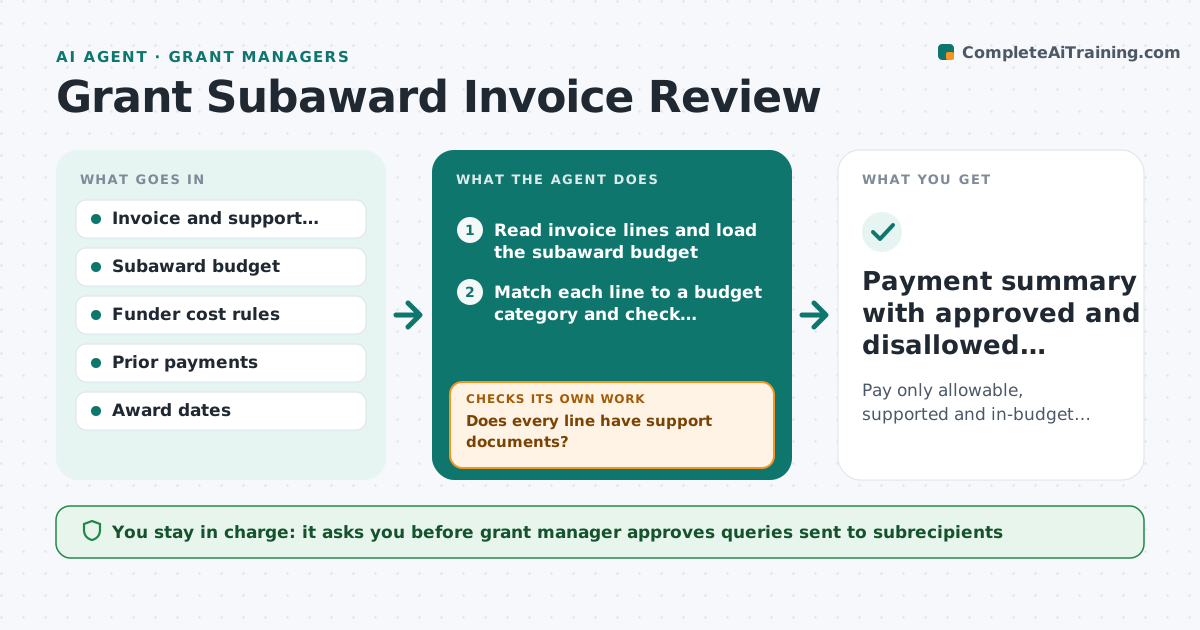
A subrecipient invoice arrives with 40 lines, some above the approved budget and some that the funder does not allow, such as alcohol or entertainment. Grant managers check them by eye and mistakes become audit findings. This agent reviews each invoice line by line. It checks every cost against the subaward budget, the cost category limits and the allowable cost rules, and notes missing receipts or timesheets. It flags problems with the rule behind them, requests support from the subrecipient and rechecks the invoice when documents arrive. It prepares the payment summary with approved and held amounts. The manager approves payment. Edge case: a line is within budget but charged before the subaward start date. The agent flags it as outside the period.
How it works
Follow the arrows from top to bottom. The orange dashed arrow is the loop: when a check fails, the agent goes back and tries again.
Read the steps as a list
- Subrecipient invoice received
- Read invoice lines and load the subaward budget
- Match each line to a budget category and check remaining balance
- Check each line against allowable cost rules and award dates
- Does every line have support documents?If not: Request the missing support from the subrecipient and recheck on receipt. Back to step 3.
- List held lines with the reason for each
- Grant manager approves the query to the subrecipientThe agent waits here for your OK.
- Send the request and track the reply date
- Do the revised invoice and support resolve all held lines?If not: Recheck the lines still held and update the query. Back to step 4.
- Grant manager approves the payment amountThe agent waits here for your OK.
- Payment summary with approved and disallowed amounts
How it decides
A line is approved when it fits a budget category, has support and is allowable. Otherwise it is held with the reason, and the rest is processed.
- A line over the category budget by more than 10 percent is held
- Costs outside the award period are disallowed
- Lines over $2,500 need a receipt or contract
- Unallowable categories are held with the rule cited
Make it yours
Every agent is a starting point. You choose these settings for your own situation.
- Variance allowed per category (default 10 percent)
- Receipt threshold (default $2,500)
- Funder rule set
- Days to wait for replies
- Format of the payment summary
What keeps you in control
It always asks you first
- Grant manager approves queries sent to subrecipients
- Grant manager approves the payment amount
Hard limits
- Never pays or rejects an invoice itself
- Quotes the exact rule for every hold
It stops when
- Done: invoice cleared with approved amount
- Stop: suspected misuse of funds, hand to compliance
Set it up
We guide you through the set-up, step by step
Members get the full set-up guide for this agent. No technical skills needed: you copy, paste and upload.
- One set of instructions to paste into your AI, with the clicks for ChatGPT, Claude, Microsoft 365 Copilot, Gemini and Grok
- The agent then walks you through connecting your own data, one source at a time
- A downloadable copy with the flow chart, the rules and the full guide