AI agent for meteorologists
Gridded Forecast Edit Consistency Agent
A forecast grid with no physical inconsistencies across variables, approved before publication
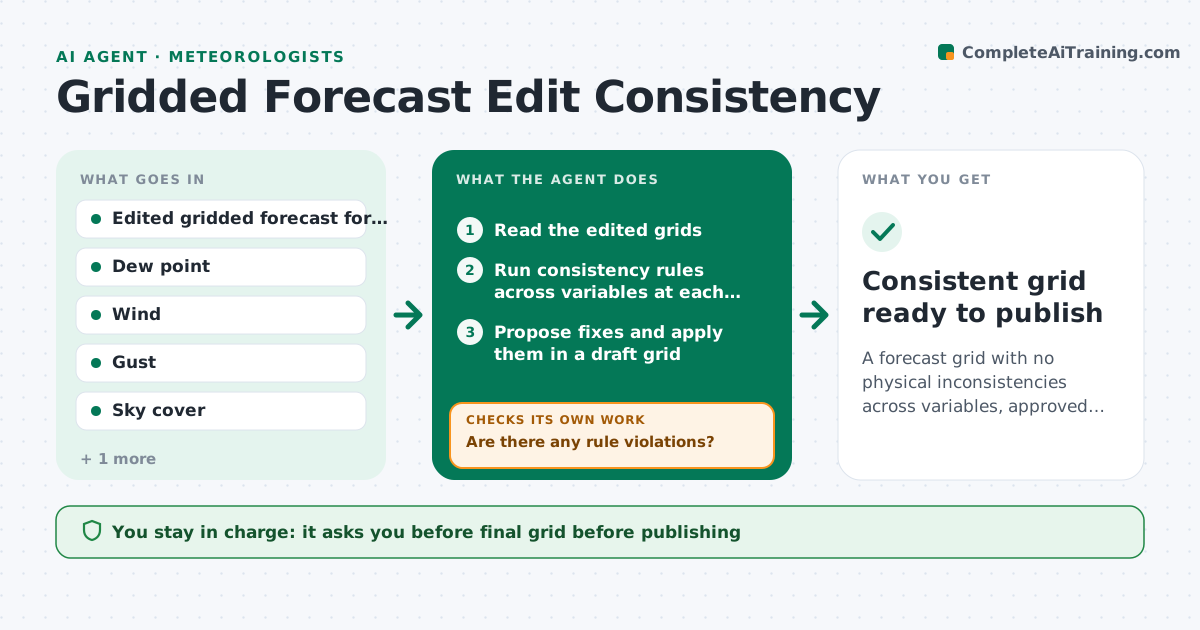
What it does
Forecasters edit gridded products by hand, and fixing one variable can make another physically inconsistent. This agent scans edited grids for conflicts such as dew point above temperature, wind gusts below sustained wind, rain with zero cloud cover or snow with warm temperatures. It suggests fixes, applies them in a draft grid, and rechecks all variables together, because a fix can cause new problems. The forecaster approves the final grid before it is published. Edge case: snow is forecast at 38 degrees, so the agent asks whether temperature or precipitation type should change rather than editing both.
How it works
Follow the arrows from top to bottom. The orange dashed arrow is the loop: when a check fails, the agent goes back and tries again.
Read the steps as a list
- Forecaster finishes grid edits
- Read the edited grids
- Run consistency rules across variables at each point and time
- Are there any rule violations?If not: list the violations by area and severity. Back to step 3.
- Propose fixes and apply them in a draft grid
- Rerun all rules on the draft grid
- Does the draft grid pass every rule?If not: revise the fixes and reapply, adding any new conflicts found. Back to step 5.
- Compare draft and original grids and summarize changes
- Forecaster approves the final gridThe agent waits here for your OK.
- Consistent grid ready to publish
How it decides
Rules compare variables at each grid point and time. A fix is applied to the variable the forecaster marked least certain.
- Dew point must not exceed temperature
- Gust must be at least the sustained wind
- Do not allow snow above the set temperature threshold unless the forecaster confirms
- Change the variable the forecaster rates least certain
Make it yours
Every agent is a starting point. You choose these settings for your own situation.
- Rules and thresholds
- Which variable to change first
- Areas to scan
- Snow temperature threshold (default 36 degrees)
What keeps you in control
It always asks you first
- Final grid before publishing
Hard limits
- Never publishes a grid
- Never edits the original grid
It stops when
- Done: grid passes all rules and is approved
- Stop: grids cannot be read
Set it up
We guide you through the set-up, step by step
Members get the full set-up guide for this agent. No technical skills needed: you copy, paste and upload.
- One set of instructions to paste into your AI, with the clicks for ChatGPT, Claude, Microsoft 365 Copilot, Gemini and Grok
- The agent then walks you through connecting your own data, one source at a time
- A downloadable copy with the flow chart, the rules and the full guide