AI agent for employee relations specialists
Grievance Appeal Timeline Agent
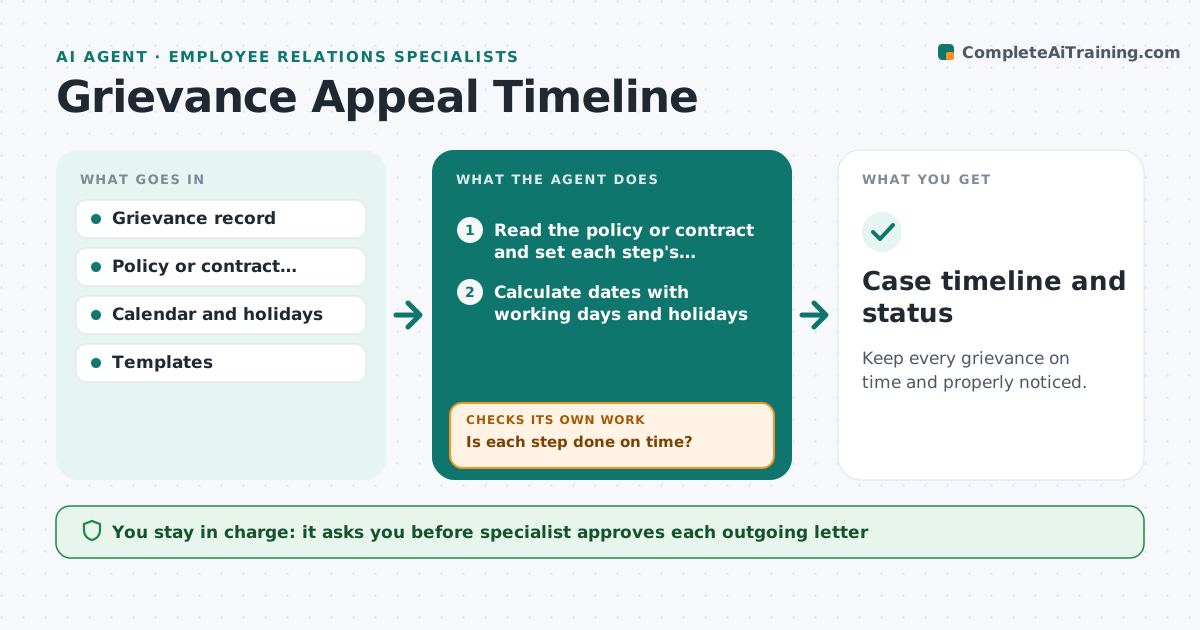
Keep every grievance on time and properly noticed.
What it does
Grievance steps have legal or contract deadlines, and one miss can weaken the process. The agent tracks each step's date from the policy or contract, checks that notices and hearings happened, and flags any breach or near miss. It drafts the next notice from the approved templates using the case facts, so the wording stays consistent from case to case. After each step, it re-checks the clock for the next one. The specialist approves each outgoing letter. Edge case: a union contract requires a hearing within 10 working days, and a public holiday has moved the real deadline, so the agent recalculates.
How it works
Follow the arrows from top to bottom. The orange dashed arrow is the loop: when a check fails, the agent goes back and tries again.
Read the steps as a list
- Grievance filed
- Read the policy or contract and set each step's deadline
- Calculate dates with working days and holidays
- Check the record for notices sent and hearings held
- Is each step done on time?If not: Flag the breach or near miss and show the clause. Back to step 3.
- Draft the next notice from the template
- Specialist approves each outgoing letterThe agent waits here for your OK.
- Send the approved letter and log it
- Does the next step's clock fit the new status?If not: Recalculate the dates and update the case. Back to step 3.
- Case timeline and status
How it decides
It calculates each deadline from the policy using working days and holidays. A step is complete only when the record shows the notice or hearing. Near misses are flagged early.
- Flag a step 3 working days before its deadline
- Use the contract's definition of working days
- A missed step is flagged with the clause
- Drafts use the template wording
Make it yours
Every agent is a starting point. You choose these settings for your own situation.
- Policy or contract used
- Warning days (default 3)
- Holiday calendar
- Templates
What keeps you in control
It always asks you first
- Specialist approves each outgoing letter
Hard limits
- Never sends a letter without approval
- Never changes a deadline without the specialist
It stops when
- Done: grievance resolved and closed
- Stop: parties agree to extend, so dates are reset
Set it up
We guide you through the set-up, step by step
Members get the full set-up guide for this agent. No technical skills needed: you copy, paste and upload.
- One set of instructions to paste into your AI, with the clicks for ChatGPT, Claude, Microsoft 365 Copilot, Gemini and Grok
- The agent then walks you through connecting your own data, one source at a time
- A downloadable copy with the flow chart, the rules and the full guide