AI agent for computer science students
Group Project Merge Integration Agent
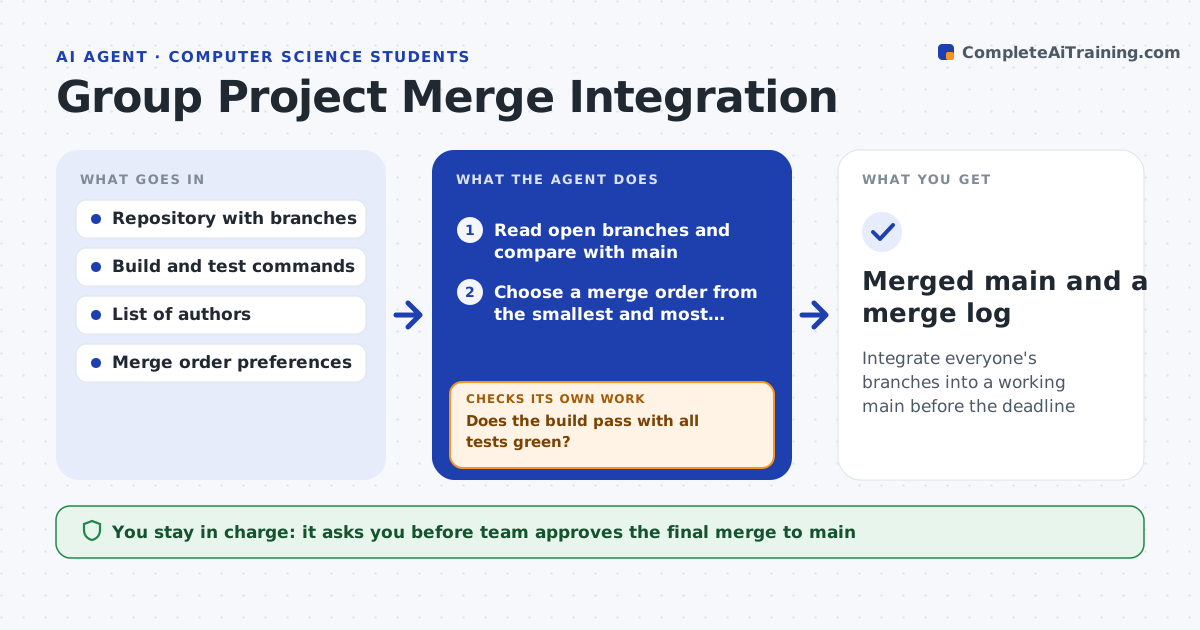
Integrate everyone's branches into a working main before the deadline
What it does
With two days to the deadline, four people merge their branches and the build breaks. This agent reads all open branches and the main branch, then tries merging them in a copy, in a sensible order. It finds conflicts and reads both sides to understand what each author meant. It proposes a resolution for each conflict and runs the build and tests after every merge. If the tests fail, it works out which merge or which resolution caused it and tries another order or fix. It repeats until main builds and passes all tests with all branches in. The team reviews and approves the merge. Edge case: two branches both rename the same function, so the agent asks the authors which name to keep.
How it works
Follow the arrows from top to bottom. The orange dashed arrow is the loop: when a check fails, the agent goes back and tries again.
Read the steps as a list
- Deadline or milestone approaching
- Read open branches and compare with main
- Choose a merge order from the smallest and most independent branch
- Merge the next branch in a copy and list conflicts
- Propose a resolution for each conflict, asking authors when intent is unclear
- Build and run the tests
- Does the build pass with all tests green?If not: find the merge or resolution that caused it and try a different fix or order. Back to step 4.
- Are all branches merged?If not: continue with the next branch. Back to step 4.
- Team reviews and approves the merge to mainThe agent waits here for your OK.
- Merged main and a merge log
How it decides
It merges the smallest and most independent branches first, resolves conflicts by keeping both authors' intent, and accepts a merge only when the build and tests pass.
- Merge small independent branches first
- Ask the authors when two changes conflict in meaning
- Never keep a resolution that makes a test fail
- Stop after 5 attempts on one conflict and ask the team
Make it yours
Every agent is a starting point. You choose these settings for your own situation.
- Merge order rules
- Build and test commands
- Attempts per conflict (default 5)
- Branches to include
- How authors are asked
What keeps you in control
It always asks you first
- Team approves the final merge to main
- Branch authors confirm their conflict resolutions
Hard limits
- Work in a copy, never push to main without approval
- Never discard anyone's changes silently
It stops when
- Done: main builds and all tests pass with all branches merged
- Stop: a conflict needs a team decision about design
Set it up
We guide you through the set-up, step by step
Members get the full set-up guide for this agent. No technical skills needed: you copy, paste and upload.
- One set of instructions to paste into your AI, with the clicks for ChatGPT, Claude, Microsoft 365 Copilot, Gemini and Grok
- The agent then walks you through connecting your own data, one source at a time
- A downloadable copy with the flow chart, the rules and the full guide