AI agent for hotel managers
Guest Loyalty Recognition Preparation Agent
Greet returning guests with their preferences met and past problems avoided.
What it does
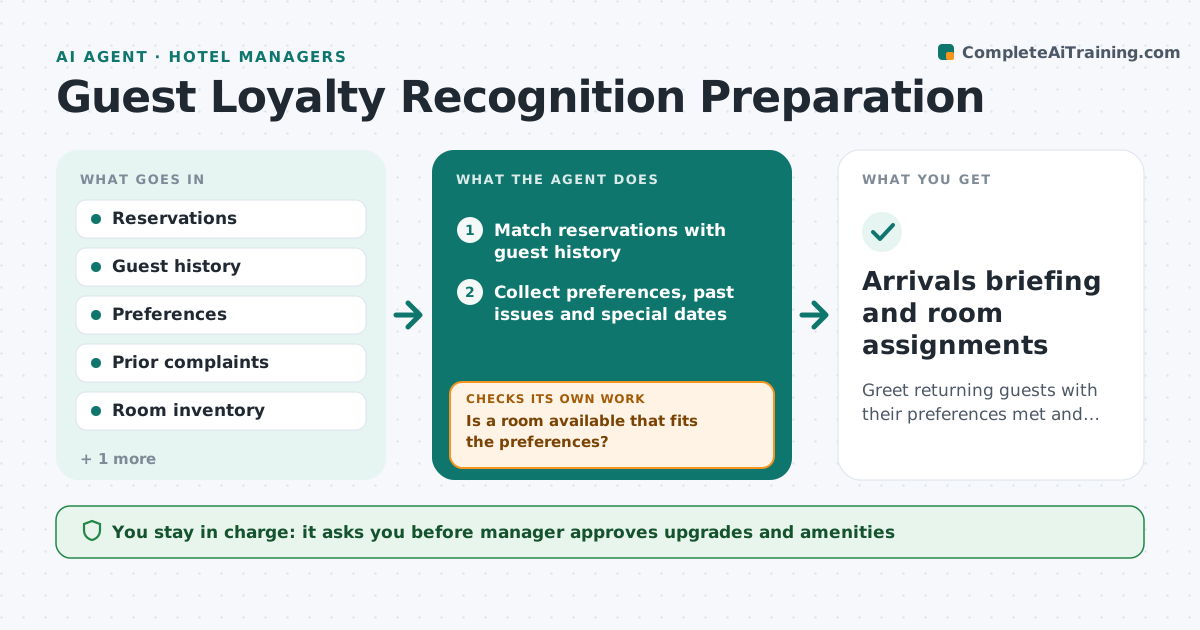
Repeat guests and VIPs arrive, and staff often do not know their preferences or past issues. Before arrivals, the agent matches reservations with guest history, collects preferences, prior issues and special dates, and prepares a briefing and room request. It checks room availability and assigns the best fit. If the preferred room is not available, it looks for the next best and re-checks. It also lists special dates such as birthdays and anniversaries, and adds a short note for the front desk team so the welcome feels personal. Late changes to arrival time update the briefing. The manager approves upgrades and amenities. Edge case: a returning guest complained about noise last stay, so the agent requests a room away from the elevator.
How it works
Follow the arrows from top to bottom. The orange dashed arrow is the loop: when a check fails, the agent goes back and tries again.
Read the steps as a list
- Day before arrivals
- Match reservations with guest history
- Collect preferences, past issues and special dates
- Prepare the briefing for the front desk
- Check room availability for preferences
- Is a room available that fits the preferences?If not: Look for the next best room and note the difference. Back to step 4.
- Propose upgrades and amenities by loyalty tier
- Manager approves upgrades and amenitiesThe agent waits here for your OK.
- Update the reservation and notify the front desk
- Did a late change affect the room or arrival time?If not: Re-check availability and update the briefing. Back to step 4.
- Arrivals briefing and room assignments
How it decides
It matches reservations to profiles and picks a room that fits preferences and avoids past issues. If none is free, it takes the next best and tells the manager what differs.
- A past complaint sets a room requirement
- VIPs get priority for the best fitting room
- Upgrades follow the loyalty policy and the manager approves
- Update the briefing at arrival day 10 am
Make it yours
Every agent is a starting point. You choose these settings for your own situation.
- Loyalty tiers and benefits
- Time the briefing is prepared
- Room features tracked
- Complaints that set requirements
What keeps you in control
It always asks you first
- Manager approves upgrades and amenities
Hard limits
- Never shares guest data outside the hotel team
- Never offers upgrades without the manager's approval
It stops when
- Done: briefing delivered and rooms assigned
- Stop: guest cancels
Set it up
We guide you through the set-up, step by step
Members get the full set-up guide for this agent. No technical skills needed: you copy, paste and upload.
- One set of instructions to paste into your AI, with the clicks for ChatGPT, Claude, Microsoft 365 Copilot, Gemini and Grok
- The agent then walks you through connecting your own data, one source at a time
- A downloadable copy with the flow chart, the rules and the full guide