AI agent for hotel managers
Hotel Group Arrival Preparation Agent
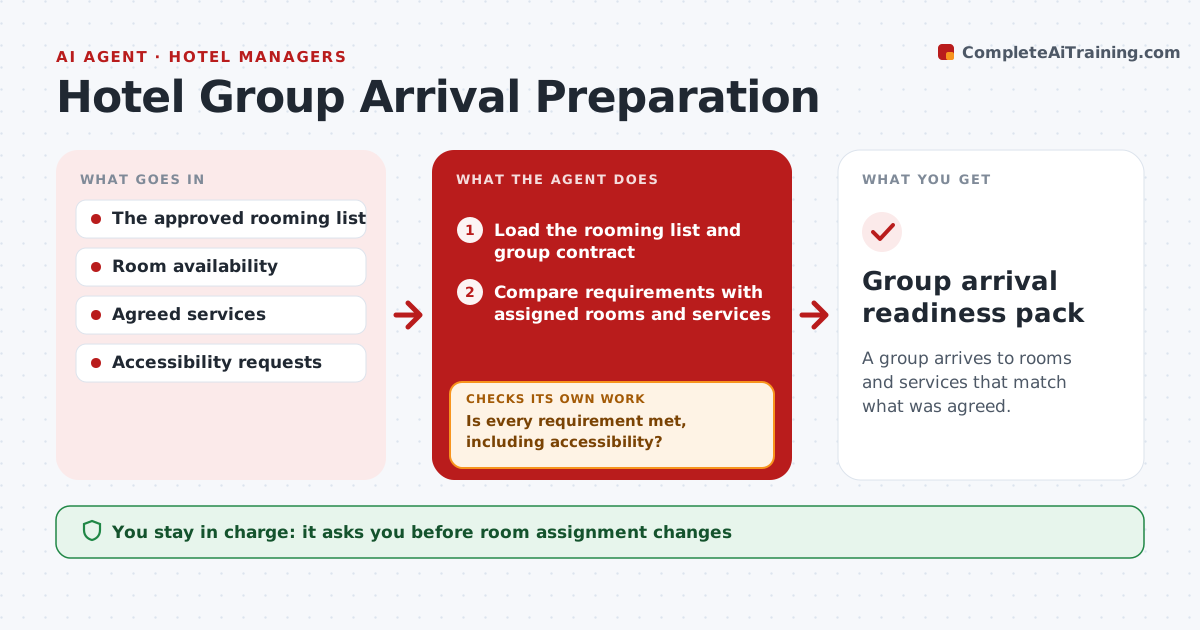
A group arrives to rooms and services that match what was agreed.
What it does
Group arrivals at hotels need constant checks across rooming lists, room availability and agreed services. Starting seven days before arrival, or whenever the list changes, this agent compares group requirements with assigned rooms and services. It looks first at accessibility and arrival-day items, which matter most. For any unmet requirement it creates a focused internal task. After every room change it rechecks all requirements, so an accessible room is never lost in a swap. It drafts a reception briefing. The reservations manager approves room changes and guest messages, and sensitive requests are not shared beyond those who need them. Edge case: a late upgrade moves a guest with an accessibility need, so the agent restores an accessible room.
How it works
Follow the arrows from top to bottom. The orange dashed arrow is the loop: when a check fails, the agent goes back and tries again.
Read the steps as a list
- Arrival within 7 days or rooming list changed
- Load the rooming list and group contract
- Compare requirements with assigned rooms and services
- Is every requirement met, including accessibility?If not: create a focused internal task. Back to step 3.
- Recheck all requirements after any room change
- Draft the reception briefing
- Reservations manager approves room changes and guest messagesThe agent waits here for your OK.
- Group arrival readiness pack
How it decides
It checks the prerequisite most at risk and rechecks all requirements after any change.
- Priority: accessibility and arrival-day items first.
- Recheck every requirement after any change.
- Sensitive requests are shared only with staff who need them.
- Room changes need the reservations manager's approval.
Make it yours
Every agent is a starting point. You choose these settings for your own situation.
- Days before arrival to start checks (default 7)
- Requirement types to check (accessibility, connecting rooms, meals)
- Who receives internal tasks
- Who approves room changes and guest messages
- Briefing format for reception
What keeps you in control
It always asks you first
- Room assignment changes
- Guest messages
- Sensitive requests disclosure
Hard limits
- Read-only property system.
It stops when
- Done: all requirements met.
Set it up
We guide you through the set-up, step by step
Members get the full set-up guide for this agent. No technical skills needed: you copy, paste and upload.
- One set of instructions to paste into your AI, with the clicks for ChatGPT, Claude, Microsoft 365 Copilot, Gemini and Grok
- The agent then walks you through connecting your own data, one source at a time
- A downloadable copy with the flow chart, the rules and the full guide