AI agent for vacation rental hosts
Guest Screening Agent
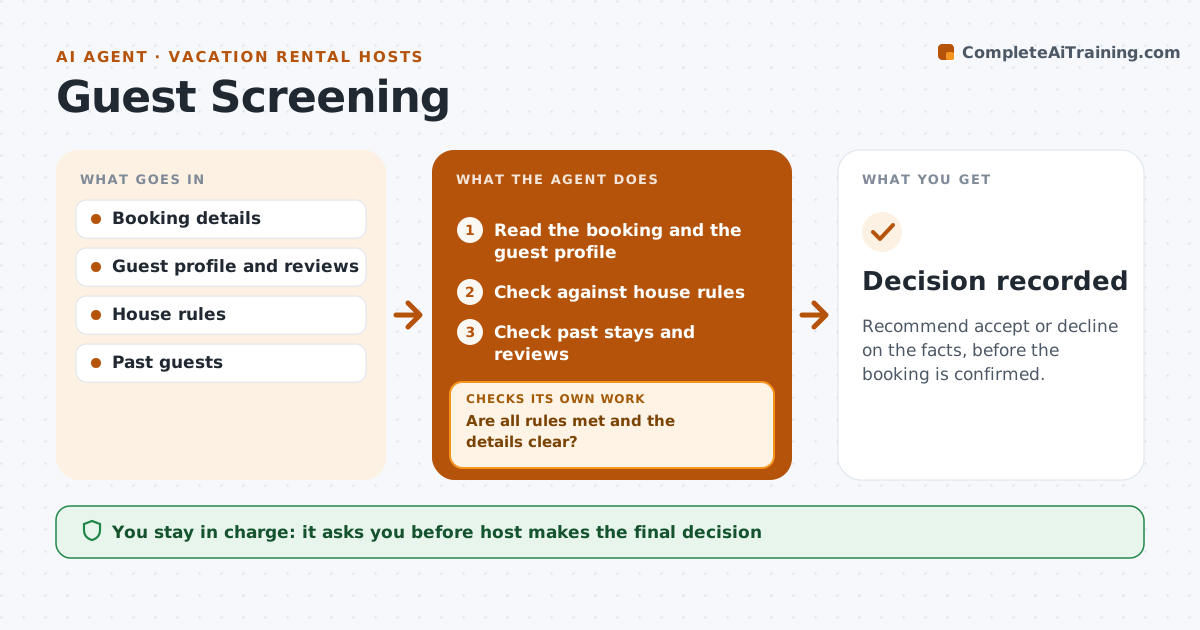
Recommend accept or decline on the facts, before the booking is confirmed.
What it does
A risky booking is only obvious after the damage. This agent checks each booking request against house rules: group size, party signals, a new account with no reviews or a request for a one night stay on a holiday. It checks past guest records and asks the guest to clarify. If the answers are unclear, it asks again and rechecks before recommending. The host decides to accept or decline. Questions to the guest are polite and the same for every guest, so the process is fair. The agent never declines a booking by itself and keeps its notes about why it made each recommendation. Edge case: a guest with great reviews but a request that breaks the guest count is asked to correct it, not rejected.
How it works
Follow the arrows from top to bottom. The orange dashed arrow is the loop: when a check fails, the agent goes back and tries again.
Read the steps as a list
- Booking request arrives
- Read the booking and the guest profile
- Check against house rules
- Check past stays and reviews
- Are all rules met and the details clear?If not: Ask the guest to clarify the issue. Back to step 2.
- Wait for the reply
- Does the reply resolve the concern?If not: Ask again once and then recommend decline. Back to step 4.
- Recommend accept or decline with reasons
- Host decidesThe agent waits here for your OK.
- Decision recorded
How it decides
It recommends accept when rules are met and answers are clear, decline when a hard rule fails or answers stay unclear.
- Decline when the guest count exceeds the limit
- Ask about the purpose when a stay is one night near an event
- Treat missing reviews as a prompt to ask, not a decline
- Ask twice at most
Make it yours
Every agent is a starting point. You choose these settings for your own situation.
- House rules
- Questions to ask
- Reply wait (default 24 hours)
- Events and dates to watch
What keeps you in control
It always asks you first
- Host makes the final decision
Hard limits
- Never decline automatically
- Never judge on protected traits
It stops when
- Done: decision recorded with reasons
- Stop: the guest does not respond in 24 hours and the host decides
Set it up
We guide you through the set-up, step by step
Members get the full set-up guide for this agent. No technical skills needed: you copy, paste and upload.
- One set of instructions to paste into your AI, with the clicks for ChatGPT, Claude, Microsoft 365 Copilot, Gemini and Grok
- The agent then walks you through connecting your own data, one source at a time
- A downloadable copy with the flow chart, the rules and the full guide