AI agent for vacation rental hosts
Multi-Calendar Sync Conflict Agent
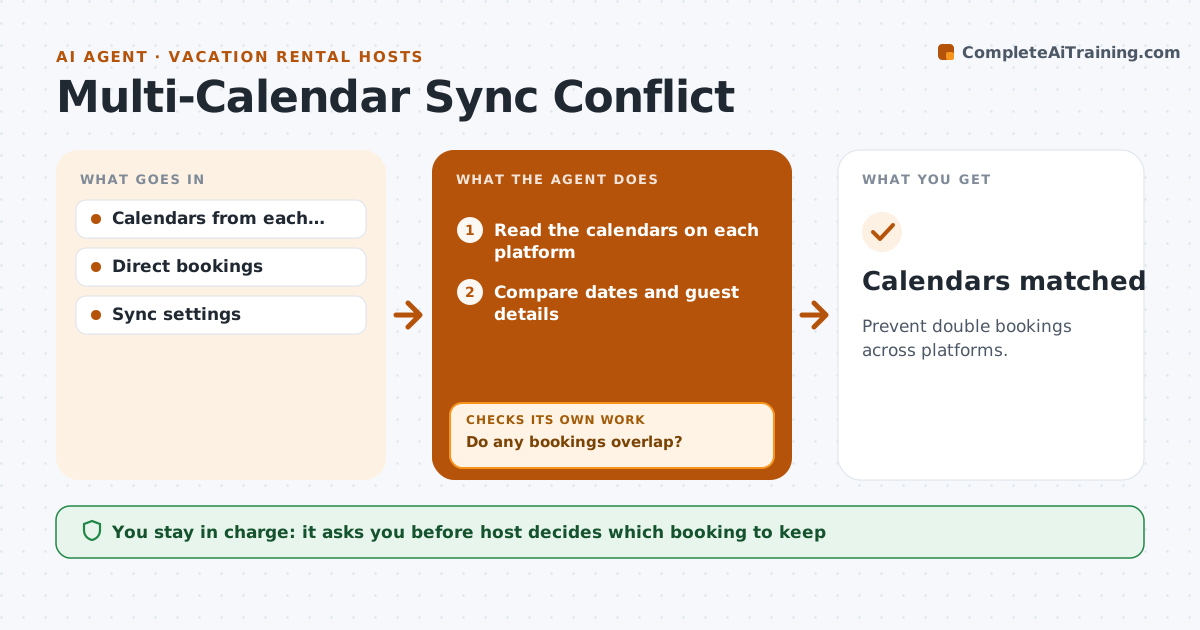
Prevent double bookings across platforms.
What it does
A double booking costs a night's income and a guest's trust. This agent compares calendars across booking sites and direct bookings, finding conflicts and sync gaps. It blocks the affected dates on the other platforms and alerts the host. The host decides which booking to keep. After blocking, it compares the calendars again to confirm the conflict is gone. The host gets one short message that lists the dates, the platforms and the guests involved, so a decision can be made from a phone. The agent never cancels anything itself and keeps a log of every block it placed. Edge case: a booking cancelled on one site but still shown on another is found by comparing guest names and dates.
How it works
Follow the arrows from top to bottom. The orange dashed arrow is the loop: when a check fails, the agent goes back and tries again.
Read the steps as a list
- Booking changes or hourly check
- Read the calendars on each platform
- Compare dates and guest details
- Do any bookings overlap?If not: Log no conflicts and wait for the next check. Back to step 2.
- Block the dates on the other platforms
- Alert the host with the details
- Host decides which booking to keepThe agent waits here for your OK.
- Apply the decision
- Read the calendars again
- Is the conflict gone on every platform?If not: Fix the sync and alert the host. Back to step 6.
- Calendars matched
How it decides
It finds overlapping dates and blocks them, but the host chooses which booking stays.
- Check every hour
- Block affected dates immediately
- Never cancel a booking without the host
- Match cancelled bookings by guest and date
Make it yours
Every agent is a starting point. You choose these settings for your own situation.
- Check frequency
- Platforms connected
- Alert channel
- Host's keep rule
What keeps you in control
It always asks you first
- Host decides which booking to keep
Hard limits
- Never cancel a booking
- Never skip the recheck
It stops when
- Done: no overlaps remain
- Stop: a platform cannot be updated and the host does it by hand
Set it up
We guide you through the set-up, step by step
Members get the full set-up guide for this agent. No technical skills needed: you copy, paste and upload.
- One set of instructions to paste into your AI, with the clicks for ChatGPT, Claude, Microsoft 365 Copilot, Gemini and Grok
- The agent then walks you through connecting your own data, one source at a time
- A downloadable copy with the flow chart, the rules and the full guide