AI agent for sales development representatives
Handoff Quality Audit Agent
Raise the share of SDR meetings that AEs accept by fixing gaps before the meeting
What it does
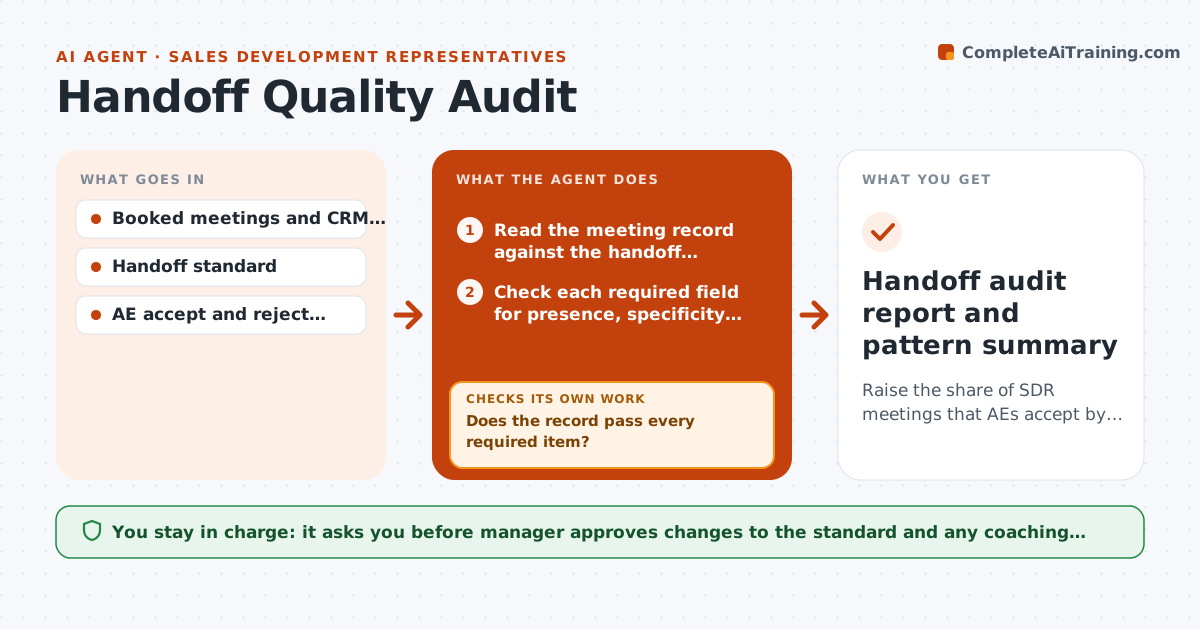
An AE opens a meeting the SDR booked and finds no pain point, the wrong budget owner and a company that is too small. The meeting is rejected and the SDR feels it was unfair. This agent audits handoffs against the team's standard. It reviews recent meetings for the required fields, such as pain, role, size, timeline and next step, finds gaps and contradictions like a title that does not match the budget owner, and asks the SDR to fix them before the AE meeting. It rechecks the record after the SDR responds. Over time it reports rejection patterns by reason and by SDR. The manager approves any change to the rules. Edge case: a field is filled but vague, such as needs help. The agent asks for specifics.
How it works
Follow the arrows from top to bottom. The orange dashed arrow is the loop: when a check fails, the agent goes back and tries again.
Read the steps as a list
- Meeting booked
- Read the meeting record against the handoff standard
- Check each required field for presence, specificity and consistency
- Does the record pass every required item?If not: Send the SDR a list of gaps with examples of a good answer. Back to step 3.
- Wait for the SDR's update and reread the record
- Is the record fixed before the meeting?If not: Alert the SDR manager and the AE with the gaps. Back to step 5.
- Record the final outcome after the AE meeting
- Analyze rejection reasons by SDR, segment and week
- Manager approves any change to the handoff standardThe agent waits here for your OK.
- Handoff audit report and pattern summary
How it decides
A handoff passes when all required fields are present, specific and consistent. Vague or conflicting values are returned to the SDR.
- Required fields: pain, budget owner, size, timeline, next step
- Vague text such as needs help is returned for detail
- Check at least 24 hours before the meeting
- A pattern over 15 percent of rejections for one reason triggers a rule review
Make it yours
Every agent is a starting point. You choose these settings for your own situation.
- Required fields
- Hours before the meeting to check (default 24)
- Pattern threshold (default 15 percent)
- Report frequency
- Who receives the weekly report
What keeps you in control
It always asks you first
- Manager approves changes to the standard and any coaching action
Hard limits
- Never changes CRM fields itself
- Pattern reports are for coaching, not discipline
It stops when
- Done: record passes or the AE is informed of gaps
- Stop: standard itself is unclear, ask the manager to define it
Set it up
We guide you through the set-up, step by step
Members get the full set-up guide for this agent. No technical skills needed: you copy, paste and upload.
- One set of instructions to paste into your AI, with the clicks for ChatGPT, Claude, Microsoft 365 Copilot, Gemini and Grok
- The agent then walks you through connecting your own data, one source at a time
- A downloadable copy with the flow chart, the rules and the full guide