AI agent for agricultural scientists
Harvest Data Reconciliation Agent
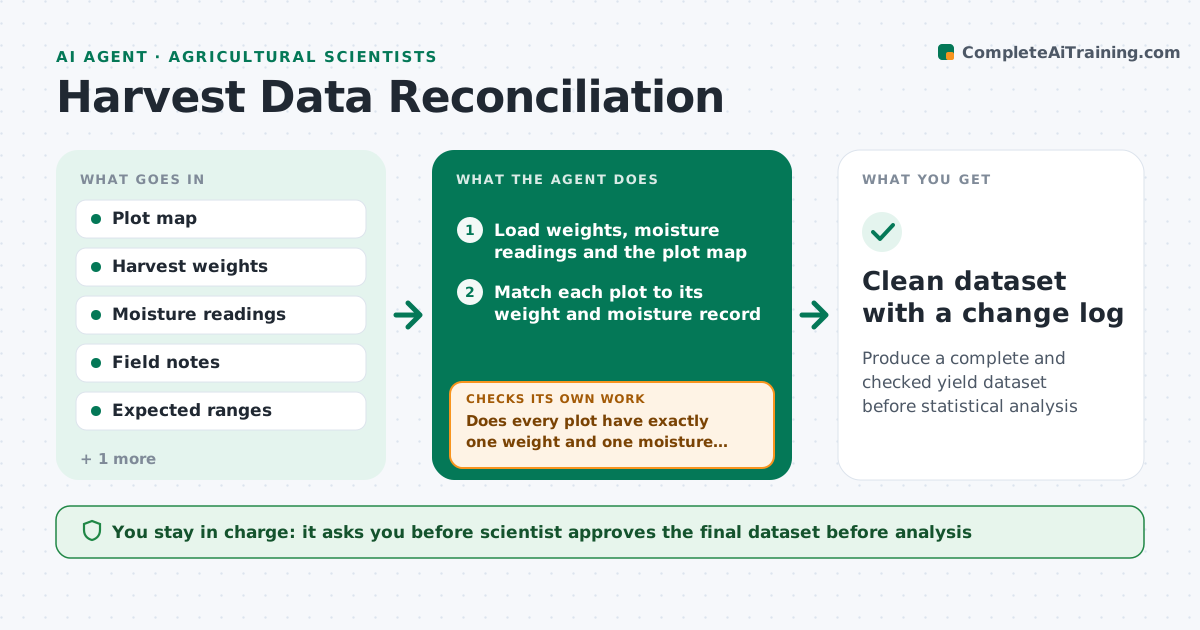
Produce a complete and checked yield dataset before statistical analysis
What it does
After harvest, a trial has hundreds of plot weights, moisture readings and handwritten field notes. Typos, swapped plots and missing values creep in, and wrong data is found only at analysis. This agent reconciles the data before anyone analyzes it. It matches harvest weights and moisture readings to the plot map, flags impossible or missing values such as a yield ten times its neighbors, requests rechecks from the field crew with the exact plot and field note, and recalculates adjusted yields after each correction. It checks that all plots are present and that totals agree. The scientist approves the final dataset. Edge case: a plot was damaged by animals. The agent applies the exclusion code and records it.
How it works
Follow the arrows from top to bottom. The orange dashed arrow is the loop: when a check fails, the agent goes back and tries again.
Read the steps as a list
- Harvest data and notes uploaded
- Load weights, moisture readings and the plot map
- Match each plot to its weight and moisture record
- Does every plot have exactly one weight and one moisture reading?If not: List missing and duplicate plots and ask the crew to check. Back to step 3.
- Flag impossible values and outliers against expected ranges and replicates
- Request rechecks from the field crew with plot and note references
- Apply corrections and exclusion codes from the notes
- Recalculate adjusted yields to standard moisture
- Do plot totals and treatment means look consistent with replicates?If not: Investigate remaining outliers and request further checks. Back to step 5.
- Scientist approves the final datasetThe agent waits here for your OK.
- Clean dataset with a change log
How it decides
A value is suspicious if it is outside the physical range or differs from its replicates by more than a set multiple. Corrections need a source: a recheck or a note.
- Yield outside 0.2 to 2 times the trial mean is flagged
- Moisture outside the crop's plausible range is flagged
- Every correction needs a recheck or a note
- Excluded plots carry a reason code
Make it yours
Every agent is a starting point. You choose these settings for your own situation.
- Outlier thresholds
- Standard moisture for adjustment
- Exclusion codes
- Data sheet layout
- Who handles recheck requests
What keeps you in control
It always asks you first
- Scientist approves the final dataset before analysis
Hard limits
- Never changes a value without a source
- Keeps the original values in a log
It stops when
- Done: dataset complete and approved
- Stop: too many plots lost, report the data loss to the scientist
Set it up
We guide you through the set-up, step by step
Members get the full set-up guide for this agent. No technical skills needed: you copy, paste and upload.
- One set of instructions to paste into your AI, with the clicks for ChatGPT, Claude, Microsoft 365 Copilot, Gemini and Grok
- The agent then walks you through connecting your own data, one source at a time
- A downloadable copy with the flow chart, the rules and the full guide