AI agent for social media coordinators
Hashtag and Trend Participation Vetting Agent
The brand joins only trends whose origin, current meaning and risks are understood.
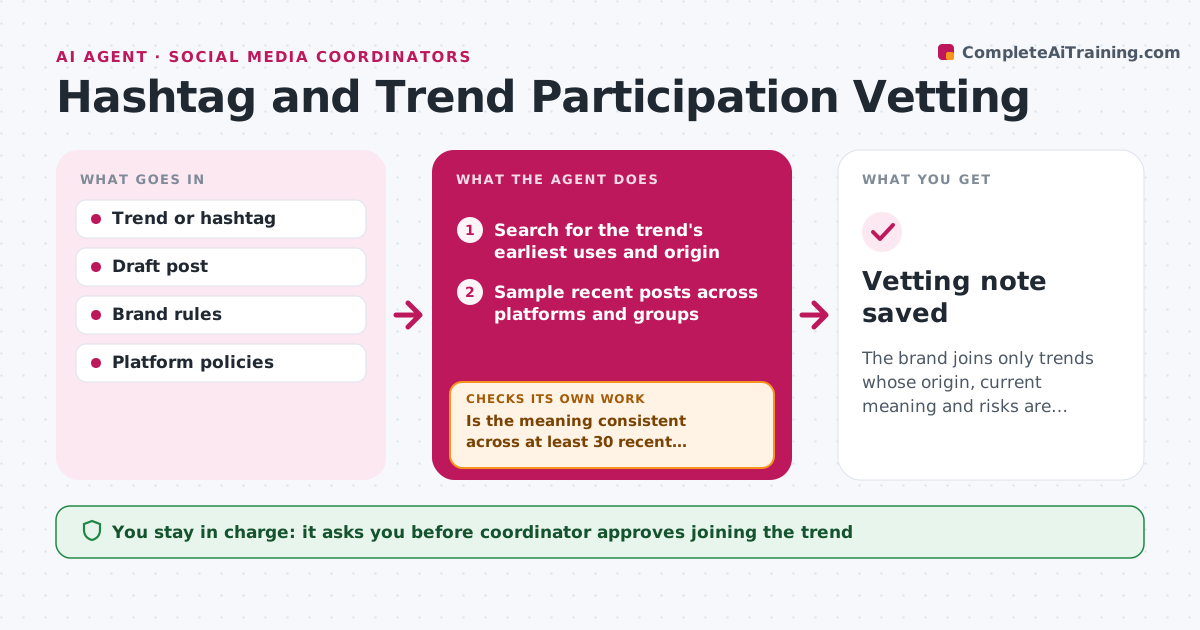
What it does
A trend looks fun until someone points out where it started. Before a post joins a trend or hashtag, this agent traces its origin: who started it, what it first meant and how its use has shifted. It checks recent usage across several platforms, looks for controversy or misuse, checks platform rules and checks fit against the brand rules. If the picture is unclear, it samples more posts from different groups and regions before deciding. It gives a clear recommendation with examples. The coordinator approves joining. Edge case: a hashtag popular with teens has a second meaning in another community, so the agent flags it despite high use.
How it works
Follow the arrows from top to bottom. The orange dashed arrow is the loop: when a check fails, the agent goes back and tries again.
Read the steps as a list
- Coordinator proposes a trend or hashtag
- Search for the trend's earliest uses and origin
- Sample recent posts across platforms and groups
- Summarize the meaning, tone and any controversy
- Is the meaning consistent across at least 30 recent posts from different groups?If not: collect more samples from other regions and communities and resummarize. Back to step 3.
- Check platform rules and the brand rules for fit
- Review the draft post against the findings
- Does the draft fit the meaning and brand rules?If not: suggest changes or recommend skipping the trend. Back to step 6.
- Write the recommendation with examples and timing
- Coordinator approves joiningThe agent waits here for your OK.
- Vetting note saved
How it decides
It recommends joining when the origin is clear, recent samples show a consistent meaning and nothing breaks brand or platform rules.
- Require a consistent meaning across at least 30 recent samples.
- Recommend skipping when the origin includes harm or hate.
- Check usage in at least 3 groups or regions.
- Recommend acting within a time window as trends age quickly.
Make it yours
Every agent is a starting point. You choose these settings for your own situation.
- Platforms checked
- Sample size (default 30)
- Brand rules
- Time window for trends
What keeps you in control
It always asks you first
- Coordinator approves joining the trend
Hard limits
- Never post itself
- Default to skip when unclear
It stops when
- Done: recommendation approved or declined.
- Stop: not enough evidence, so the default is to skip.
Set it up
We guide you through the set-up, step by step
Members get the full set-up guide for this agent. No technical skills needed: you copy, paste and upload.
- One set of instructions to paste into your AI, with the clicks for ChatGPT, Claude, Microsoft 365 Copilot, Gemini and Grok
- The agent then walks you through connecting your own data, one source at a time
- A downloadable copy with the flow chart, the rules and the full guide