AI agent for restaurant managers
Health Inspection Readiness Agent
Records ready for inspection at any time
What it does
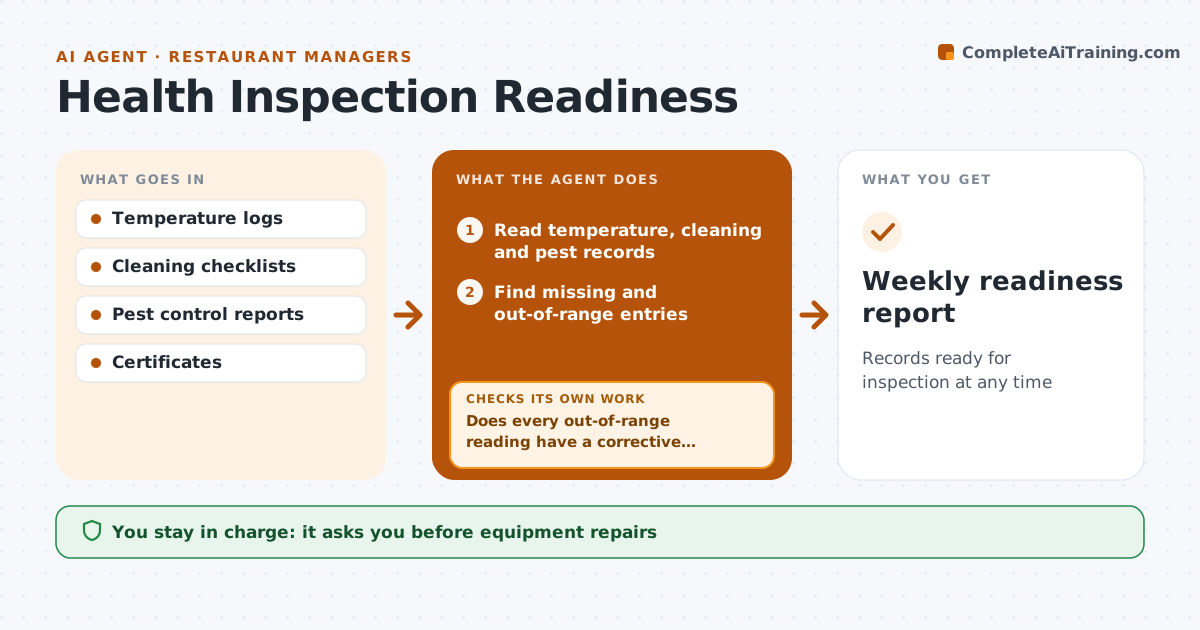
Health inspectors look at temperature logs, cleaning records, pest control and staff food safety certificates, and gaps are often found by the inspector first. This agent checks these records every day. It looks for missing temperature readings, readings out of range, skipped cleaning tasks and certificates close to expiry. When a reading is out of range, it checks that a corrective action was written, and asks the shift lead to record one if not. A cooler that reads high twice in a row is treated as a possible equipment failure, not a logging error, and goes to the manager at once. It drafts a weekly readiness summary with gaps and fixes. The manager approves equipment repairs and any staff action.
How it works
Follow the arrows from top to bottom. The orange dashed arrow is the loop: when a check fails, the agent goes back and tries again.
Read the steps as a list
- Daily check
- Read temperature, cleaning and pest records
- Find missing and out-of-range entries
- Does every out-of-range reading have a corrective action?If not: ask the shift lead to record the action. Back to step 3.
- Check certificate expiry dates
- Draft readiness summary
- Manager approves repairs and staff actionsThe agent waits here for your OK.
- Weekly readiness report
How it decides
It flags missing or out-of-range records without a written corrective action.
- Two high readings in a row means possible failure
- Certificates expiring in 30 days flagged
- Missing logs count as gaps
Make it yours
Every agent is a starting point. You choose these settings for your own situation.
- Temperature ranges
- Checklist items
- Report day
What keeps you in control
It always asks you first
- Equipment repairs
- Discarding food
Hard limits
- Never alters logs
It stops when
- Done: no gaps
- Stop: cooler failure; alert manager now
Set it up
We guide you through the set-up, step by step
Members get the full set-up guide for this agent. No technical skills needed: you copy, paste and upload.
- One set of instructions to paste into your AI, with the clicks for ChatGPT, Claude, Microsoft 365 Copilot, Gemini and Grok
- The agent then walks you through connecting your own data, one source at a time
- A downloadable copy with the flow chart, the rules and the full guide