AI agent for it specialists
Health Service Directory Freshness Agent
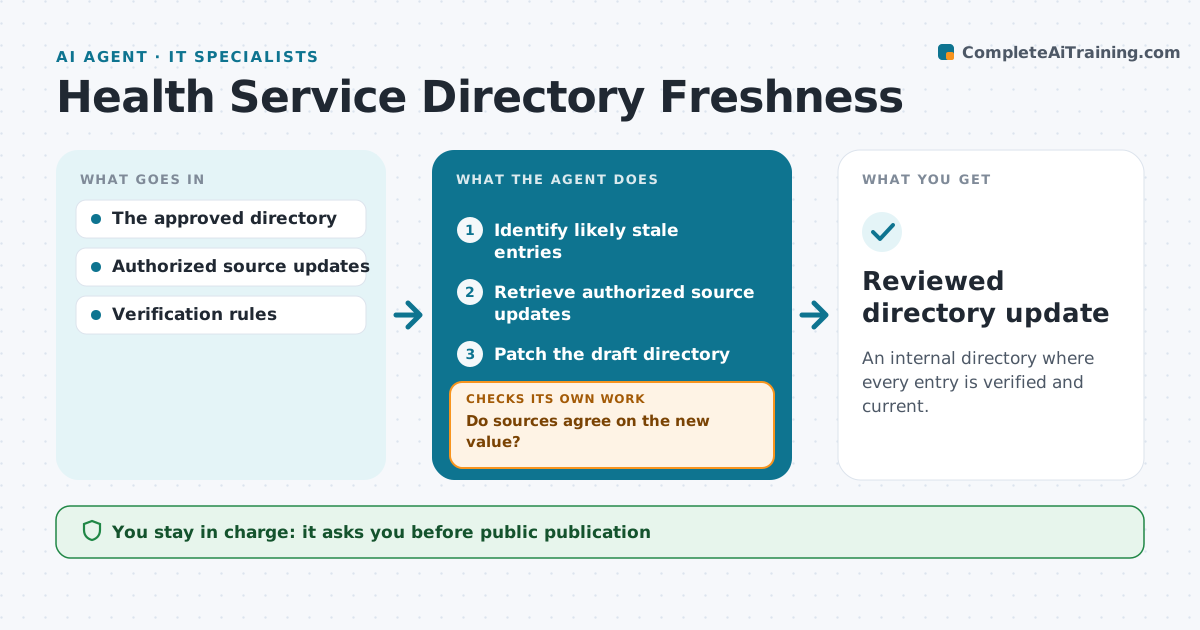
An internal directory where every entry is verified and current.
What it does
Internal service directories with hours, contacts and services offered go stale. Each month this agent identifies entries likely to be out of date, checking the most-used entries first. It retrieves updates from authorized sources, such as the clinic's own change form or the network's master list. When sources agree, it patches the latest-dated value into a draft directory. When sources conflict, it marks the field unverified instead of choosing. The network administrator approves publication; referral recommendations stay with staff. Edge case: a phone number appears in two sources with different values on the same date, so the field stays unverified and goes to the clinic manager.
How it works
Follow the arrows from top to bottom. The orange dashed arrow is the loop: when a check fails, the agent goes back and tries again.
Read the steps as a list
- Monthly check
- Identify likely stale entries
- Retrieve authorized source updates
- Do sources agree on the new value?If not: mark the field unverified. Back to step 3.
- Patch the draft directory
- Network administrator approves publicationThe agent waits here for your OK.
- Reviewed directory update
How it decides
It checks entries with changed hours, contacts or scope first and patches only verified changes.
- Check the most-used entries first.
- Patch only verified, latest-dated values.
- Conflicting sources leave the field unverified.
- The agent never publishes the directory.
Make it yours
Every agent is a starting point. You choose these settings for your own situation.
- Authorized sources and their priority
- Entries to check first (most used or oldest)
- Age after which an entry counts as stale (default 6 months)
- Who approves publication
- Who resolves unverified fields
What keeps you in control
It always asks you first
- Public publication
- Referral recommendations
Hard limits
- Draft only.
It stops when
- Done: all entries checked.
Set it up
We guide you through the set-up, step by step
Members get the full set-up guide for this agent. No technical skills needed: you copy, paste and upload.
- One set of instructions to paste into your AI, with the clicks for ChatGPT, Claude, Microsoft 365 Copilot, Gemini and Grok
- The agent then walks you through connecting your own data, one source at a time
- A downloadable copy with the flow chart, the rules and the full guide