AI agent for it support specialists
Software Install Request Review Agent
A fast, checked answer to a software request with a ready deployment or an alternative
What it does
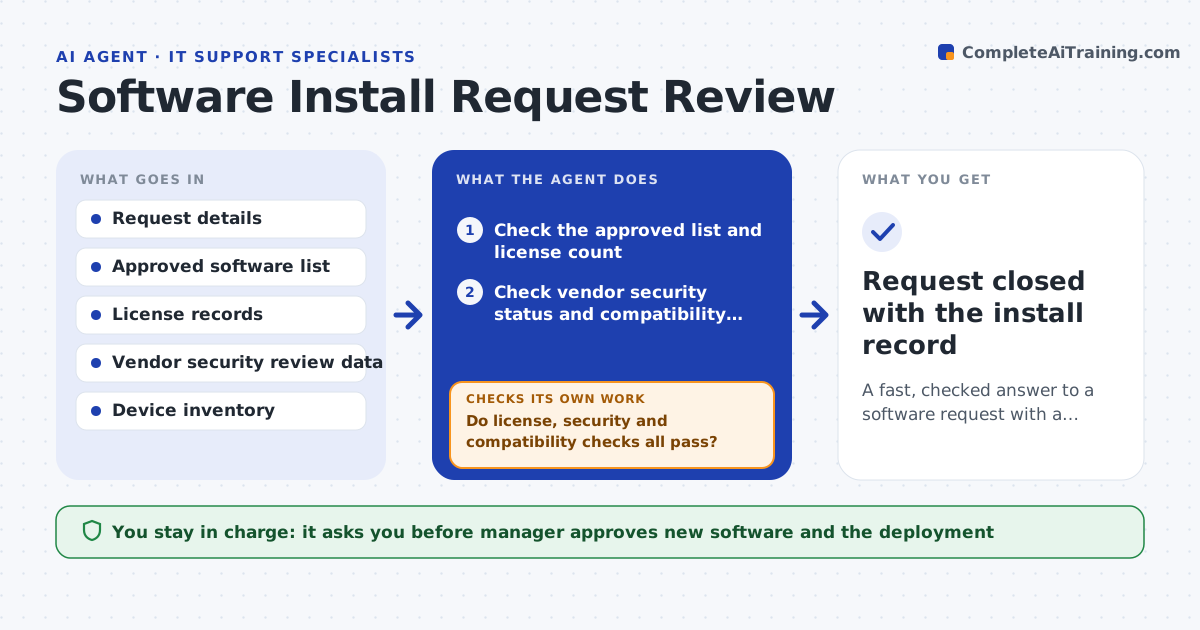
Software requests wait for days while someone checks licenses, security status and device compatibility. This agent reads the request and checks the approved software list, whether licenses are available, the vendor's security status and whether the software works on the user's device. It prepares a deployment test on a test machine. If any check fails, for example no licenses left or a security concern, it looks for an approved alternative and proposes it. A manager approves any new software and the deployment. Edge case: the app needs admin rights, so the agent proposes a managed install in place of giving the user admin access.
How it works
Follow the arrows from top to bottom. The orange dashed arrow is the loop: when a check fails, the agent goes back and tries again.
Read the steps as a list
- Software request arrives
- Check the approved list and license count
- Check vendor security status and compatibility with the device
- Do license, security and compatibility checks all pass?If not: search for an approved alternative and check it the same way. Back to step 2.
- Prepare a deployment package and test it on a test machine
- Does the test install and run correctly?If not: adjust the package settings and test again. Back to step 5.
- Manager approves the software and the deploymentThe agent waits here for your OK.
- Deploy to the user's device
- Request closed with the install record
How it decides
A request passes when the software is approved or reviewed, a license is free, security is acceptable and the device is compatible.
- Approve only software on the approved list or with a passing review
- Check license availability before testing
- Prefer a managed install to granting admin rights
- Propose an alternative when a check fails
Make it yours
Every agent is a starting point. You choose these settings for your own situation.
- Approved software list
- License thresholds
- Security review rules
- Who approves each software class
What keeps you in control
It always asks you first
- Manager approves new software and the deployment
Hard limits
- Never installs software without approval
- Never grants admin rights
It stops when
- Done: the software is installed and recorded
- Stop: no approved alternative exists and the request is declined
Set it up
We guide you through the set-up, step by step
Members get the full set-up guide for this agent. No technical skills needed: you copy, paste and upload.
- One set of instructions to paste into your AI, with the clicks for ChatGPT, Claude, Microsoft 365 Copilot, Gemini and Grok
- The agent then walks you through connecting your own data, one source at a time
- A downloadable copy with the flow chart, the rules and the full guide