AI agent for user experience designers
Heuristic Audit Issue Tracking Agent
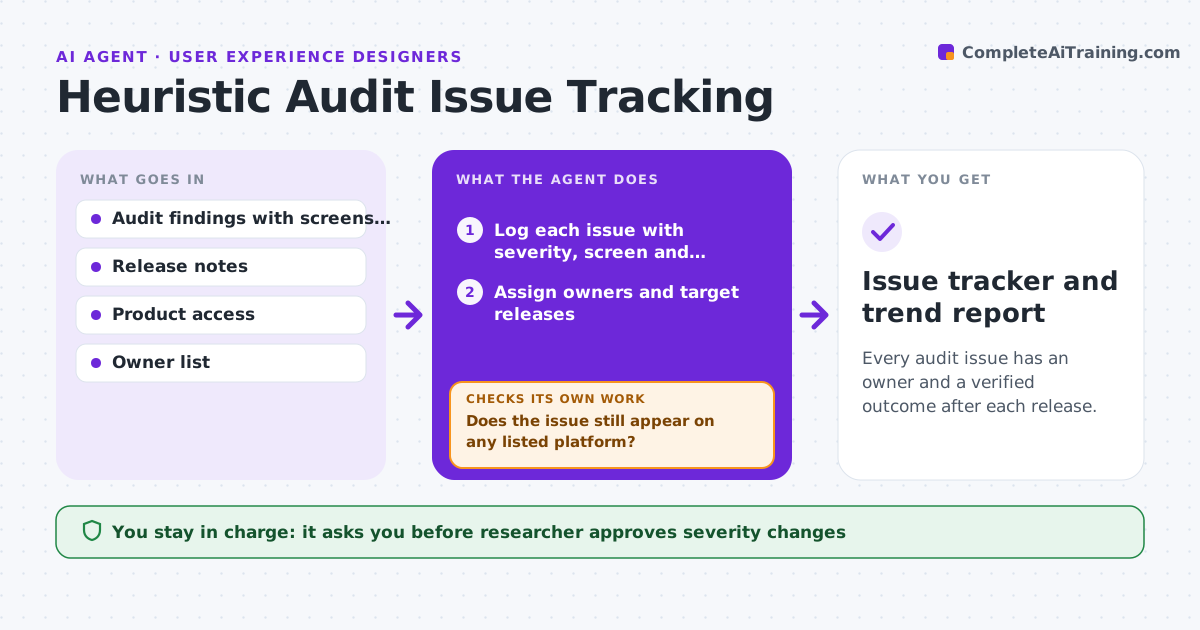
Every audit issue has an owner and a verified outcome after each release.
What it does
You run a heuristic review, hand over a list of 40 issues, and six months later nobody knows which were fixed. This agent logs each issue with its severity, screen and heuristic, and assigns an owner. After each release, it re-walks the affected flows in the product and checks whether each fix landed. It reopens issues that persist and notes new problems introduced by the changes. It compares the open issue count and severity over time. You approve any change to severity and the closure of each issue. Edge case: an issue fixed on web but not on mobile is marked as partly fixed per platform.
How it works
Follow the arrows from top to bottom. The orange dashed arrow is the loop: when a check fails, the agent goes back and tries again.
Read the steps as a list
- Audit finished or release shipped
- Log each issue with severity, screen and heuristic
- Assign owners and target releases
- After release, read the notes and list affected screens
- Walk each affected flow in the product
- Does the issue still appear on any listed platform?If not: If it still appears, reopen it; if partly fixed, mark the platform. Back to step 3.
- Note new problems found during the walk
- Compare open count and severity with last release
- Researcher approves severity changes and closuresThe agent waits here for your OK.
- Issue tracker and trend report
How it decides
An issue is verified fixed only when the same task on the same screen no longer shows the problem on every platform listed.
- Close an issue only after checking each platform
- Reopen when the problem persists in the same task
- Raise severity if a fix creates a worse problem
- Review all issues after each release
Make it yours
Every agent is a starting point. You choose these settings for your own situation.
- Platforms to check
- Severity scale
- Review trigger
- Owner list
What keeps you in control
It always asks you first
- Researcher approves severity changes
- Researcher approves each closure
Hard limits
- Never close an issue without a check
- Never change product settings
It stops when
- Done: all issues closed or deferred with reasons
- Stop: product access unavailable
Set it up
We guide you through the set-up, step by step
Members get the full set-up guide for this agent. No technical skills needed: you copy, paste and upload.
- One set of instructions to paste into your AI, with the clicks for ChatGPT, Claude, Microsoft 365 Copilot, Gemini and Grok
- The agent then walks you through connecting your own data, one source at a time
- A downloadable copy with the flow chart, the rules and the full guide