AI agent for diversity and inclusion managers
Hiring Funnel Adverse Impact Agent
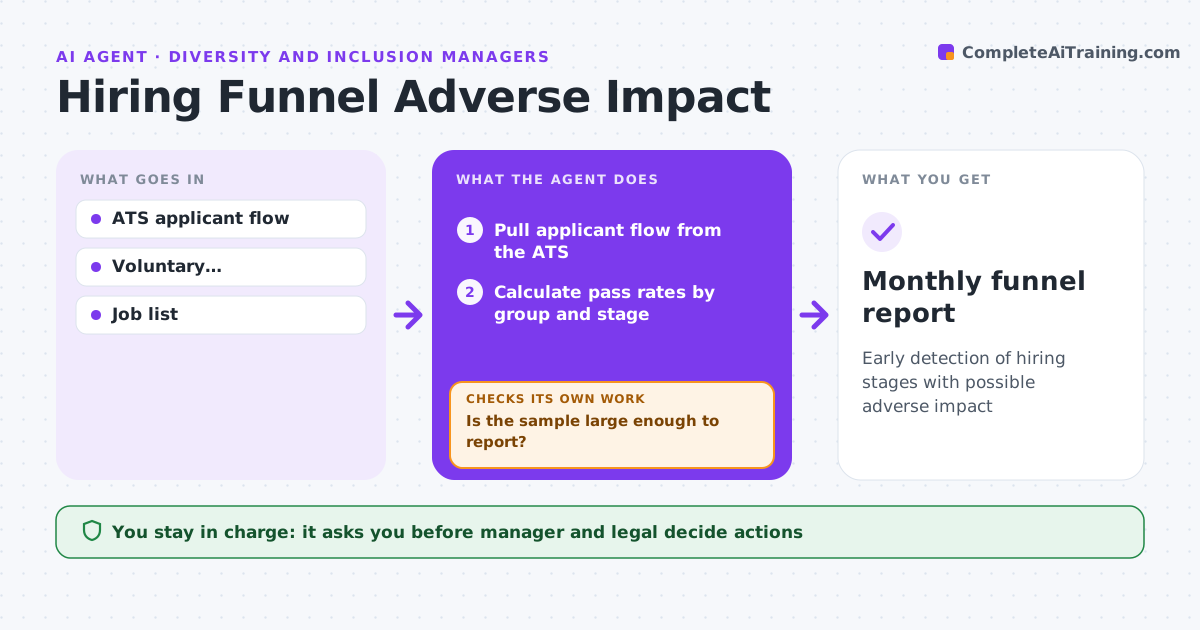
Early detection of hiring stages with possible adverse impact
What it does
Each hiring stage, from application to offer, can filter out groups unevenly without anyone noticing. Every month this agent pulls applicant flow data from the applicant tracking system and calculates pass rates by group at every stage. It applies the four-fifths rule and a statistical test. Before reporting, it checks that the sample is large enough, with 30 or more per group. If not, it keeps watching and combines the data with the next month. For reportable stages, it breaks results down by job and recruiter to find what drives the gap. It drafts a finding for the manager. The manager decides next steps with talent acquisition and legal. Edge case: stages with fewer than 30 applicants in a group are watched but never reported as findings.
How it works
Follow the arrows from top to bottom. The orange dashed arrow is the loop: when a check fails, the agent goes back and tries again.
Read the steps as a list
- Month ends
- Pull applicant flow from the ATS
- Calculate pass rates by group and stage
- Apply four-fifths rule and statistical test
- Is the sample large enough to report?If not: keep watching and combine with next month. Back to step 3.
- Find if one job or recruiter drives it
- Manager decides next steps with legalThe agent waits here for your OK.
- Monthly funnel report
How it decides
A stage is flagged when a group's rate is under 80% of the highest group's rate and the sample is large enough.
- Four-fifths rule plus statistical test
- 30 or more per group to report
- Break down by job and recruiter
Make it yours
Every agent is a starting point. You choose these settings for your own situation.
- Impact threshold
- Minimum sample
- Groups
- Report frequency
What keeps you in control
It always asks you first
- Manager and legal decide actions
Hard limits
- Individual data not shared
- Never judges recruiters publicly
It stops when
- Done: report delivered
- Stop: ATS data missing
Set it up
We guide you through the set-up, step by step
Members get the full set-up guide for this agent. No technical skills needed: you copy, paste and upload.
- One set of instructions to paste into your AI, with the clicks for ChatGPT, Claude, Microsoft 365 Copilot, Gemini and Grok
- The agent then walks you through connecting your own data, one source at a time
- A downloadable copy with the flow chart, the rules and the full guide