AI agent for hotel managers
Hotel Group Booking Contract Compliance Agent
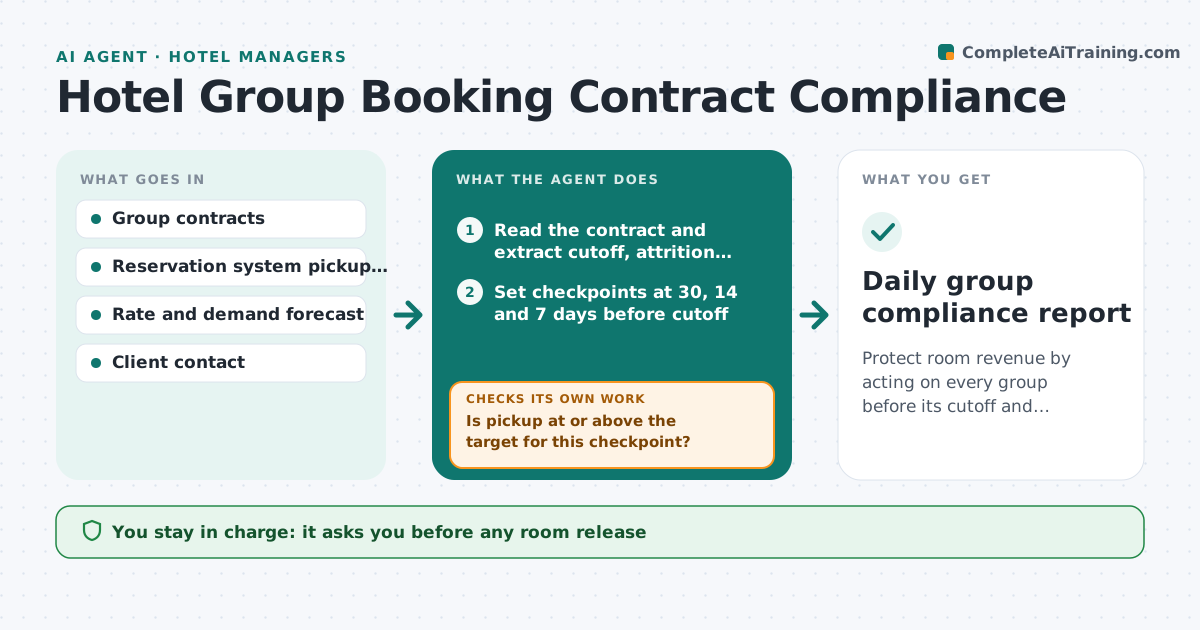
Protect room revenue by acting on every group before its cutoff and attrition date.
What it does
A group contract holds a block of rooms with a cutoff date and an attrition clause: if the group books fewer rooms than agreed, the hotel can charge or release rooms. Managers juggle many groups and miss the dates. This agent reads each group contract and lists the cutoff dates, the attrition terms and the pickup targets. It compares the rooms actually booked against the block every day, and flags groups at risk of falling below the attrition limit. For each flagged group it drafts options, such as releasing rooms back to general sale or asking the planner to push the booking link. It rechecks daily. It never contacts the client alone. Edge case: a block of 40 rooms with 12 booked at 14 days to cutoff gets a firm reminder and a release plan.
How it works
Follow the arrows from top to bottom. The orange dashed arrow is the loop: when a check fails, the agent goes back and tries again.
Read the steps as a list
- New group contract is signed or daily run starts
- Read the contract and extract cutoff, attrition and block terms
- Set checkpoints at 30, 14 and 7 days before cutoff
- Read the pickup report from the reservation system
- Is pickup at or above the target for this checkpoint?If not: Draft a reminder to the planner and a plan to release rooms if it stays low. Back to step 4.
- Check demand for the released dates
- Manager approves releases and every client messageThe agent waits here for your OK.
- Update the reservation system draft and the tracker
- Did pickup improve after the action?If not: Raise the risk level and draft the next option. Back to step 4.
- Daily group compliance report
How it decides
Compares pickup to the contract's target at set dates and drafts a release or push option when pickup is below 75% of target at the checkpoint.
- Pickup under 75% of target at a checkpoint is flagged at risk
- Release rooms only if forecast demand is above 70% for those dates
- Attrition fee exposure over a set amount goes to the manager at once
- Cutoff within 3 days with low pickup triggers a call, not an email
Make it yours
Every agent is a starting point. You choose these settings for your own situation.
- Pickup target by checkpoint (default 75%)
- Checkpoint days (default 30, 14, 7)
- Demand threshold for release (default 70%)
- Fee exposure that needs manager attention
- Who contacts clients
What keeps you in control
It always asks you first
- Any room release
- Messages to the client
- Any attrition fee waiver
Hard limits
- Never release rooms or waive fees without approval
- Never change a rate in the contract
It stops when
- Done: cutoff passed and final rooming list received
- Stop: group cancels
- Stop: contract dispute goes to the owner
Set it up
We guide you through the set-up, step by step
Members get the full set-up guide for this agent. No technical skills needed: you copy, paste and upload.
- One set of instructions to paste into your AI, with the clicks for ChatGPT, Claude, Microsoft 365 Copilot, Gemini and Grok
- The agent then walks you through connecting your own data, one source at a time
- A downloadable copy with the flow chart, the rules and the full guide