AI agent for hotel managers
Hotel Group Rate Parity Check Agent
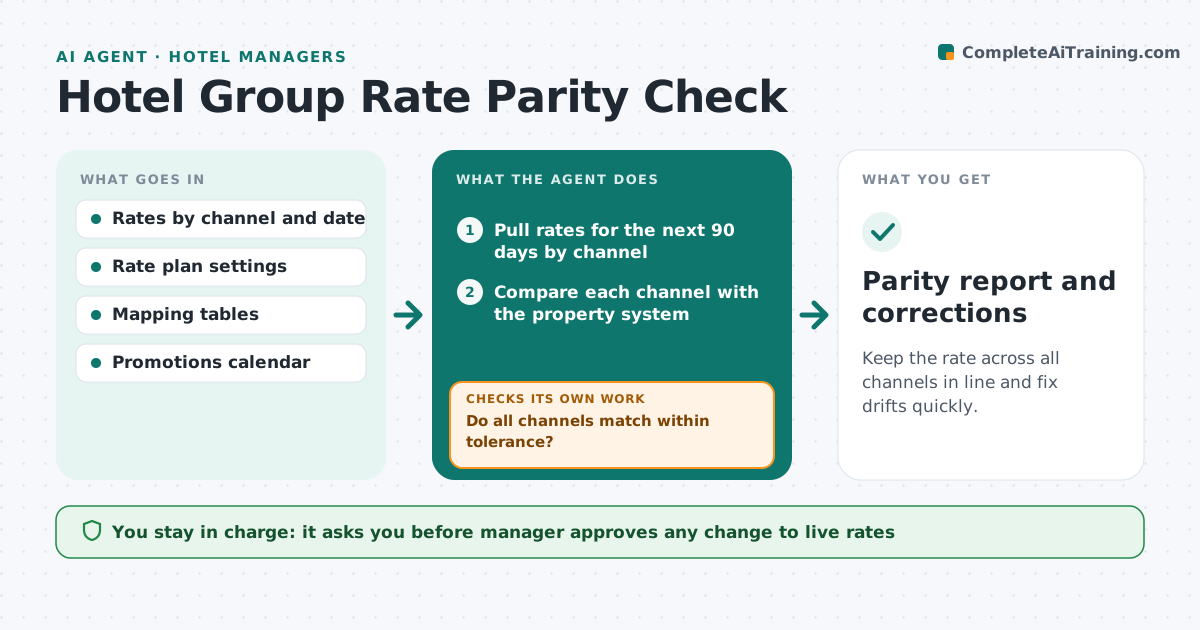
Keep the rate across all channels in line and fix drifts quickly.
What it does
Room rates on the hotel's own site, on online travel agencies and in the property system drift apart. Mapping errors, closed rate plans or expired promotions can cause rate parity breaches and lost bookings. Every day, the agent compares rates across channels for the next 90 days, flags differences, and finds the cause, such as a closed rate plan or a mapping error. It proposes corrections and re-checks after the change. The manager approves any change to live rates. Edge case: one agency shows $20 less for Saturday because a promotion was left on, so the agent proposes ending it.
How it works
Follow the arrows from top to bottom. The orange dashed arrow is the loop: when a check fails, the agent goes back and tries again.
Read the steps as a list
- Daily rate check
- Pull rates for the next 90 days by channel
- Compare each channel with the property system
- Do all channels match within tolerance?If not: List each difference and find its cause. Back to step 3.
- Find the cause: closed plan, mapping, promotion or rounding
- Propose corrections
- Manager approves changes to live ratesThe agent waits here for your OK.
- Apply the approved changes
- Re-pull rates after the update
- Do the rates now match?If not: Check the channel mapping again and propose a second fix. Back to step 3.
- Parity report and corrections
How it decides
A date passes when channel rates match the property system within the tolerance. A difference is traced to its cause: closed plan, mapping, promotion or rounding.
- Differences over $2 are flagged
- A difference on a weekend or event date is high priority
- A promotion left on beyond its end date is a cause
- Re-check within 1 hour of a change
Make it yours
Every agent is a starting point. You choose these settings for your own situation.
- Tolerance (default $2)
- Days ahead to check (default 90)
- Channels compared
- Re-check delay
What keeps you in control
It always asks you first
- Manager approves any change to live rates
Hard limits
- Never changes a rate without approval
- Never sets a rate below the floor
It stops when
- Done: all channels match
- Stop: a channel does not accept the update, so the manager is told
Set it up
We guide you through the set-up, step by step
Members get the full set-up guide for this agent. No technical skills needed: you copy, paste and upload.
- One set of instructions to paste into your AI, with the clicks for ChatGPT, Claude, Microsoft 365 Copilot, Gemini and Grok
- The agent then walks you through connecting your own data, one source at a time
- A downloadable copy with the flow chart, the rules and the full guide