AI agent for hotel managers
Hotel Revenue Pickup Pace Review Agent
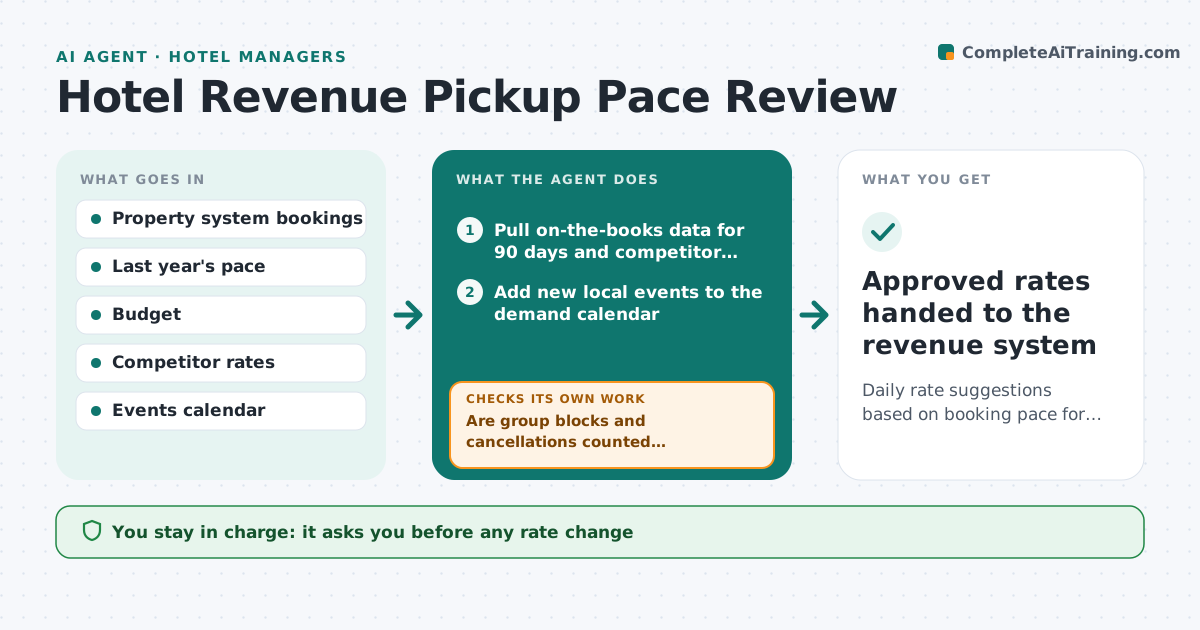
Daily rate suggestions based on booking pace for the next 90 days
What it does
Hotel revenue depends on reading how fast rooms are booking for each future date and adjusting rates in time. Each morning this agent pulls on-the-books rooms and revenue for the next 90 days and competitor rates. It first checks the data: group blocks counted twice or missing cancellations are fixed and the data reloaded. It then compares pace with last year and budget. Dates more than 10% behind get a rate review; dates well ahead get a rate rise suggestion. Moves are capped at 15% per day, and local events push minimum rates up. Before showing suggestions, it checks each rate stays within limits and above the floor. The hotel manager approves every rate change before it goes into the systems. Edge case: a local event was announced yesterday, so the agent adds it and notes the expected demand jump.
How it works
Follow the arrows from top to bottom. The orange dashed arrow is the loop: when a check fails, the agent goes back and tries again.
Read the steps as a list
- Daily morning run
- Pull on-the-books data for 90 days and competitor rates
- Are group blocks and cancellations counted correctly?If not: fix the data and reload. Back to step 2.
- Add new local events to the demand calendar
- Compare pace with last year and budget
- Suggest rate changes for dates outside the pace threshold
- Is every suggested rate within the daily cap and above the floor?If not: trim the move to the limit and recheck. Back to step 6.
- Hotel manager approves rate changesThe agent waits here for your OK.
- Approved rates handed to the revenue system
How it decides
It compares pickup with last year and budget and suggests rate moves within set limits when pace differs by more than the threshold.
- Pace 10% behind triggers a rate review
- Rate moves capped at 15% per day
- Events push minimum rates up
Make it yours
Every agent is a starting point. You choose these settings for your own situation.
- Pace thresholds
- Rate change limits
- Days ahead reviewed
- Competitor set
What keeps you in control
It always asks you first
- Any rate change
Hard limits
- Never changes rates in live systems itself
- Stays within rate limits
It stops when
- Done: suggestions reviewed
- Stop: booking data feed failed
Set it up
We guide you through the set-up, step by step
Members get the full set-up guide for this agent. No technical skills needed: you copy, paste and upload.
- One set of instructions to paste into your AI, with the clicks for ChatGPT, Claude, Microsoft 365 Copilot, Gemini and Grok
- The agent then walks you through connecting your own data, one source at a time
- A downloadable copy with the flow chart, the rules and the full guide