AI agent for hotel managers
Hotel Staff Shift Swap and Overtime Agent
Keep rosters legal, covered and within labor budget when staff swap shifts.
What it does
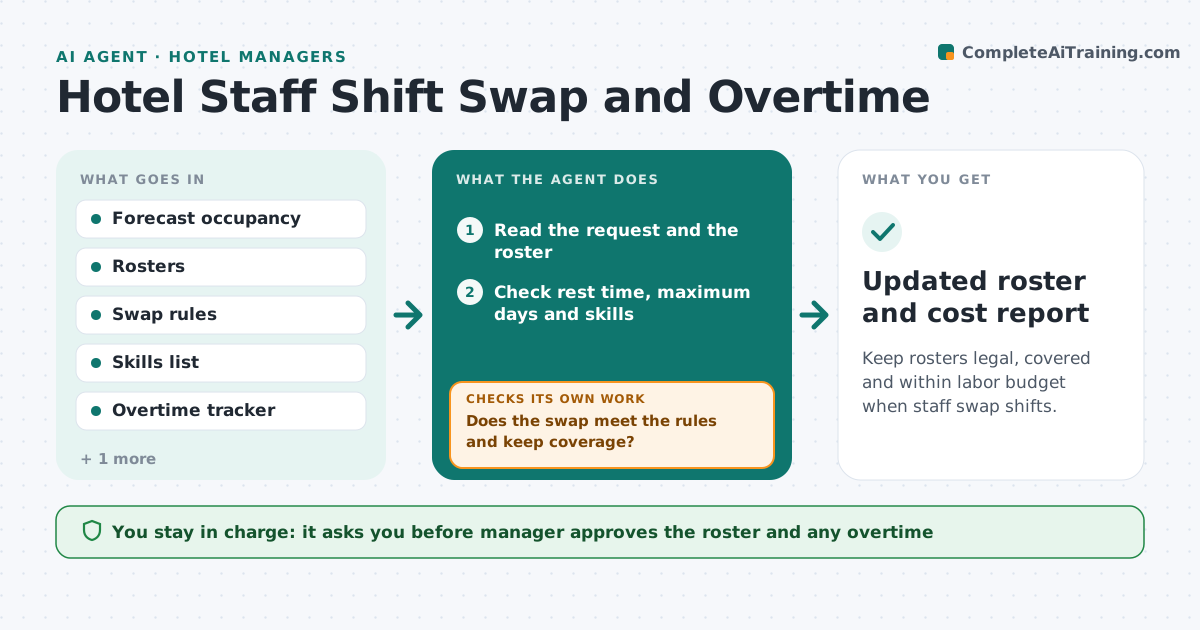
Shift swaps and overtime make labor cost hard to predict. The agent reads the occupancy forecast and the rosters, handles swap requests against the rules for rest time, skills and cost, and tracks overtime hours. It flags weeks that will go over budget and proposes alternatives, such as a different swap or a part-time cover. It re-checks cost after every change. It states the reason for each rejection so staff understand it, and it keeps a running view of overtime for the week. If the budget cannot be met, it shows the cheapest legal options. The manager approves the roster. Edge case: a swap would leave a housekeeper on 6 straight days, so the agent rejects it and offers another pairing.
How it works
Follow the arrows from top to bottom. The orange dashed arrow is the loop: when a check fails, the agent goes back and tries again.
Read the steps as a list
- Swap request received
- Read the request and the roster
- Check rest time, maximum days and skills
- Does the swap meet the rules and keep coverage?If not: Reject it and find another eligible pairing. Back to step 3.
- Recalculate weekly hours, overtime and cost
- Is the week within the labor budget?If not: Propose alternatives such as a different swap or part-time cover. Back to step 3.
- Manager approves the rosterThe agent waits here for your OK.
- Update the roster and notify staff
- Track overtime against the forecast
- Is overtime within the weekly cap?If not: Flag the week and propose changes. Back to step 4.
- Updated roster and cost report
How it decides
A swap is allowed if rest rules, skills and coverage are met and weekly cost stays within budget. Otherwise it offers alternatives that do.
- No more than 6 days in a row
- Minimum 11 hours between shifts
- Overtime over 8 hours a week is flagged
- The skills match must cover the department needs
Make it yours
Every agent is a starting point. You choose these settings for your own situation.
- Maximum days in a row (default 6)
- Overtime cap (default 8 hours a week)
- Rest hours (default 11)
- Budget per week
What keeps you in control
It always asks you first
- Manager approves the roster and any overtime
Hard limits
- Never changes a roster without approval
- Never breaks rest rules
It stops when
- Done: roster approved and staff notified
- Stop: no legal option, so the manager decides
Set it up
We guide you through the set-up, step by step
Members get the full set-up guide for this agent. No technical skills needed: you copy, paste and upload.
- One set of instructions to paste into your AI, with the clicks for ChatGPT, Claude, Microsoft 365 Copilot, Gemini and Grok
- The agent then walks you through connecting your own data, one source at a time
- A downloadable copy with the flow chart, the rules and the full guide