AI agent for purchasing managers
Hotel Supplier Price Comparison Agent
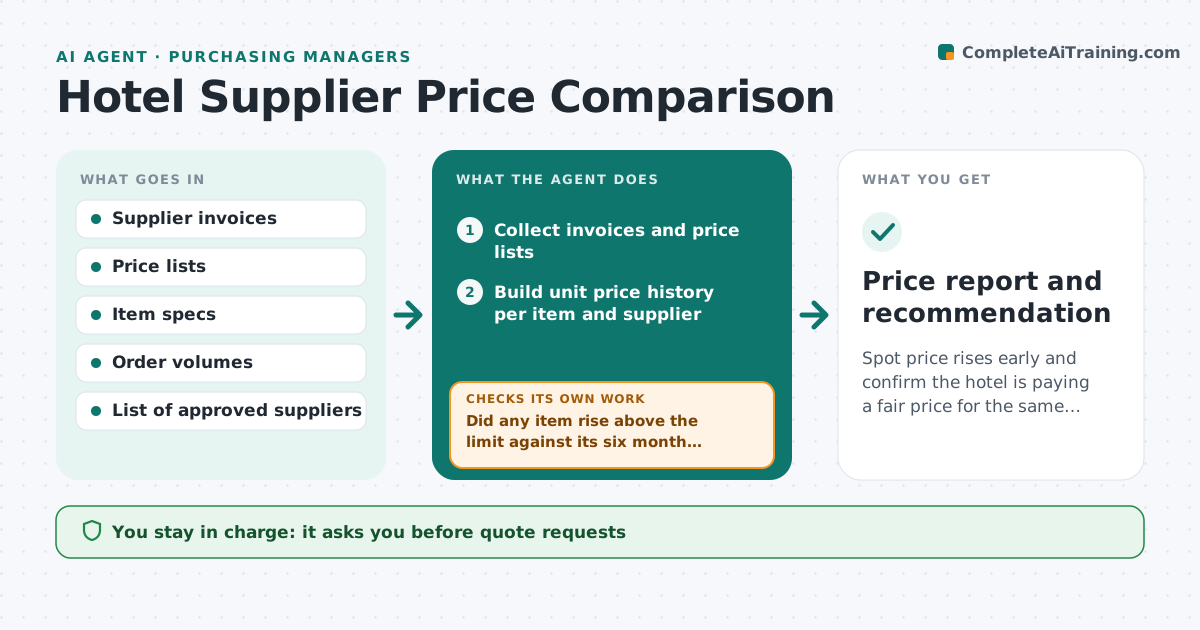
Spot price rises early and confirm the hotel is paying a fair price for the same product.
What it does
Linen, food, cleaning supplies and amenities are bought weekly, and suppliers raise prices a few cents at a time. Nobody reads every invoice. This agent collects invoices and price lists and builds a unit price history per item. It compares each supplier's current price against the last six months and against other suppliers for the same spec. When a rise passes the limit, it requests quotes from other suppliers. When quotes come in, it checks that the products really match, such as thread count or pack size, and works out the cost per unit. It then drafts a recommendation. The manager approves any switch and any message to a supplier. Edge case: a cheaper quote for a smaller pack is converted to cost per unit before comparing.
How it works
Follow the arrows from top to bottom. The orange dashed arrow is the loop: when a check fails, the agent goes back and tries again.
Read the steps as a list
- Monthly price check begins
- Collect invoices and price lists
- Build unit price history per item and supplier
- Did any item rise above the limit against its six month average?If not: Mark the item as fine and move to the next one. Back to step 3.
- Draft quote requests to approved suppliers
- Manager approves quote requestsThe agent waits here for your OK.
- Read the quotes received
- Do the quotes match the spec and pack size?If not: Ask the supplier for a corrected quote or drop it. Back to step 7.
- Compare total yearly cost per supplier
- Manager approves any supplier switchThe agent waits here for your OK.
- Price report and recommendation
How it decides
Computes unit price per item, flags rises above the limit, and compares quotes only when the spec and pack size match.
- Rise above 5% over the six month average triggers a quote request
- Quotes are compared per unit, never per pack
- Switching must save more than the set amount yearly
- Quality notes from housekeeping or kitchen block a switch
Make it yours
Every agent is a starting point. You choose these settings for your own situation.
- Rise limit (default 5%)
- Items and categories to watch
- Minimum yearly saving to consider a switch
- Approved supplier list
- Months of history (default 6)
What keeps you in control
It always asks you first
- Quote requests
- Any supplier switch
- Any negotiation message
Hard limits
- Never place an order or cancel a contract
- Never share one supplier's prices with another
It stops when
- Done: report issued and decisions recorded
- Stop: only one approved supplier exists
- Stop: contract lock prevents a switch
Set it up
We guide you through the set-up, step by step
Members get the full set-up guide for this agent. No technical skills needed: you copy, paste and upload.
- One set of instructions to paste into your AI, with the clicks for ChatGPT, Claude, Microsoft 365 Copilot, Gemini and Grok
- The agent then walks you through connecting your own data, one source at a time
- A downloadable copy with the flow chart, the rules and the full guide