AI agent for seo specialists
Hreflang and International Audit Agent
Make the language and country tags consistent so the right page shows in each market
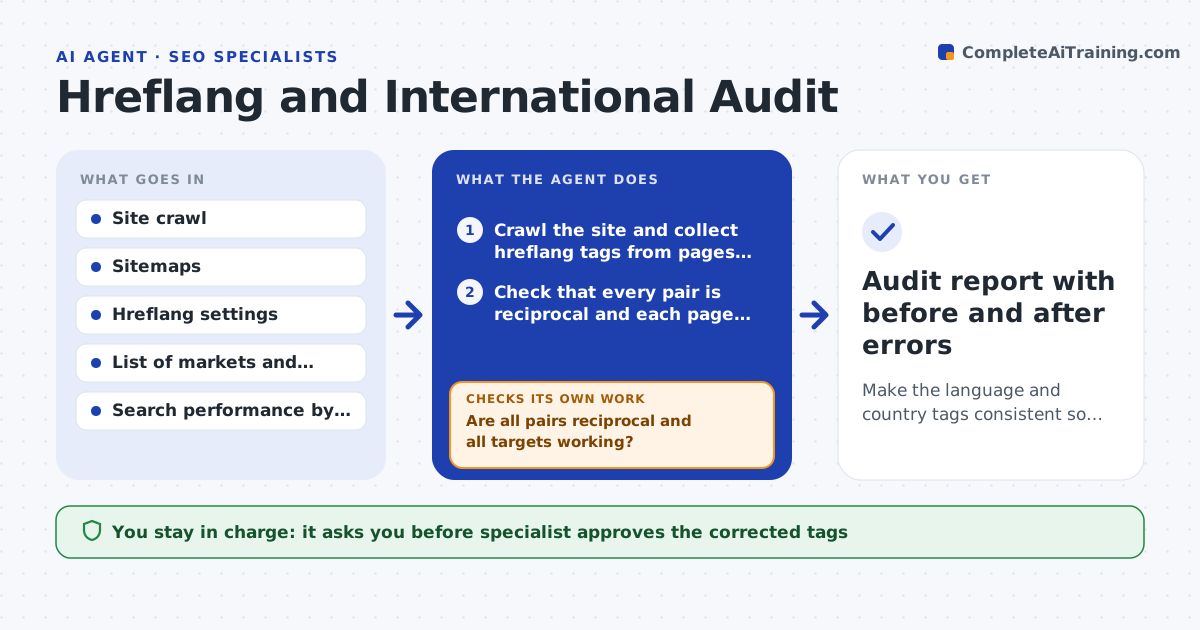
What it does
A Dutch visitor lands on the US page, or the French page and English page each point to a different set of alternates. This agent crawls the whole site and reads the hreflang tags, whether in the page, the headers or the sitemap. It checks that every pair is reciprocal, that each page references itself, that codes are valid and that every target returns a working page that is not blocked or redirected. It finds errors and drafts corrected tags, including a default version. After the fix is deployed, it recrawls and checks again. It also compares search data to see whether the right market version gets the impressions. The specialist approves deployment. Edge case: a page exists in only three of five languages, so the agent does not add tags pointing to missing pages.
How it works
Follow the arrows from top to bottom. The orange dashed arrow is the loop: when a check fails, the agent goes back and tries again.
Read the steps as a list
- Quarterly audit or market change
- Crawl the site and collect hreflang tags from pages, headers and sitemaps
- Check that every pair is reciprocal and each page references itself
- Check code validity and that every target returns a live page
- List errors by type and market
- Draft the corrected tags and the default version
- Specialist approves deploymentThe agent waits here for your OK.
- Developer deploys; agent recrawls
- Are all pairs reciprocal and all targets working?If not: list the remaining errors and draft corrections. Back to step 4.
- Compare search performance by country after two weeks
- Audit report with before and after errors
How it decides
It requires every tag to be valid, reciprocal and pointing to a live page and fixes the minimal set of tags needed to meet those rules.
- Require each page to reference itself
- Require reciprocal tags between all alternates
- Do not tag pages that do not exist in a language
- Use one method for tags across the site
Make it yours
Every agent is a starting point. You choose these settings for your own situation.
- Markets and language codes
- Tag method (page, header or sitemap)
- Default version rule
- Audit schedule
- Crawl limits
What keeps you in control
It always asks you first
- Specialist approves the corrected tags
- Developer approves deployment
Hard limits
- Never deploy tags to the live site
- Never tag pages that do not exist
It stops when
- Done: all tags are valid and reciprocal
- Stop: the site structure needs changes by the development team first
Set it up
We guide you through the set-up, step by step
Members get the full set-up guide for this agent. No technical skills needed: you copy, paste and upload.
- One set of instructions to paste into your AI, with the clicks for ChatGPT, Claude, Microsoft 365 Copilot, Gemini and Grok
- The agent then walks you through connecting your own data, one source at a time
- A downloadable copy with the flow chart, the rules and the full guide