AI agent for meteorologists
Hurricane and Flood Evacuation Timing Support Agent
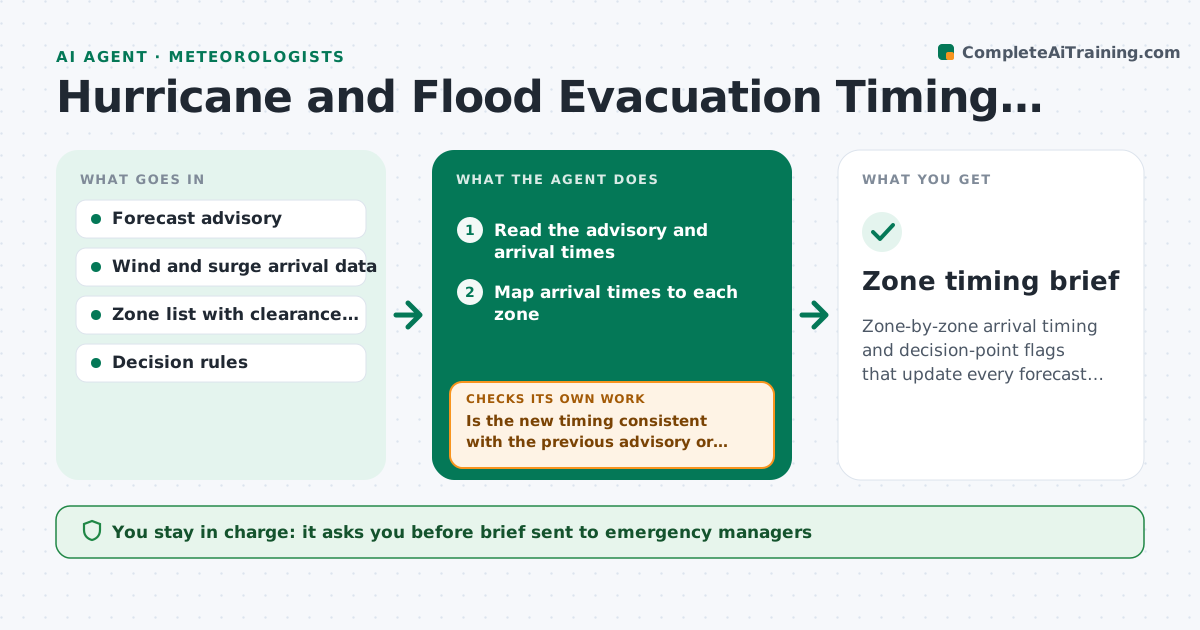
Zone-by-zone arrival timing and decision-point flags that update every forecast cycle
What it does
Emergency managers decide evacuations by zone, and they need arrival times of winds and surge for each zone rather than broad guidance. This agent maps forecast arrival times of tropical storm winds, surge and flooding to the zones. It checks the uncertainty window for each, flags zones where the timing is close to a decision point such as the time evacuation must start to finish before conditions turn unsafe, and updates every forecast cycle. It compares its timing to the new advisory and checks that nothing is stale. The forecaster approves what goes to partners. Edge case: a track shift moves one zone's arrival earlier by 6 hours, so the agent flags the zone as past its decision point.
How it works
Follow the arrows from top to bottom. The orange dashed arrow is the loop: when a check fails, the agent goes back and tries again.
Read the steps as a list
- New advisory released
- Read the advisory and arrival times
- Map arrival times to each zone
- Read zone clearance times and decision rules
- Compute decision times and uncertainty windows
- Is the new timing consistent with the previous advisory or explained by the track change?If not: check the data source and recompute the arrival times. Back to step 3.
- Flag zones where the uncertainty window overlaps the decision time
- Draft the timing brief for partners
- Forecaster approves what is sentThe agent waits here for your OK.
- Did any zone cross its decision point since the last cycle?If not: mark the zone urgent and redraft the brief. Back to step 5.
- Zone timing brief
How it decides
Decision time equals hazard arrival minus evacuation clearance time. A zone is flagged when the uncertainty window overlaps it.
- Flag a zone when the earliest arrival minus clearance time is within 6 hours of now
- Show earliest and most likely arrival
- Mark urgent when a zone passes the decision time
- Use the official advisory as the source
Make it yours
Every agent is a starting point. You choose these settings for your own situation.
- Zone clearance times
- Flag window (default 6 hours)
- Hazards included
- Partner list
What keeps you in control
It always asks you first
- Brief sent to emergency managers
Hard limits
- Never recommends an evacuation
- Never sends a brief without approval
It stops when
- Done: brief approved and updated each cycle
- Stop: advisory or zone data is unavailable
Set it up
We guide you through the set-up, step by step
Members get the full set-up guide for this agent. No technical skills needed: you copy, paste and upload.
- One set of instructions to paste into your AI, with the clicks for ChatGPT, Claude, Microsoft 365 Copilot, Gemini and Grok
- The agent then walks you through connecting your own data, one source at a time
- A downloadable copy with the flow chart, the rules and the full guide