AI agent for energy engineers
HVAC Retro-Commissioning Fault Finder Agent
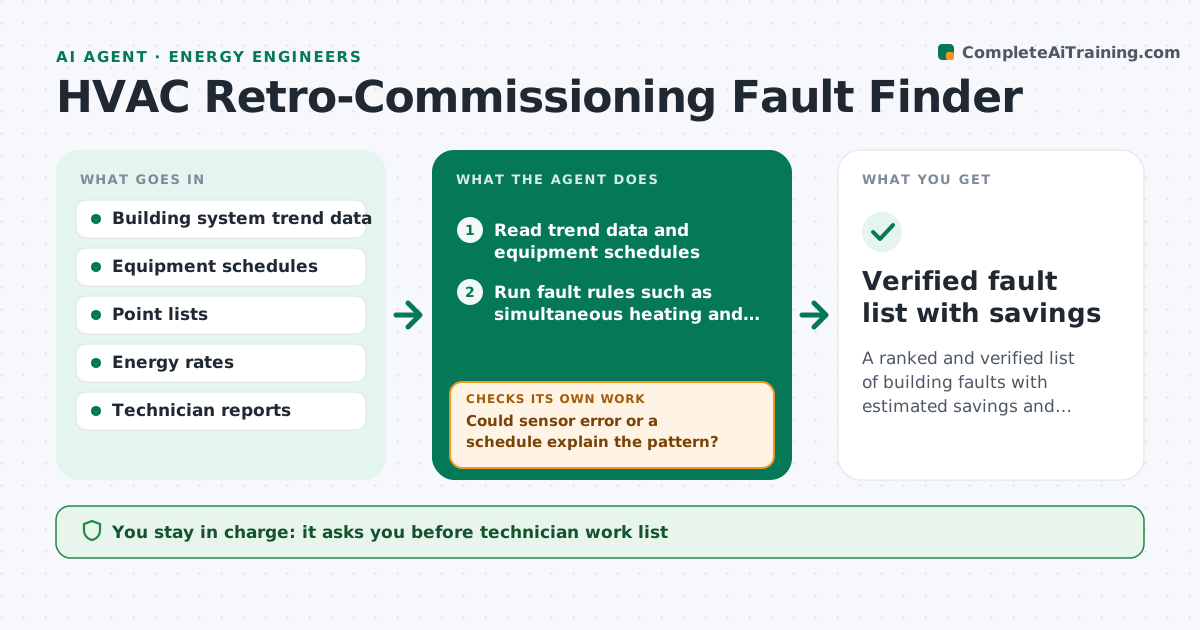
A ranked and verified list of building faults with estimated savings and checks for the site team
What it does
Buildings waste energy through faults that show up in trend data but not in anyone's day: simultaneous heating and cooling, stuck dampers, valves leaking through. This agent reads trend logs from the building system and tests a set of fault rules. It ranks each fault by estimated energy and cost impact. Before accepting a fault, it checks whether a sensor error, such as a drifting temperature sensor, could explain the pattern. It proposes site checks, for example verifying a damper position. After the technician reports back, it updates the ranking and removes false alarms. The engineer approves the work list. Edge case: simultaneous heating and cooling appears only at night, so the agent checks the schedule before blaming a valve.
How it works
Follow the arrows from top to bottom. The orange dashed arrow is the loop: when a check fails, the agent goes back and tries again.
Read the steps as a list
- New trend data loaded
- Read trend data and equipment schedules
- Run fault rules such as simultaneous heating and cooling and stuck dampers
- Estimate energy and cost impact for each fault
- Could sensor error or a schedule explain the pattern?If not: mark as probable false alarm and lower its rank. Back to step 3.
- Rank faults and draft site checks
- Engineer approves the work listThe agent waits here for your OK.
- Read technician findings
- Update the ranking with confirmed and rejected faults
- Are the top-ranked faults confirmed on site?If not: retest the rule with better data and propose the next check. Back to step 4.
- Verified fault list with savings
How it decides
Faults are ranked by annual cost. A fault is kept only if sensor error and schedule explanations are ruled out.
- Rank by estimated annual cost
- Lower rank when sensor drift above 2 degrees could explain it
- Treat faults outside occupied hours as schedule issues first
- Group faults on the same equipment into one work item
Make it yours
Every agent is a starting point. You choose these settings for your own situation.
- Sensor error tolerance (default 2 degrees)
- Fault rules to run
- Energy rates
- Minimum savings to list (default $500 a year)
What keeps you in control
It always asks you first
- Technician work list
- Any change to control settings
Hard limits
- Never changes control settings
- Never states a fault as confirmed without a site check
It stops when
- Done: faults confirmed or dismissed
- Stop: trend data lacks key points
Set it up
We guide you through the set-up, step by step
Members get the full set-up guide for this agent. No technical skills needed: you copy, paste and upload.
- One set of instructions to paste into your AI, with the clicks for ChatGPT, Claude, Microsoft 365 Copilot, Gemini and Grok
- The agent then walks you through connecting your own data, one source at a time
- A downloadable copy with the flow chart, the rules and the full guide