
AI agent for special education teachers
IEP Annual Review Prep Agent
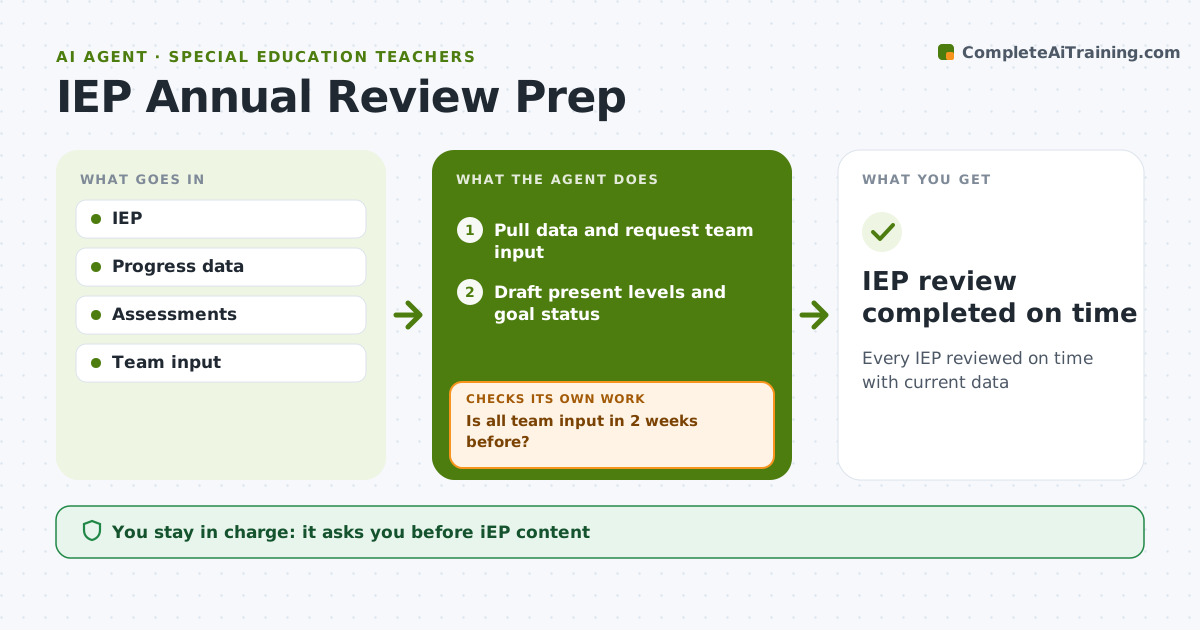
Every IEP reviewed on time with current data
What it does
Every IEP must be reviewed at least yearly, with present levels based on current data and input from the whole team, and late notices or stale data can put a district out of compliance. Six weeks before each review, this agent pulls goal progress data, assessment results, attendance and service logs, and requests input from general education teachers, therapists and the family. Two weeks before the meeting it checks that all input is in and sends reminders if not. It drafts present levels of performance with the data and lists goals that look met, stalled or no longer fitting. It flags goals with no recent data. It schedules the meeting within the legal timeline and checks that required notices are sent on time. The case manager writes the IEP with the team. Edge case: if a reevaluation is also due, it flags the extra timeline.
How it works
Follow the arrows from top to bottom. The orange dashed arrow is the loop: when a check fails, the agent goes back and tries again.
Read the steps as a list
- Review due in 6 weeks
- Pull data and request team input
- Is all team input in 2 weeks before?If not: remind team members. Back to step 2.
- Draft present levels and goal status
- Schedule meeting and send notices
- Case manager and team finalize IEPThe agent waits here for your OK.
- IEP review completed on time
How it decides
Goals are classed by progress data. Deadlines follow legal timelines.
- Notices sent by the legal deadline
- Reevaluation flagged
- Goals with no data flagged
Make it yours
Every agent is a starting point. You choose these settings for your own situation.
- Lead time
- Legal timelines
- Team members
- Draft template
What keeps you in control
It always asks you first
- IEP content
- Parent notices
Hard limits
- No IEP decisions by the agent
- Family input always requested
It stops when
- Done: review held
- Stop: student exits services
Set it up
We guide you through the set-up, step by step
Members get the full set-up guide for this agent. No technical skills needed: you copy, paste and upload.
- One set of instructions to paste into your AI, with the clicks for ChatGPT, Claude, Microsoft 365 Copilot, Gemini and Grok
- The agent then walks you through connecting your own data, one source at a time
- A downloadable copy with the flow chart, the rules and the full guide



