
AI agent for special education teachers
IEP Goal Progress Data Agent
Regular data and honest progress reports for every goal
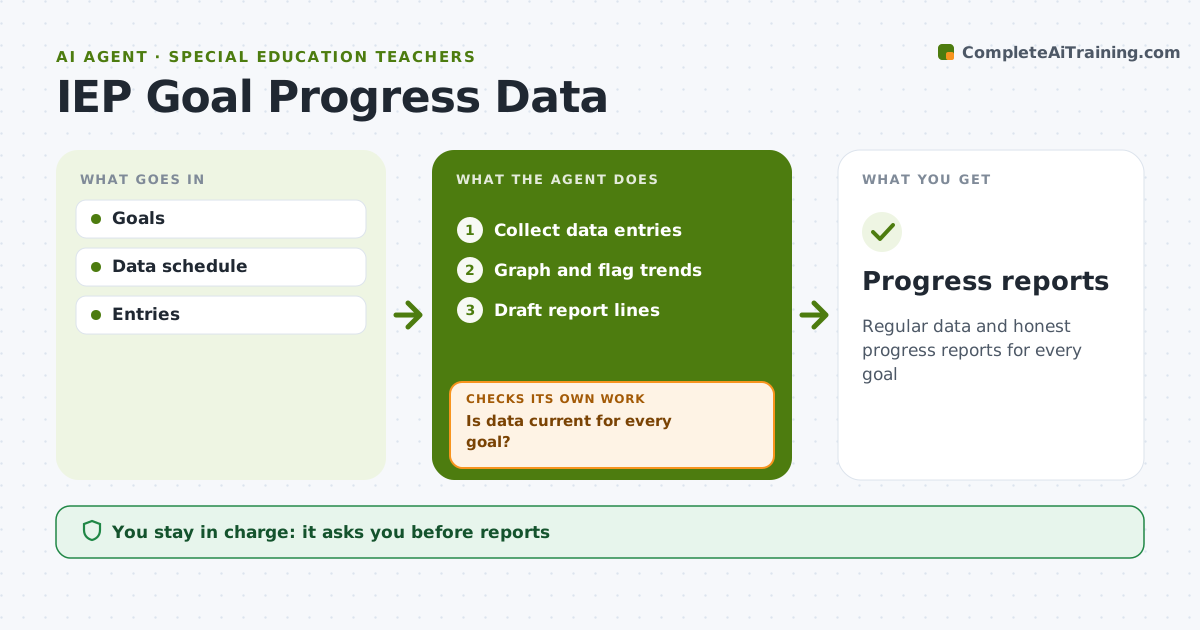
What it does
IEP goals need regular data so progress reports are honest, but probes get skipped in busy weeks. This agent tracks the data schedule for every goal, reminds staff when probes are due, and collects entries from teachers and aides. Each week it checks whether data is current; a goal with no entry for two weeks triggers a reminder to the responsible staff member, and it checks again. It graphs each goal against its target line and flags goals with missing data, flat trends, four points in a row below the target line, or likely mastery. Before progress report dates, it drafts report lines that cite the data. The special education teacher reviews every line and decides on any instructional change. Edge case: when data from different staff disagree sharply on the same goal, it flags the goal so the team can check how it is being measured.
How it works
Follow the arrows from top to bottom. The orange dashed arrow is the loop: when a check fails, the agent goes back and tries again.
Read the steps as a list
- Weekly check
- Collect data entries
- Is data current for every goal?If not: remind staff. Back to step 2.
- Graph and flag trends
- Draft report lines
- Teacher reviewsThe agent waits here for your OK.
- Progress reports
How it decides
Trend versus target line.
- Four points below target line flags
- Data disagreement flagged
- Missing 2 weeks reminds
Make it yours
Every agent is a starting point. You choose these settings for your own situation.
- Schedule
- Flag rules
- Report dates
- Graph style
What keeps you in control
It always asks you first
- Reports
Hard limits
- Data private
It stops when
- Done: reports
- Stop: goal closed
Set it up
We guide you through the set-up, step by step
Members get the full set-up guide for this agent. No technical skills needed: you copy, paste and upload.
- One set of instructions to paste into your AI, with the clicks for ChatGPT, Claude, Microsoft 365 Copilot, Gemini and Grok
- The agent then walks you through connecting your own data, one source at a time
- A downloadable copy with the flow chart, the rules and the full guide



