AI agent for art directors
Illustration Reference Coverage Agent
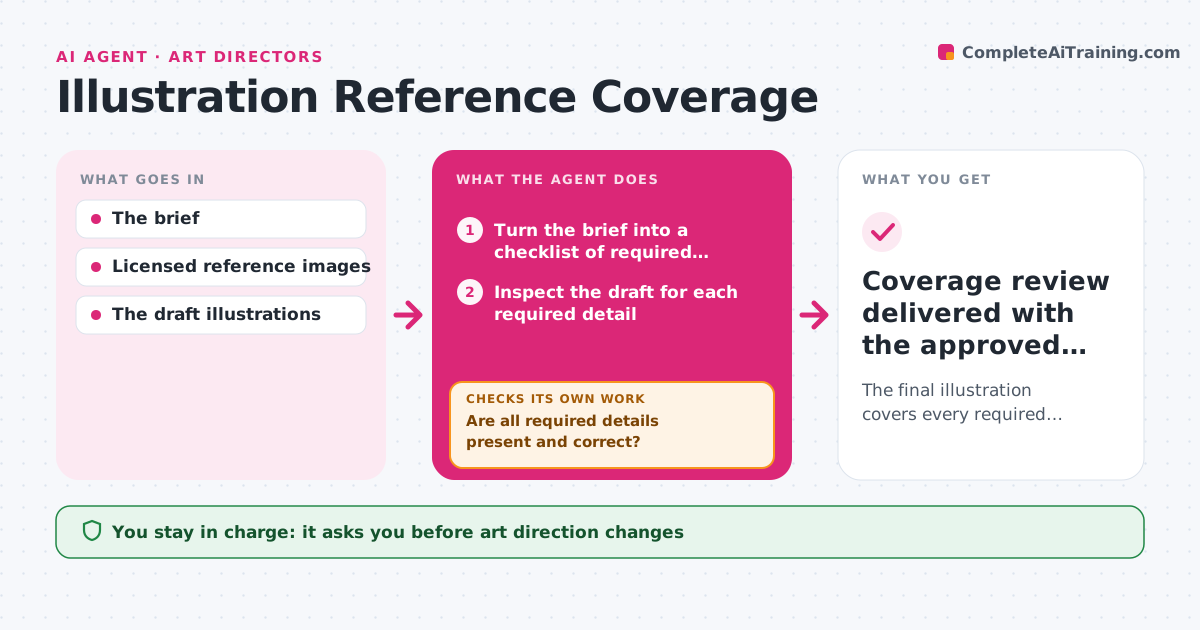
The final illustration covers every required detail in the brief.
What it does
Art directors brief illustrators with must-have details, such as a product, a location or a character's outfit. Drafts sometimes miss them, and adding one detail can hide another. This agent turns the brief into a checklist of required details and inspects each draft for every item. When something is missing or wrong, it writes a targeted correction request with an annotated crop, starting with the most important item, and waits for the revision. Each revision is checked against the whole list, so a detail that was right before and has now disappeared is caught. It never edits the artwork itself. The art director approves the final illustration. Edge case: when a detail is partly there, such as the right product in the wrong color, the request is narrowed to that one attribute.
How it works
Follow the arrows from top to bottom. The orange dashed arrow is the loop: when a check fails, the agent goes back and tries again.
Read the steps as a list
- Draft or revision uploaded
- Turn the brief into a checklist of required details
- Inspect the draft for each required detail
- Are all required details present and correct?If not: write a targeted correction request and wait for the revision. Back to step 3.
- Annotate the final draft with the coverage result
- Art director approves the illustrationThe agent waits here for your OK.
- Coverage review delivered with the approved draft
How it decides
It checks the next missing requirement first and, on every revision, re-checks all requirements so regressions are caught. It narrows a correction request to the specific area when a revision partly fixes a detail.
- Which detail to request first: the most important missing requirement in the brief.
- Regression check: every revision is checked against the whole list.
- Narrow or broad request: narrow when a detail is partly there.
Make it yours
Every agent is a starting point. You choose these settings for your own situation.
- Brief fields that become checklist items (default product, setting, characters, text, brand colors)
- Priority order for correction requests (default as ranked in the brief)
- Maximum revision rounds before the art director is pulled in (default 3)
- Annotation style for correction requests (default cropped image with a circle and one sentence)
- Who sends requests to the illustrator (default the agent drafts, the art director sends)
What keeps you in control
It always asks you first
- Art direction changes
- Client delivery
Hard limits
- Only comments; never edits the artwork.
It stops when
- Done: all details covered.
- Needs a human: a requirement is ambiguous in the brief.
Set it up
We guide you through the set-up, step by step
Members get the full set-up guide for this agent. No technical skills needed: you copy, paste and upload.
- One set of instructions to paste into your AI, with the clicks for ChatGPT, Claude, Microsoft 365 Copilot, Gemini and Grok
- The agent then walks you through connecting your own data, one source at a time
- A downloadable copy with the flow chart, the rules and the full guide