AI agent for art directors
Image Crop Subject Protection Agent
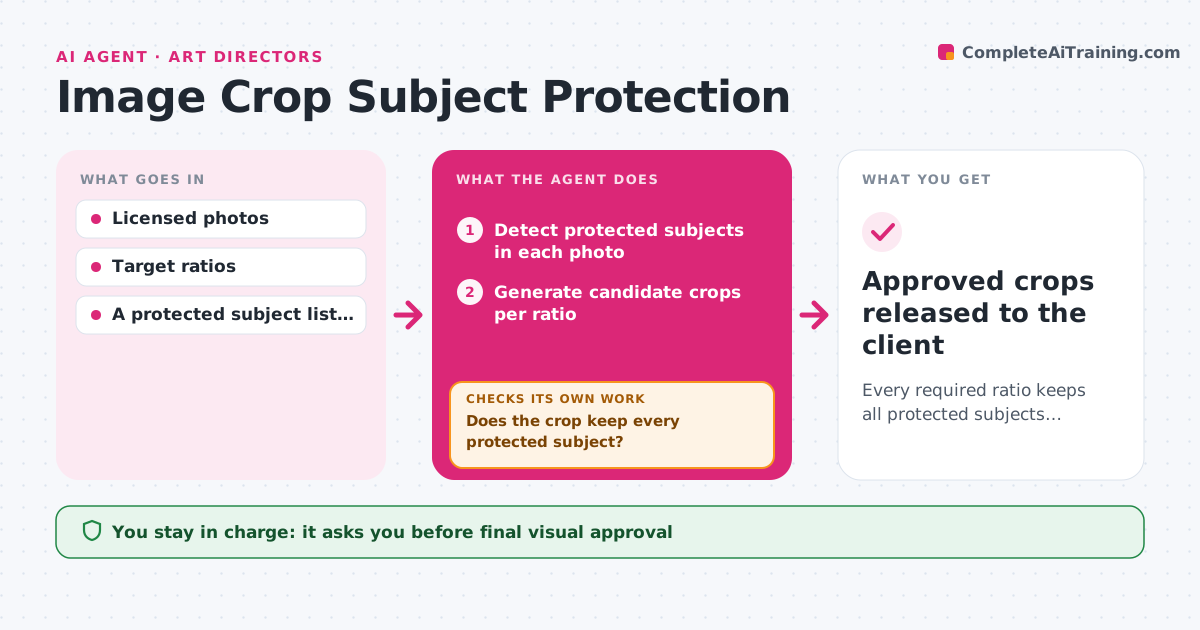
Every required ratio keeps all protected subjects visible.
What it does
Photo agencies need the same photo in many ratios, such as square, story and banner. Automatic crops often cut off the product, a logo or part of a face. This agent detects the protected subjects in each photo, generates candidate crops for every target ratio, and inspects each crop to confirm that every protected subject is fully inside. When a crop fails, it shifts the crop window and checks again. If no crop can hold all protected subjects, it proposes padding with an extended background instead of cutting something important, or sends the photo to a person when padding is not allowed. The photo editor reviews the crop pack before anything goes to the client. Edge case: a group photo too wide for a 9:16 story is never cut through a face.
How it works
Follow the arrows from top to bottom. The orange dashed arrow is the loop: when a check fails, the agent goes back and tries again.
Read the steps as a list
- Batch of photos needs new ratios
- Detect protected subjects in each photo
- Generate candidate crops per ratio
- Does the crop keep every protected subject?If not: shift the crop, or propose padding. Back to step 3.
- Assemble the crop review pack
- Photo editor approves the cropsThe agent waits here for your OK.
- Approved crops released to the client
How it decides
It maximises coverage of protected regions for each ratio, inspects each candidate, and switches to padding or human review when coverage is impossible.
- Crop position: choose the window that keeps all protected subjects with the most margin.
- Pad or review: pad when a ratio cannot fit the subjects and the client allows padding; otherwise send to a person.
- Subject priority: faces and products outrank background logos when the editor has set priorities.
- Shift limit: after three failed shifts, stop shifting and switch to padding or review.
Make it yours
Every agent is a starting point. You choose these settings for your own situation.
- Target ratios per client (default 1:1, 4:5, 9:16, 16:9)
- Protected subject types (default faces, products, logos, text)
- Minimum margin around protected subjects (default 3% of the frame)
- Whether padding is allowed and which style (default blurred background extension)
- Who approves the crop pack (default the photo editor)
What keeps you in control
It always asks you first
- Final visual approval
- Client release
Hard limits
- Never removes a protected detail.
It stops when
- Done: all ratios pass.
- Needs a human: no valid crop or padding.
Set it up
We guide you through the set-up, step by step
Members get the full set-up guide for this agent. No technical skills needed: you copy, paste and upload.
- One set of instructions to paste into your AI, with the clicks for ChatGPT, Claude, Microsoft 365 Copilot, Gemini and Grok
- The agent then walks you through connecting your own data, one source at a time
- A downloadable copy with the flow chart, the rules and the full guide