AI agent for illustrators
Character Model Sheet Consistency Agent
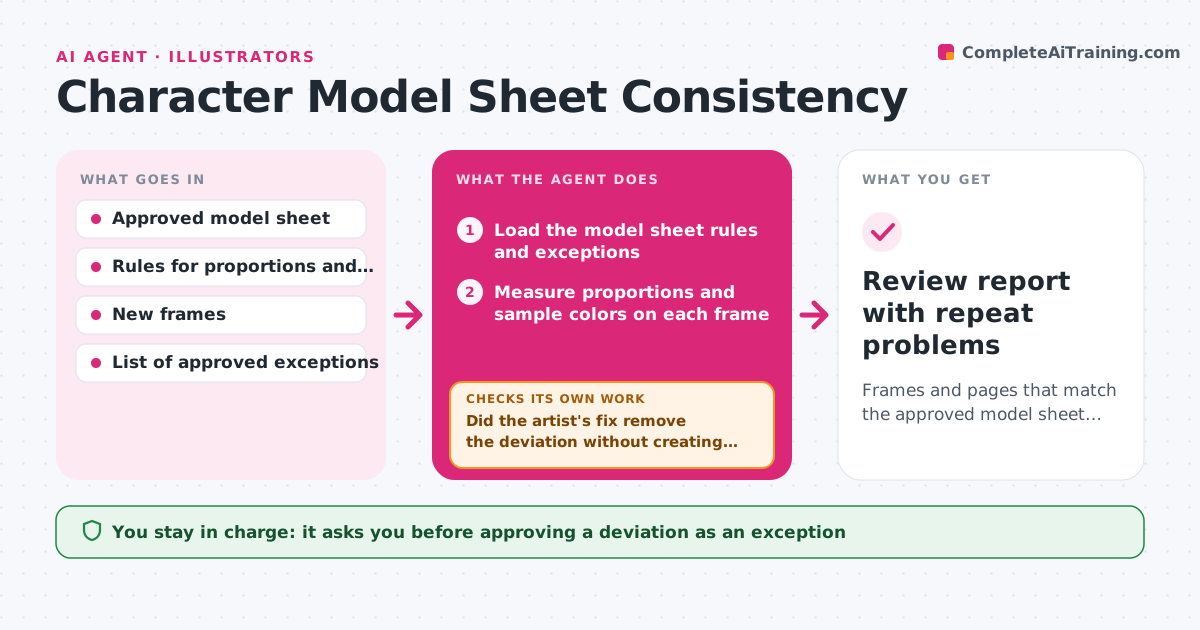
Frames and pages that match the approved model sheet, with a list of recurring problems
What it does
Characters slowly go off model across shots, pages and artists, and the drift is usually caught only at review. This agent compares each new frame or page with the approved model sheet. It checks proportions, colors, costume details and facial features. For each deviation it marks a crop and names the rule it breaks, such as head height of 5 heads or the wrong jacket button count. After the artist uploads a fix, it checks that deviation again and looks for new ones the fix created. It keeps a running list of repeat problems per artist or scene, so the art lead sees patterns. Intentional deviations, such as a character in disguise, can be tagged as exceptions. The art lead approves every exception. Edge case: lighting that shifts a color is checked against the lit color range, not the flat swatch.
How it works
Follow the arrows from top to bottom. The orange dashed arrow is the loop: when a check fails, the agent goes back and tries again.
Read the steps as a list
- New frames or pages uploaded
- Load the model sheet rules and exceptions
- Measure proportions and sample colors on each frame
- Check costume and face details against the sheet
- Mark each deviation with a crop and the rule it breaks
- Did the artist's fix remove the deviation without creating a new one?If not: log the new deviation and send it back with the crop. Back to step 3.
- Update the repeat-problem list by artist and scene
- Art lead approves intentional exceptionsThe agent waits here for your OK.
- Review report with repeat problems
How it decides
A deviation is flagged when a measured proportion or color falls outside the tolerance on the sheet, unless it is a tagged exception.
- Flag proportions more than 5% off the sheet
- Check colors under scene lighting, not flat swatches
- Skip deviations tagged as approved exceptions
- Report a repeat problem after the third occurrence
Make it yours
Every agent is a starting point. You choose these settings for your own situation.
- Proportion tolerance (default 5%)
- Color tolerance under lighting
- Which character features are checked
- How exceptions are tagged
What keeps you in control
It always asks you first
- Approving a deviation as an exception
- Passing frames to the next stage
Hard limits
- Never judges style or quality, only the written rules
- Never alters artwork
It stops when
- Done: every flag is fixed or an approved exception
- Stop: the model sheet is missing or outdated
Set it up
We guide you through the set-up, step by step
Members get the full set-up guide for this agent. No technical skills needed: you copy, paste and upload.
- One set of instructions to paste into your AI, with the clicks for ChatGPT, Claude, Microsoft 365 Copilot, Gemini and Grok
- The agent then walks you through connecting your own data, one source at a time
- A downloadable copy with the flow chart, the rules and the full guide