AI agent for journalists
Image and Video Verification Agent
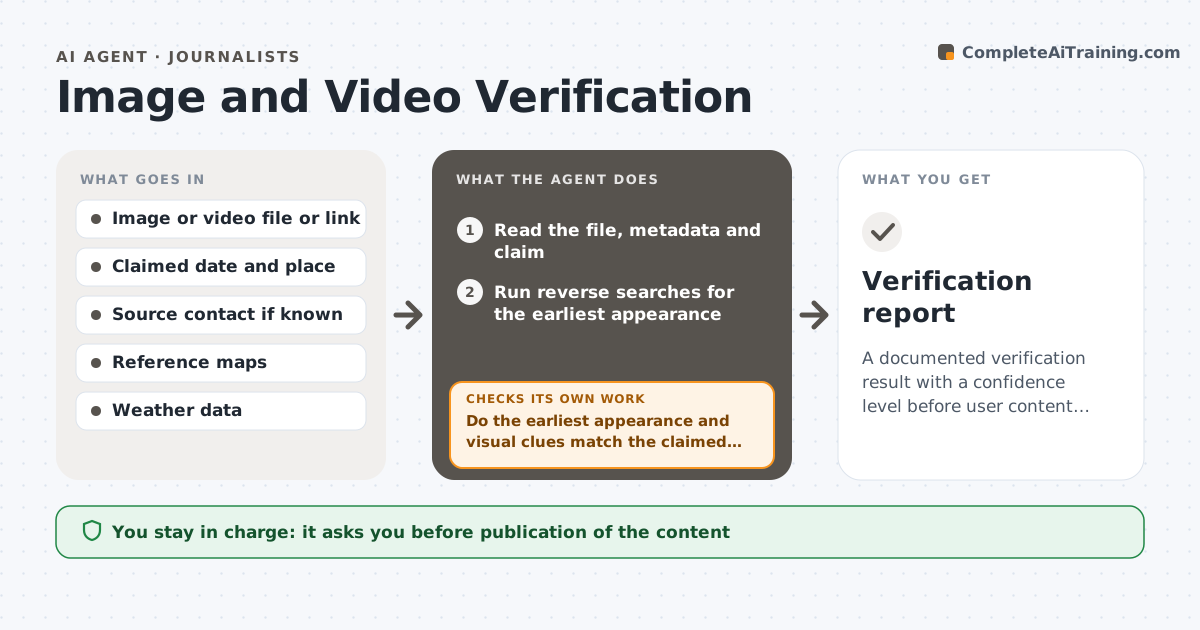
A documented verification result with a confidence level before user content is used
What it does
Viral images and videos are often published with the wrong date or place. This agent takes a piece of user content and works through a verification routine. It runs reverse image searches to find the earliest appearance, reads the metadata, and checks visual clues such as shadows, signage, weather and landmarks against the claimed time and place. It assigns a confidence level and lists what would raise it. If confidence is low, it requests more evidence, such as a source contact or an original file. After new findings arrive, it reruns the checks. The editor approves use. Edge case: the picture appears online three years earlier in another country, so the agent reports it as recycled.
How it works
Follow the arrows from top to bottom. The orange dashed arrow is the loop: when a check fails, the agent goes back and tries again.
Read the steps as a list
- Reporter submits content
- Read the file, metadata and claim
- Run reverse searches for the earliest appearance
- Compare clues such as landmarks, signs and shadows to the claim
- Do the earliest appearance and visual clues match the claimed date and place?If not: record the mismatch and check for older versions. Back to step 3.
- Assign a confidence level
- Is confidence high enough for the intended use?If not: request the original file or a source contact and rerun the checks. Back to step 3.
- Draft the verification note
- Editor approves useThe agent waits here for your OK.
- Verification report
How it decides
Confidence rises with independent matches. An earlier appearance or a mismatch with weather or landmarks lowers it sharply.
- Treat an earlier appearance as a recycled item
- Require two independent clue matches for high confidence
- Keep a record of every search and result
- Label low confidence content as unverified
Make it yours
Every agent is a starting point. You choose these settings for your own situation.
- Confidence levels
- Search tools used
- Clues required
- Log format
What keeps you in control
It always asks you first
- Publication of the content
- Contact with the original source
Hard limits
- Never publishes content
- Never contacts a source without the reporter's approval
It stops when
- Done: verification complete and editor decides
- Stop: content cannot be traced and no source is available
Set it up
We guide you through the set-up, step by step
Members get the full set-up guide for this agent. No technical skills needed: you copy, paste and upload.
- One set of instructions to paste into your AI, with the clicks for ChatGPT, Claude, Microsoft 365 Copilot, Gemini and Grok
- The agent then walks you through connecting your own data, one source at a time
- A downloadable copy with the flow chart, the rules and the full guide