AI agent for photographers
Image Licensing Usage Monitoring Agent
Find and resolve uses beyond license terms
What it does
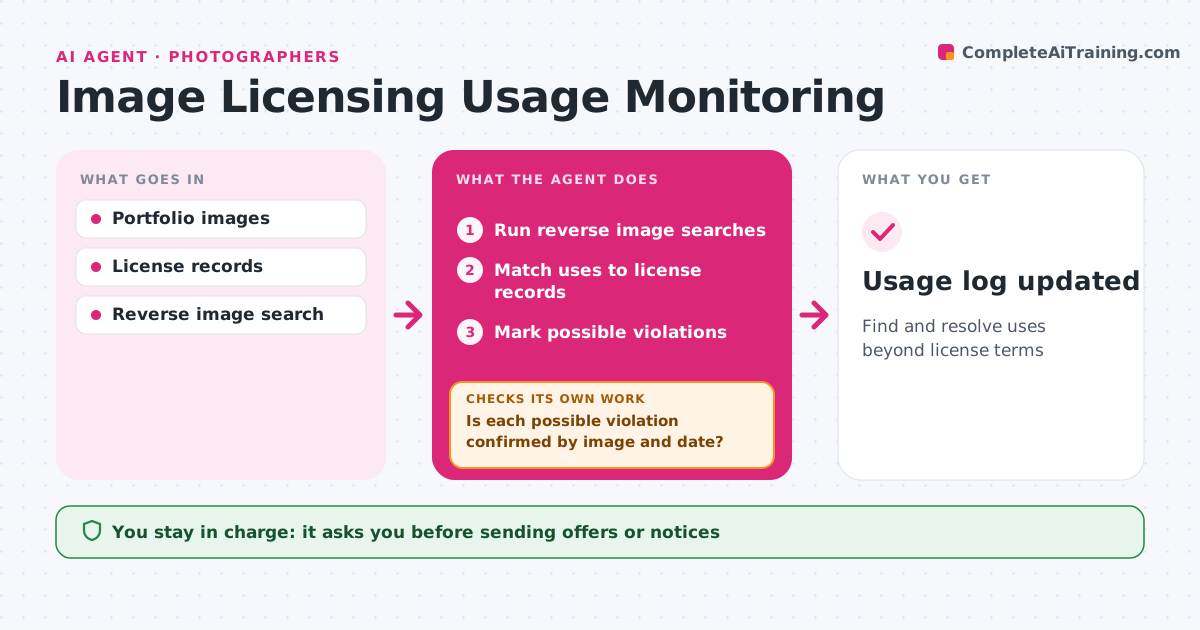
Creators rarely have time to check where their images end up online, so expired licenses and copying go unnoticed. Each month this agent runs reverse image searches on the portfolio and on licensed works. For every match it looks up the license records: who licensed the image, for what use, where and until when. It sorts matches into fine uses, like a client's licensed web page, and possible violations, like use after a license expired or on a site with no license at all. Before calling anything a violation, it checks again that the image really is the creator's and confirms the date of use. If that check fails, it drops the match or marks it for manual review. Confirmed cases get a polite renewal or license offer drafted for the creator. The creator approves every message. Edge case: possible fair use in news commentary is left to the creator.
How it works
Follow the arrows from top to bottom. The orange dashed arrow is the loop: when a check fails, the agent goes back and tries again.
Read the steps as a list
- Monthly scan
- Run reverse image searches
- Match uses to license records
- Mark possible violations
- Is each possible violation confirmed by image and date?If not: drop the match or mark it for manual review. Back to step 4.
- Draft license offer or notice
- Creator approves every messageThe agent waits here for your OK.
- Usage log updated
How it decides
It flags uses with no matching license or outside its terms, after confirming the match.
- Expired licenses get a renewal offer first
- News commentary is the creator's call
- Confirm before any notice
Make it yours
Every agent is a starting point. You choose these settings for your own situation.
- Portfolio images to scan
- Message tone
- Scan frequency
- Licensing rates
What keeps you in control
It always asks you first
- Sending offers or notices
Hard limits
- Never sends legal threats
- Never contacts anyone without approval
It stops when
- Done: scan complete
- Stop: no matches
Set it up
We guide you through the set-up, step by step
Members get the full set-up guide for this agent. No technical skills needed: you copy, paste and upload.
- One set of instructions to paste into your AI, with the clicks for ChatGPT, Claude, Microsoft 365 Copilot, Gemini and Grok
- The agent then walks you through connecting your own data, one source at a time
- A downloadable copy with the flow chart, the rules and the full guide